
A Friendlier First Step: YITM’s AI Virtual Receptionist for Small Business
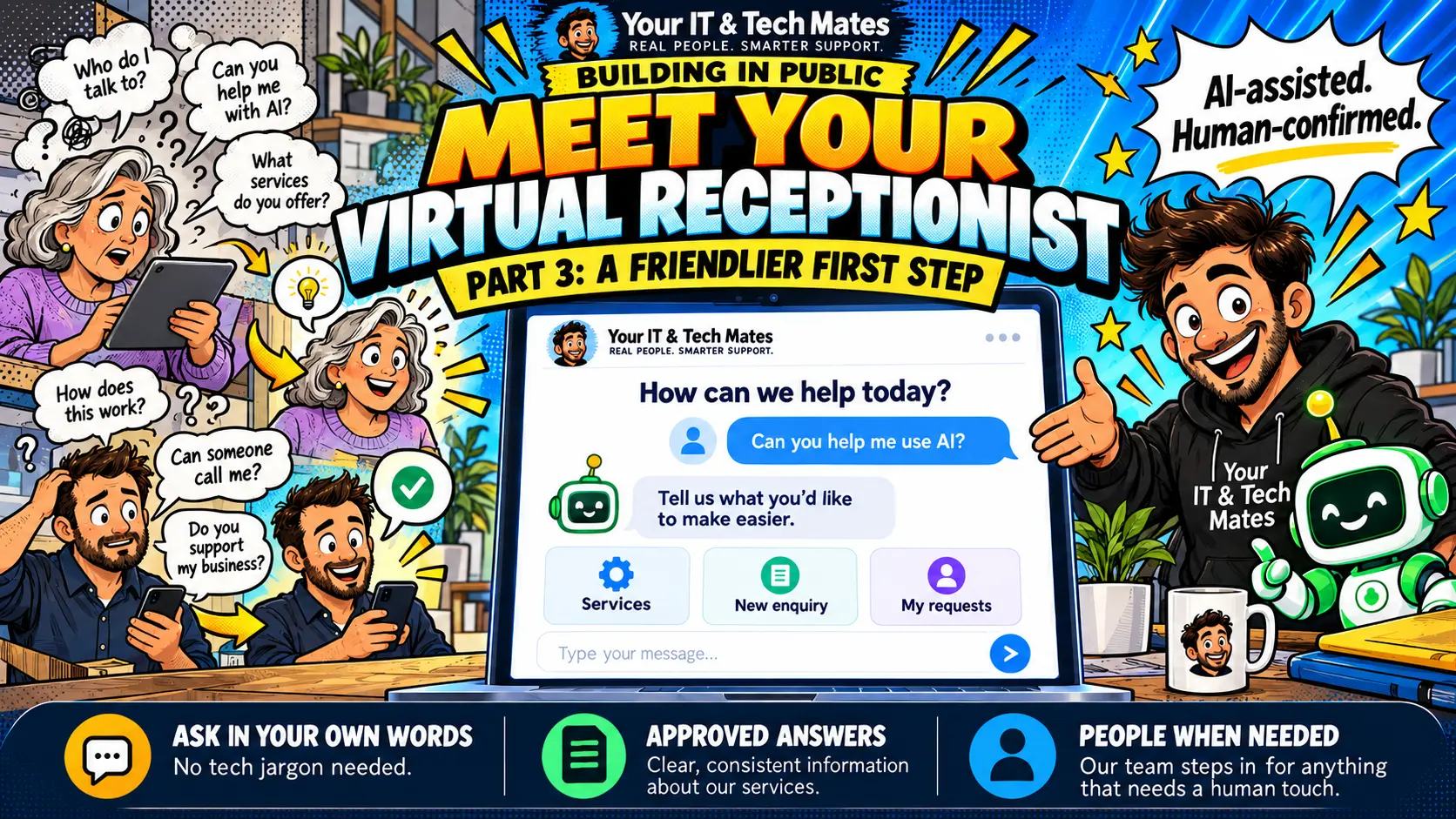
Customers often arrive with a question, not a service name. Our website assistant gives them approved answers, helps them describe what they need and hands them to a real person for the final say.
Quick answer
YITM’s AI virtual receptionist is a website chat assistant. It answers general service questions from reviewed information and helps visitors start an enquiry. New requests continue to QuoteMe, private questions need secure sign-in, and a person confirms the work and final price. It is AI-assisted and human-confirmed.
Case-study checkpoint: 22 October 2026. Implementation and rollout lessons; no measured efficiency percentage is claimed.
What an AI receptionist is designed to do for your business
These are the outcomes we designed for. We have not yet measured them, so we do not claim a percentage or a time saving.
- Approved answers, any time: visitors get reviewed information about your services, pricing guidance and service areas, even when your team is busy on a job.
- Clearer enquiries: customers describe the problem in their own words, so your team starts with context instead of a blank message.
- Private questions stay private: anything specific to a customer needs verified sign-in and ownership checks.
- AI kept on a short lead: it only helps pick a route or a reviewed topic. It does not make up prices, promises or links.
- Controlled running costs: daily limits cap ambiguous AI attempts, and most actions need no model call at all.
- A person has the final say: staff confirm the work, the final price and the arrangements before paid work starts.
Why a homepage needs more than a list of services
Someone asking “Can you help me use AI?” may not know whether they need software support, training or business systems. A family member arranging help for a parent might ask about patient support before they mention a device. A returning customer may just want the conversation they already started.
We wanted to help these visitors without making our team answer every opening question one by one. We also wanted visitors to find the right starting point without learning how our website is laid out. A receptionist-style assistant covers both.
The original QuoteMe customer-intake article focused on understanding a problem. This case study looks at the step before a formal enquiry: helping someone work out what to do next.
Who this helps: households and small businesses around Epping, Wollert, Mernda, South Morang and Mill Park, and local service businesses in places like Campbellfield, Doreen, Thomastown and Bundoora that field the same repeat questions.
What can the virtual receptionist help with?
Visitors describe what they need in everyday language. Reviewed topics cover general services, pricing guidance, service areas, technology help for seniors and families, NDIS-related technology support information, and software or AI enquiries. Suitability is always discussed with our team. An assistant answer does not confirm funding eligibility or approve a service.
- General question: “Do you help seniors with phones?” gets relevant service information and a useful next step.
- New enquiry: “My laptop screen has rainbow lines” continues into the QuoteMe process, where the customer reviews the details.
- Returning customer: “Check my enquiry” points the visitor to the verified account pathway.
- Human help: visitors can choose to speak to the team or use the contact links at any time.
There is also a way to start over. Changing direction should never require a customer to understand how an intent engine works.
How does the assistant understand a question?
- Read the words. The intent engine behind QuoteMe works out the likely support direction. Careful clean-up handles common typos and short phrases.
- Use clear rules first. Clear task choices and common service questions are handled without asking an AI model.
- Ask if it is unclear. “A quote” could mean a new estimate or an existing one, so a short clarifying question beats a confident guess.
- Use AI only where language is vague. Limited AI help may select an allowed route or a reviewed topic. The reply is built from approved material, so the model cannot invent prices, commitments or website links.
- Hand over to a person. If no reliable route is found, the assistant offers choices or human help.
This is why intent handling and AI work together: predictable code where the task is clear, and AI in a small, constrained role where wording is less obvious.
A practical example: helping Mum with her tablet
Illustrative example, not a customer testimonial: someone asks, “Can you help Mum with her tablet?” The receptionist explains patient technology support and invites a description of the help needed. It does not ask the visitor to diagnose the tablet first.
A useful next message might be, “She can receive email but does not know how to attach a photo.” That tells the team far more than a guessed category. Staff can then discuss the person’s wishes, support arrangements and next steps. A family enquiry does not give anyone access to another person’s account or private updates.
For local households around Epping, Wollert and Mernda, a welcoming first interaction matters. The aim is clear language, an easy handover and a person ready when the situation needs judgement.
Can a visitor pick up where they left off?
On supported public pages, a collapsed “Your tech mate” launcher lets visitors reopen the assistant. A saved public enquiry is resumed on purpose, rather than a chat opening over the page by itself. This is short visit continuity, not a permanent chat history.
The assistant keeps a limited, redacted public draft for up to 30 minutes after a saved turn on the same public host. It does not restore private account results or follow a person across devices. Moving from the public website into the customer app is a deliberate handover.
Visitors should leave passwords, PINs, banking details and one-time codes out of the conversation. The assistant is for describing a need, not for sharing credentials.
Are private questions safe?
A question typed on a public website is not proof of identity. Customer-specific enquiry, quote, repair or invoice information is checked against the signed-in owner and the records available to that account. A typed email address or reference is not enough.
At the 22 October 2026 pilot checkpoint, the receptionist was enabled and customer enquiry access was available. Receptionist repair-progress and issued-invoice views remained disabled. Those views are rollout work, not a promise that every visitor can already retrieve those details.
The assistant cannot guess a collection time from an old update, treat an issued invoice as proof of payment or claim that an unsent chase message reached staff. See how the actual customer conversation handles replies and return links.
How are AI costs kept under control?
Opening the assistant, browsing, choosing a task and reading permitted records do not need a model call. On top of that, receptionist ceilings cap ambiguous AI attempts: up to six per verified customer per day, three per visitor IP and 200 overall. Existing gateway policies can stop requests earlier, and private configuration can tighten the limits.
An IP allowance is not a verified-person identity, and these are receptionist limits rather than a quota for every YITM feature. If AI is unavailable or a limit is reached, reviewed answers, task choices and ordinary enquiry routes remain the fallback.
Our goal is fewer repetitive enquiries and easier access to useful information. We have not yet measured how many routine questions it resolves. To assess that, we need real question samples, correct-answer review, completed handovers and customer feedback.
What can another small business learn from this?
Start with the questions your team answers over and over. Give each approved answer an owner, connect it to a useful action and decide when a person takes over. Test confusing wording, account boundaries, mobile use and what happens when the assistant cannot answer.
YITM offers software and AI workflow support for Melbourne businesses. A good assistant needs your own service information, systems and operating rules. Copying a chatbot onto a page does not create a complete customer process.
A connected next step for website visitors
For the website stage of this journey, see how YITM connects questions, helpful pages and reviewed enquiries into a virtual front desk.
Frequently asked questions
What is an AI virtual receptionist for a small business?
It is a website chat assistant that answers common questions and helps visitors start an enquiry. YITM’s uses reviewed service information, and a person confirms any work, final price and arrangements.
Does every question use AI?
No. Common questions, task choices and permitted record lookups use code and reviewed information. Only ambiguous wording may use a limited AI attempt through our controlled gateway.
Can the assistant confirm a booking or price?
No. It can guide an enquiry, but a person confirms work, final pricing and service arrangements. Continuing to QuoteMe still means the customer reviews and submits the request.
Can it answer private questions without sign-in?
No. Customer-specific information needs verified sign-in, ownership checks and the relevant enabled account features. A reference typed into public chat does not give access.
Can customers check repair progress and invoices through it now?
Not yet. At the 22 October 2026 pilot checkpoint those receptionist views were still disabled. Customers should use their account conversation or ask the team.
What happens if the AI is unavailable or a limit is reached?
Reviewed answers, clear task choices and ordinary enquiry routes keep working. The visitor can always choose to speak to the team instead.
Continue the YITM workflow automation case studies
Follow the connected journey from the first question to missed calls, helpful website guidance, secure conversations and the lessons we are learning.
What to do next
Tell QuoteMe which question or step keeps coming up, what software you use and what you want to make easier. We will talk through whether a website enquiry assistant suits your business, what it would involve and what it would cost before any paid work starts. Please leave passwords, API keys and private customer records out of the enquiry.