
Customer Conversation Workflow: Keep Every Enquiry in One Place
Tired of chasing the same details across calls, emails and photos? Here is how we are bringing each enquiry, reply and supported attachment into one secure conversation, so the next person can pick up where the last one left off.
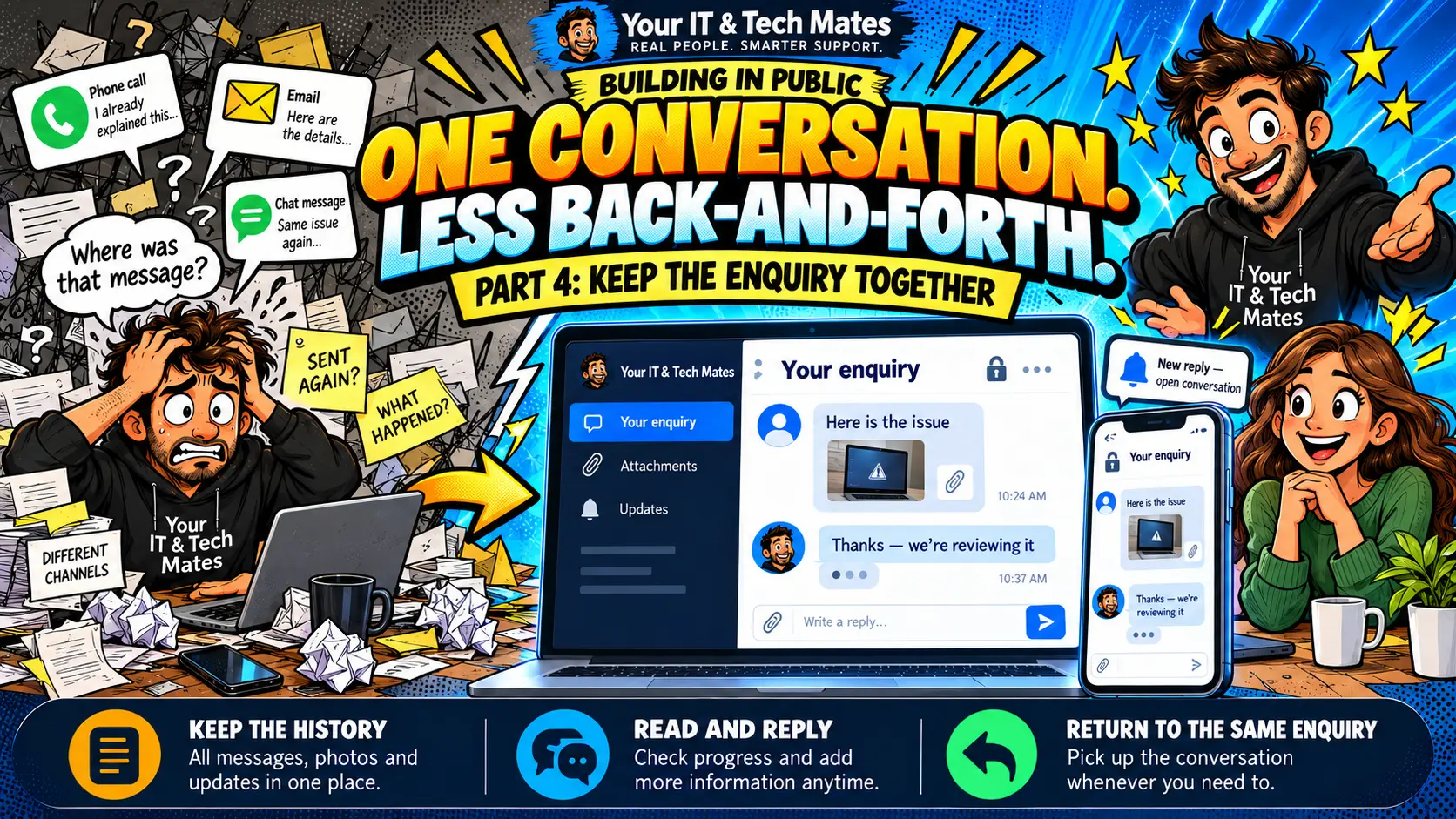
Quick answer
YITM’s customer conversation workflow keeps your enquiry, staff replies and supported photos in one secure place. Email notifications bring customers back to that conversation through a return link, so nobody starts from scratch. Staff still review each request and keep customer information current, and nothing is assumed delivered until it is confirmed.
Case-study checkpoint: 22 October 2026. Implementation and rollout lessons; no measured efficiency percentage is claimed.
Benefits at a glance
- One conversation, not scattered emails. The enquiry, the replies and the history sit together, so you are not hunting through inboxes.
- A secure way back. Customers return through an email return link to the same request and sign in as required.
- Photos and replies stay together. Supported attachments are kept with the enquiry through our private file pathway.
- Your team sees the context. Staff read the history before replying, so the next question can be a specific one.
- Honest about delivery. Saved, queued, accepted and delivered are treated as different things, and we do not assume an email arrived.
- You stay in control. People review each request and keep customer-facing information current. AI-assisted, human-confirmed.
These are the outcomes we are designing for at our 22 October 2026 checkpoint. They are not measured results.
Who this helps
Customer enquiry management for small business matters most when a small team is busy and every message counts. If you run a trade, repair, clinic, office or service business in Epping, Wollert, Mernda, South Morang, Mill Park, Campbellfield, Doreen, Thomastown or Bundoora, you probably know the feeling of one job spread across a phone call, an email and a photo.
Why do customer messages end up in so many places?
A customer calls about a problem, sends a photo later and asks another question by email. One staff member remembers part of the story, and a colleague has to find the rest. Even when everyone is trying to help, the next reply can start by asking for something the customer already told you.
The cost is not just typing. It is the time spent working out which device, which enquiry and which earlier answer belong together. Customers feel that as repetition. Staff feel it as searching, handover notes and interruptions.
Our answer is to make the enquiry conversation the place where the work is discussed. SMS and email help people get back to it. They should not create parallel versions of the same customer history.
How does one customer conversation work?
Here is how it works, from a clear enquiry to a useful staff reply:
- Start with the customer’s own words. QuoteMe helps prepare an enquiry for the customer to review and submit.
- Open the right request. Staff read the history and available details before replying.
- Ask or answer in the conversation. A targeted follow-up is more useful than restarting the intake interview.
- Keep supported files with the enquiry. Photos and attachments are accessed through the existing private file pathway.
- Bring the customer back. An email notification supplies a secure conversation link. The customer signs in as required and replies there.
The goal for your team is deliberately simple: open the right conversation, read, reply and move on. Automation should support that habit, not force you to learn another unrelated inbox.
What does it look like with a photo and a follow-up question?
Illustrative example, not a customer testimonial: a customer submits an enquiry about lines on a laptop screen. They add a photo through the supported attachment flow. A staff member reviews the enquiry and asks whether the image changes when the screen moves. The customer answers in the same conversation.
A colleague who opens the request later can read the description, see that a photo exists and understand the follow-up. The customer does not have to retell the whole story to each person. The photo helps explain the symptoms. It does not replace a technician’s assessment or set a final repair price.
This is the handover idea from Part 1’s QuoteMe intake example, carried through after the enquiry has been submitted.
What happens when staff press Send reply?
When staff send a reply, the system saves the message in the conversation and queues a customer email notification in the same database transaction. If creating the notification record fails, the reply save rolls back. It does not quietly claim that everything worked.
A delivery worker then processes the queued notification separately. The email tells the customer there is an update and links to the same request conversation. Private reply text and issue details stay out of the email body, and the destination still checks the customer’s access.
A saved reply, a queued email, mail-provider acceptance and inbox delivery are four different outcomes. Our staff wording keeps them apart. A queue record is good evidence that a notification was intended, but it is not proof the customer saw it.
During the build we found an obsolete sender-setting check that could stop the delivery job even though the main mail configuration was valid. Removing that extra gate fixes the code path. Production scheduling, configuration and delivery logs still need to be verified, so this is a practical reliability lesson, not a claim that every email has been delivered.
Will a patchy connection send the same message twice?
A connection can drop right after someone presses Send. Where the conversation reliability feature is enabled, a send key lets a repeated request point back to the original message instead of creating another message and notification. Account access and staff assignment are checked again, so a retry is never a way around them.
Supported conversation drafts and connection feedback help people see what is saved and what is still unsent. A public receptionist draft is different from a submitted account message. Copying a suggested repair-chase message only copies text. The customer must open the real conversation, review it and send it.
The email worker uses bounded retries when a transport attempt fails. An uncertain provider outcome, or a crash after acceptance, can still produce a repeated email. That is why we describe the safeguards accurately instead of promising perfect, exactly-once inbox delivery.
How do I avoid flooding customers with notifications?
More notifications do not always mean better communication. Customers need to spot the important next step, know where to reply and find the original context. A clear email return link can be more useful than sending yet another new link.
SMS reminders have their own eligibility and suppression rules, and email and SMS states are independent. A preference or suppression for one channel is not proof that another channel was delivered. Your staff also need a fallback for customers who cannot use the online conversation.
Read how the first missed-call link starts the journey and how the receptionist guides returning customers.
Is a customer’s private information kept safe?
Customers should only see the requests they own. Staff access depends on their role and, where relevant, assignment. Knowing a request reference or opening a link does not by itself give access. Private files are handled in the supported account workflow, not in a public chat reply.
For customers, the habits are simple: use the email connected to the enquiry, keep the return link, describe the problem, and never send passwords or one-time codes. For staff, put the next action in the customer-facing conversation and keep restricted internal notes separate.
One conversation does not mean unrestricted access or permanent file storage. Existing expiry, deletion and account controls still apply.
How will we know it is actually saving effort?
We plan to look at staff time spent finding context, repeated requests for the same information, time to a meaningful first reply and the number of contacts needed to agree a next step. We also want to know whether customers found the conversation easy to reopen.
We have not published a measured percentage saving. A shorter handling time is only a good result if the answer is still correct and the customer can carry on. An abandoned conversation must never be counted as a resolved enquiry.
For service businesses around Melbourne North, a Workflow Improvement Pilot can assess where information gets split across tools. If your CRM already manages the conversation, the right answer may be a supported integration rather than another portal.
A connected next step for website visitors
For the website stage of this journey, see how YITM connects questions, helpful pages and reviewed enquiries into a virtual front desk.
Frequently asked questions
What is a customer conversation workflow?
It is a way of keeping one customer’s enquiry, staff replies and supported attachments in a single secure conversation. Your team and the customer both go back to the same place, so nobody has to repeat the story.
Does Send reply email the customer the full message?
No. The reply is saved in the conversation and a notification email is queued. The notification links back to the request, and private reply content is kept out of that email body.
Does Reply saved mean the email was delivered?
No. Saving, queuing, provider acceptance and inbox delivery are separate stages. The delivery job and provider logs need to be checked when investigating an email.
Does copying a receptionist chase message notify staff?
No. Copying creates no staff notification. The customer must open the existing conversation, paste the draft, review it and send it.
Can customers add photos to their enquiry?
Yes, through the supported attachment flow, and the files stay with the enquiry in the private file pathway. A photo helps explain symptoms but does not replace a technician’s assessment or set a final price.
Can my business keep its existing customer system?
Often that is the right starting point. YITM assesses your current CRM or job software, access boundaries and supported integrations before recommending any change.
Continue the YITM workflow automation case studies
Follow the connected journey from the first question to missed calls, helpful website guidance, secure conversations and the lessons we are learning.
What to do next: tell QuoteMe where your enquiries get stuck
Tell us which step creates repeated work, what software you use and what you want to make easier. Leave passwords, API keys and private customer records out of the enquiry. We talk through suitability, scope and costs with you before any paid work starts.