How We Built an AI Receptionist That Asks Better Questions
Inside YITM’s adaptive enquiry workflow: how clearer follow-up questions help Melbourne small businesses understand customers without forcing a long form.
Quick answer
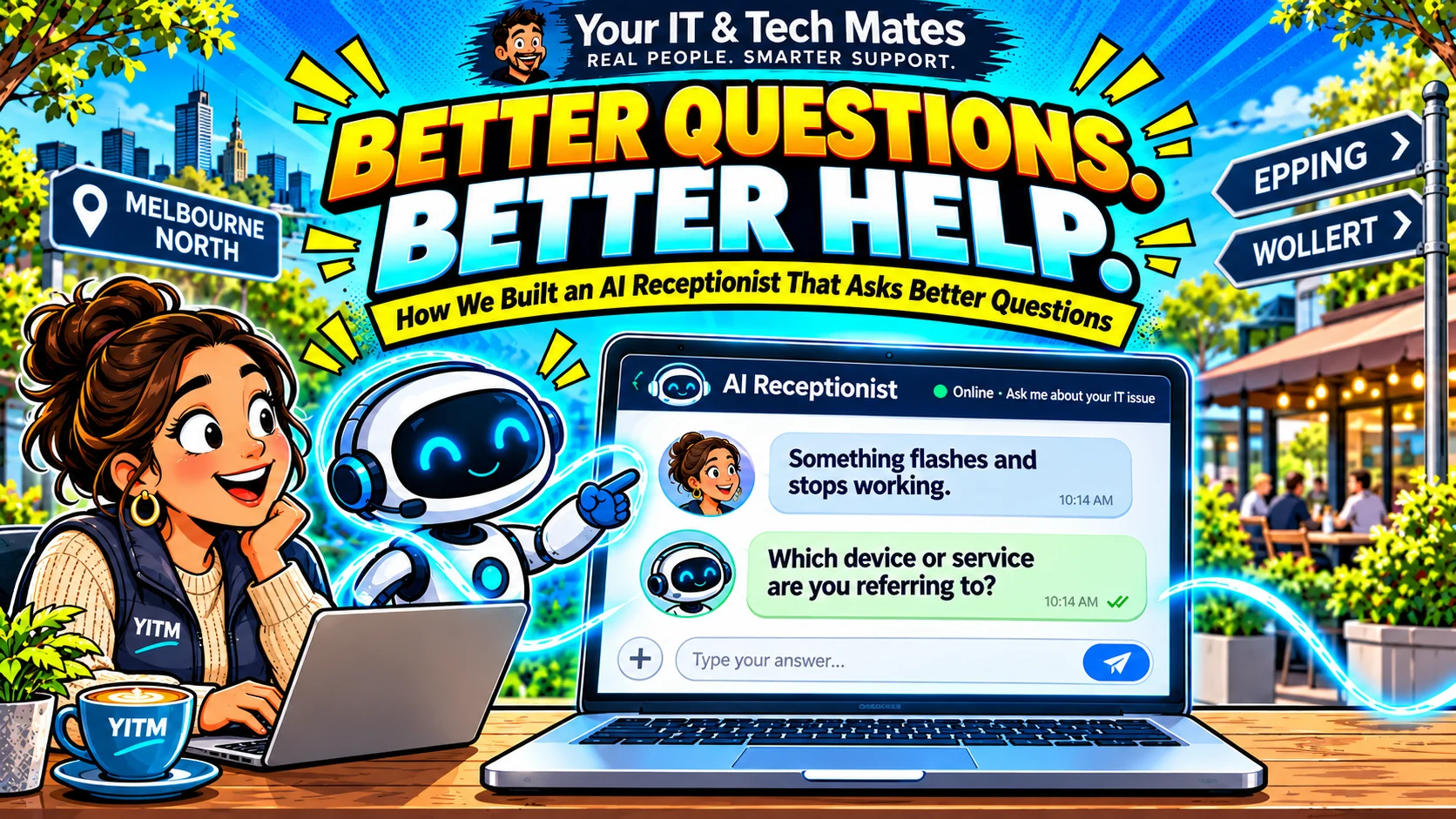
A customer rarely arrives with a tidy service category. They might say, “Something flashes and stops working.” For an IT team, that sentence is not enough to quote, diagnose or even identify the device. Our goal was to build an assistant that moves the conversation forward with one useful question rather than a guess.
Evidence note: YITM build experience and labelled tests are distinguished from unverified live-customer savings or conversion outcomes.
The customer problem behind this workflow
A conventional contact form asks everyone for the same fields. A keyword chatbot can also misfire: a mention of “flashing” might match a screen article even when the customer is describing a power problem.
YITM’s front desk must help people who are unsure of terminology, including families organising support for someone else. The first job is to understand what they need, not sell a specific service.
How we designed the YITM workflow
The reception layer first checks for safety and protected-account requests, then approved website knowledge and known service patterns. If the message is too vague, adaptive discovery asks for the missing subject: which device or service? After “It’s my laptop”, a relevant next question is whether the screen flashes, the light blinks or the computer switches off.
The desired handover is a customer-reviewable QuoteMe draft with the original symptom, identified device and later details preserved. A human technician decides what diagnostic work is appropriate. Asking a clearer question is not a diagnosis or booking confirmation.
What we built, tested and learned
During YITM’s Stage 1I acceptance work, we reproduced a genuine browser journey where the receptionist asked about the device but treated “It’s my laptop” as a fresh general enquiry. That was a product defect, even though earlier synthetic suites passed.
The improvement is a bounded clarification state, explicit question tracking and a test that follows all three turns. The regression tests later passed; the public browser journey still required verification while Stage 1I remained disabled.
What this could improve for YITM and other businesses
A better question can reduce avoidable back-and-forth and help staff begin with a more useful description. That is an expected operational benefit, not an observed reduction in response time or conversion rate.
For another Melbourne small business, start with one recurring ambiguous customer question. Record which single follow-up makes the next step possible; only then automate it.
Local business perspective: Epping, Wollert and Melbourne North
Our own service work in Melbourne’s northern suburbs provides a practical test bed: customers want a clear next step, especially when they cannot describe a technical problem. This article is a first-party YITM workflow example, not a claim that an identical automation suits every local business. A café, clinic or trade service should map its own permissions, customer journey and response expectations before copying the pattern.
A practical customer journey: three messages, one enquiry
Message one: “Something flashes and stops working.” At this point the system knows there is a symptom but not which device. The responsible next action is to ask what is flashing, not show a repair price or choose an article at random.
Message two: “It’s my laptop.” This answers the device question but does not settle whether the screen, power light or another component flashes. The receptionist should acknowledge the answer and ask a targeted follow-up: “Does it switch off completely, freeze, or show an error?”
Message three: “The screen flashes and the laptop switches off.” The staff handover should show a laptop, screen flashing and unexpected shutdown in the same draft. Nothing in those messages proves a faulty battery or display. A technician still needs to assess the equipment.
A correction checklist for real conversations
Record the initial problem separately from the object or device involved. “Won’t power on” can remain relevant when “laptop” is corrected to “desktop”; do not erase the symptom because the device changed.
When the customer says “actually”, look for the specific fact being corrected. Replace only that fact. Show the corrected summary back to the customer before the request is submitted, especially where parts, service locations or appointments could be affected.
Give the customer an explicit option to start a separate enquiry. Without it, unrelated follow-up questions can contaminate the original problem and confuse the technician.
Frequently asked questions
Does an AI receptionist need to diagnose the problem?
No. It can clarify the customer's description and suggest a human-reviewed next step without promising a diagnosis.
Can it help customers who use everyday language?
That is the design goal. Ordinary language should lead to a focused clarification, not a forced technical menu.
Keep exploring YITM's workflow automation work
Start with our virtual receptionist overview, then follow the engineering details below.
- quoteme ai virtual receptionist melbourne
- ai website virtual front desk melbourne
- How our website works as a virtual front desk
- Our wider small-business workflow lessons
Behind the Build · all ten articles
- Part 1 — How We Built an AI Receptionist That Asks Better Questions
- Part 2 — Why Our AI Receptionist Needs to Remember the Conversation
- Part 3 — AI or Rules? How We Keep Our Virtual Receptionist Practical and Affordable
- Part 4 — From AI Conversation to QuoteMe: A Safer Customer Handover
- Part 5 — When AI Gets It Wrong: How We Test and Improve Our Receptionist
- Part 6 — One Customer, Two Problems: Designing AI for Multiple Service Requests
- Part 7 — Why Our AI Receptionist Cannot Book Work or Approve Prices on Its Own
- Part 8 — How We Connect Website Enquiries, QuoteMe and Staff Follow-Up
- Part 9 — How We Measure Whether an AI Receptionist Is Actually Helpful
- Part 10 — Start With One AI Workflow: What Our Small Business Learned
Could your business use a clearer customer workflow?
Tell us which enquiry, follow-up or handover consumes time for your team. We can discuss a small, human-reviewed workflow that fits your current tools. Please do not send passwords, API keys or private customer records. We confirm scope and pricing before any paid work.