
My Laptop Won't Turn On: How QuoteMe Helps Melbourne Customers Get the Right IT Support Faster
“My laptop won't turn on.” Five words, and several possible problems. Here’s how QuoteMe, built by Your IT & Tech Mates, helps turn that sentence into a clearer next step.
Why “my laptop won't turn on” is harder than it sounds
It is a common starting point for laptop repair enquiries. It sounds simple, but “won’t start” can describe several different symptoms:
- Power supply: a charger, cable, adapter or charging connection that needs checking.
- Battery: a flat or worn battery, or a charging problem.
- Screen: lights or fans come on, but there is no usable picture.
- Storage: the laptop powers up but cannot load its files or operating system.
- Software: an update or startup error stops the laptop reaching the desktop.
- Other hardware: memory, motherboard faults, liquid damage or another issue that needs assessment.
You know something is wrong. You should not have to diagnose it or choose a replacement part before asking for help. A laptop with no power is also different from one that turns on but will not finish starting.
The problem with traditional IT support forms
Support forms often ask you to choose a service category before anyone understands the symptom. Customers guess, fill in long forms and repeat information. A technician then has to work out what the request really means before recommending a repair.
That friction was one reason we started building QuoteMe: start with the customer’s problem and collect the details that make the next step clearer.
What is QuoteMe?
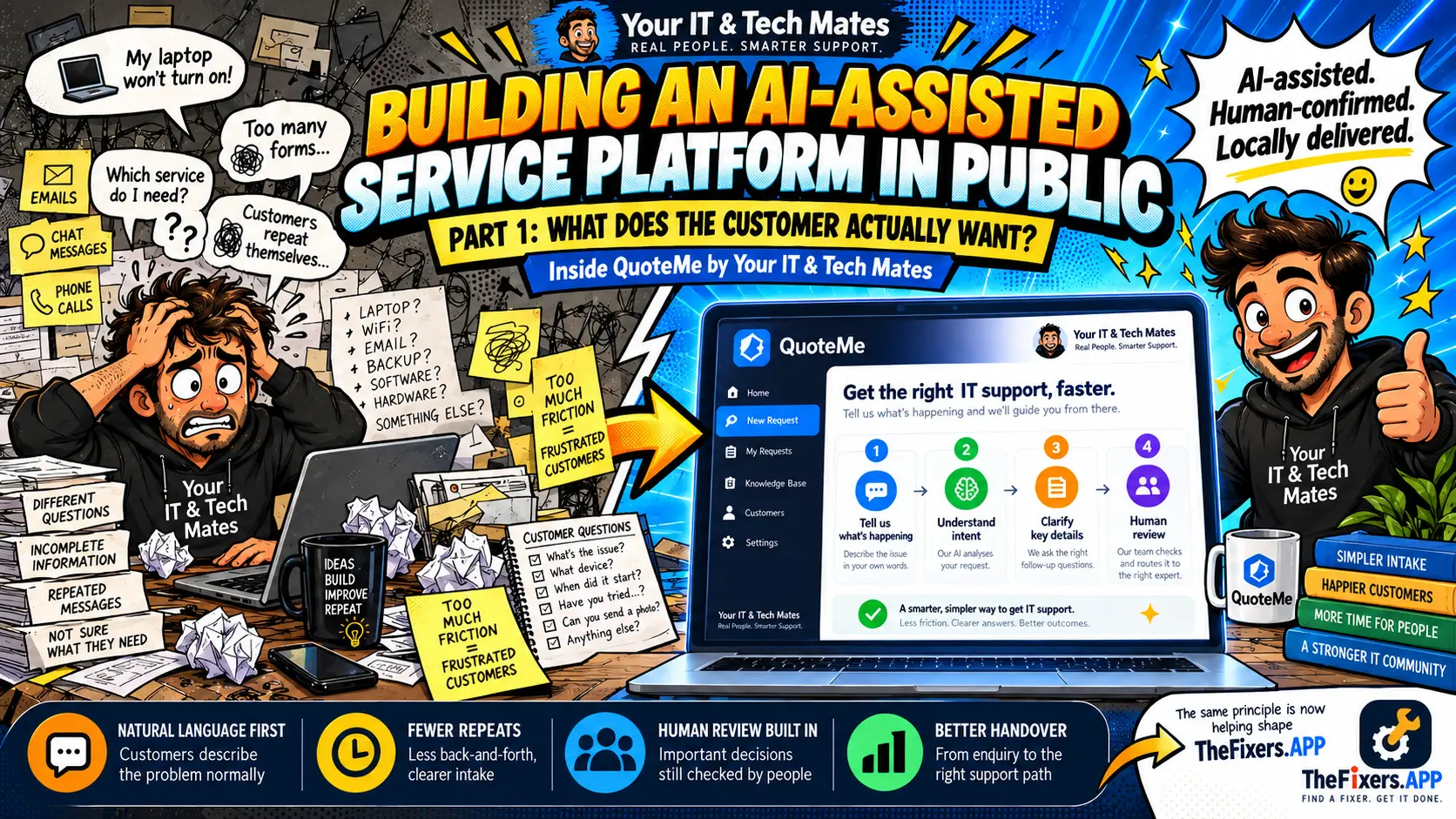
QuoteMe is an AI-assisted quote and intake tool from Your IT & Tech Mates. It starts with what is happening, using guided intent checks and AI assistance where useful to organise a request. You do not need technical language or an IT support quote category.
It prepares information for review. It does not automatically diagnose a fault, confirm a repair price, book a technician, take payment or authorise paid work.
How QuoteMe works
- You tell us what’s happening. Describe the problem in your own words, including any checks already tried.
- It identifies the kind of help you need. QuoteMe first uses local, guided intent logic, with bounded AI assistance where helpful. The result is a support direction, not a diagnosis.
- It asks useful follow-up questions. Details such as lights, fan sounds and whether important files matter can change the next step. You can correct the problem if the suggested direction is wrong.
- You review the prepared request. Check the summary, change details and explicitly choose whether to send it. Continuing a conversation does not submit a request by itself.
- A real person reviews the request. Our team checks the information and advises on the next step before a booking or paid work is confirmed. Hands-on diagnosis may still be needed.
AI helps with the sorting. People do the fixing.
Read the full process from a customer problem to a reviewed QuoteMe request.
Why QuoteMe requests are reviewed by a real person
We use AI to make IT support easier to navigate. Organising information can help, but judgement, accountability and care come from people. A technician may need to check the laptop model, symptoms, data risks and practical service options before recommending work.
You remain involved: you can correct the description, review what is sent and ask questions about the proposed next step.
AI-assisted. Human-confirmed. Locally delivered.
Local IT support across Melbourne’s northern suburbs
Your IT & Tech Mates provides local IT repair and tech support across Melbourne’s northern suburbs, including Epping, Wollert, Mernda, South Morang and Mill Park. Describe your problem and location so the team can discuss suitable support options and availability.
Whether you need laptop repair Melbourne help or broader computer repair in the northern suburbs, start with the symptom rather than guessing the service.
What to do if your laptop won't turn on right now
Stop first if there is swelling, smoke, a burning smell, sparking, unusual heat or liquid damage. Do not keep charging or restarting it, press on a bulging case, or open the laptop to remove a battery. Disconnect external power only if safe. Seek urgent help for immediate danger rather than waiting for an online request.
If there are no warning signs, these external checks can help you describe the problem:
- Check the power source. Confirm the power board is switched on. Try a known-working power point only if the outlet, adapter and cable are undamaged.
- Look at the charger and charging light. Inspect externally for damage. Use the correct compatible charger; do not test with damaged equipment.
- Disconnect accessories. Unplug USB drives, docks, printers and external monitors, then check the laptop again.
- Use a model-specific power reset only. Follow the manufacturer’s instructions for your exact laptop. Hold times and battery steps vary; there is no universal 30-second reset. Avoid factory resets, reinstalling software or opening the case as a first check.
- Separate no power from a black screen. Note any fans, keyboard lights or startup sounds. On some laptops, a faint image visible with a torch may be a display clue; it does not confirm a backlight fault or the repair needed.
- Protect important files. Tell us if work, school files or photos matter and whether you have a backup. Avoid repeated forced restarts or destructive recovery steps when the data situation is uncertain.
For more detail, read Laptop Won’t Turn On? 5 Safe Checks Before Calling a Tech and our swollen laptop battery safety guide. Manufacturer reference: Dell’s swollen-battery guidance.
If the checks do not help, tell QuoteMe what you observed and tried. Leave out passwords, PINs, recovery keys, banking details and one-time codes.
What’s next for QuoteMe
Our continuing focus is on better questions, not more questions, clearer corrections and less repeated explanation. The aim is a simpler process for customers and a more useful handover for the team, while people keep control of important decisions.
See what we learned building QuoteMe into our IT support website.
Frequently asked questions
What is QuoteMe?
QuoteMe is an AI-assisted quote and intake tool from Your IT & Tech Mates. You describe your tech problem in your own words, answer useful follow-up questions and review a prepared request before sending it to the team.
Do I have to know what IT service I need?
No. QuoteMe starts with what is happening. You do not need to diagnose the fault or choose a replacement part before asking for help.
Does AI make the final decision?
No. QuoteMe can organise the request, but a real person reviews the information before a booking or paid work is confirmed. The request itself is not a final diagnosis, confirmed price or authorisation for work.
Which areas does Your IT & Tech Mates serve?
We serve Melbourne’s northern suburbs, including Epping, Wollert, Mernda, South Morang, Mill Park and surrounding areas. Tell us your location so the team can discuss suitable support options and availability.
What if my laptop won't turn on at all?
Stop testing if there is swelling, smoke, a burning smell, sparking, unusual heat or liquid damage. Otherwise, try the safe external checks above, then describe the symptoms and checks tried in QuoteMe. A technician can advise on the next step after reviewing the request.
Follow the QuoteMe process
Browse AI-assisted website and QuoteMe guides · Explore laptop repair support
Get started
Having trouble with a laptop, computer or another device? Tell us what’s happening. Review your request before sending it, and our team can discuss the next practical step.
Your IT & Tech Mates | Real people. Smarter support.
Building QuoteMe in Public — From Intent to Action
Part 1 of 10. Follow the customer problem, development decisions and human service behind QuoteMe.
Building Your IT & Tech Mates + TheFixers.APP, one practical problem at a time.
Continue the YITM workflow automation case studies
These companion case studies build on the original QuoteMe customer-intake example. Follow the practical journey from the first question to staff follow-up and the lessons we are learning.
- Part 1 — Start with the customer’s own words
- Part 2 — From Missed Call to Next Step: YITM’s SMS Enquiry Automation
- Part 3 — Meet YITM’s Virtual Receptionist: A Friendlier First Step for Tech Help
- Part 4 — One Conversation, Less Back-and-Forth: Inside YITM’s Customer Workflow
- Part 5 — Automate, Learn, Improve: Lessons from Building YITM’s Customer Workflow
Go deeper: Behind the Build
Read our practical engineering stories about AI receptionist improvements, customer conversation memory and safe QuoteMe handover. We distinguish test evidence from live customer results.
How AI asks better questions · Explore all 10 Behind the Build articles