When AI Gets It Wrong: How We Test and Improve Our Receptionist
A candid YITM engineering case study of chatbot errors, grounded validation, browser acceptance and safer customer enquiry automation.
Quick answer
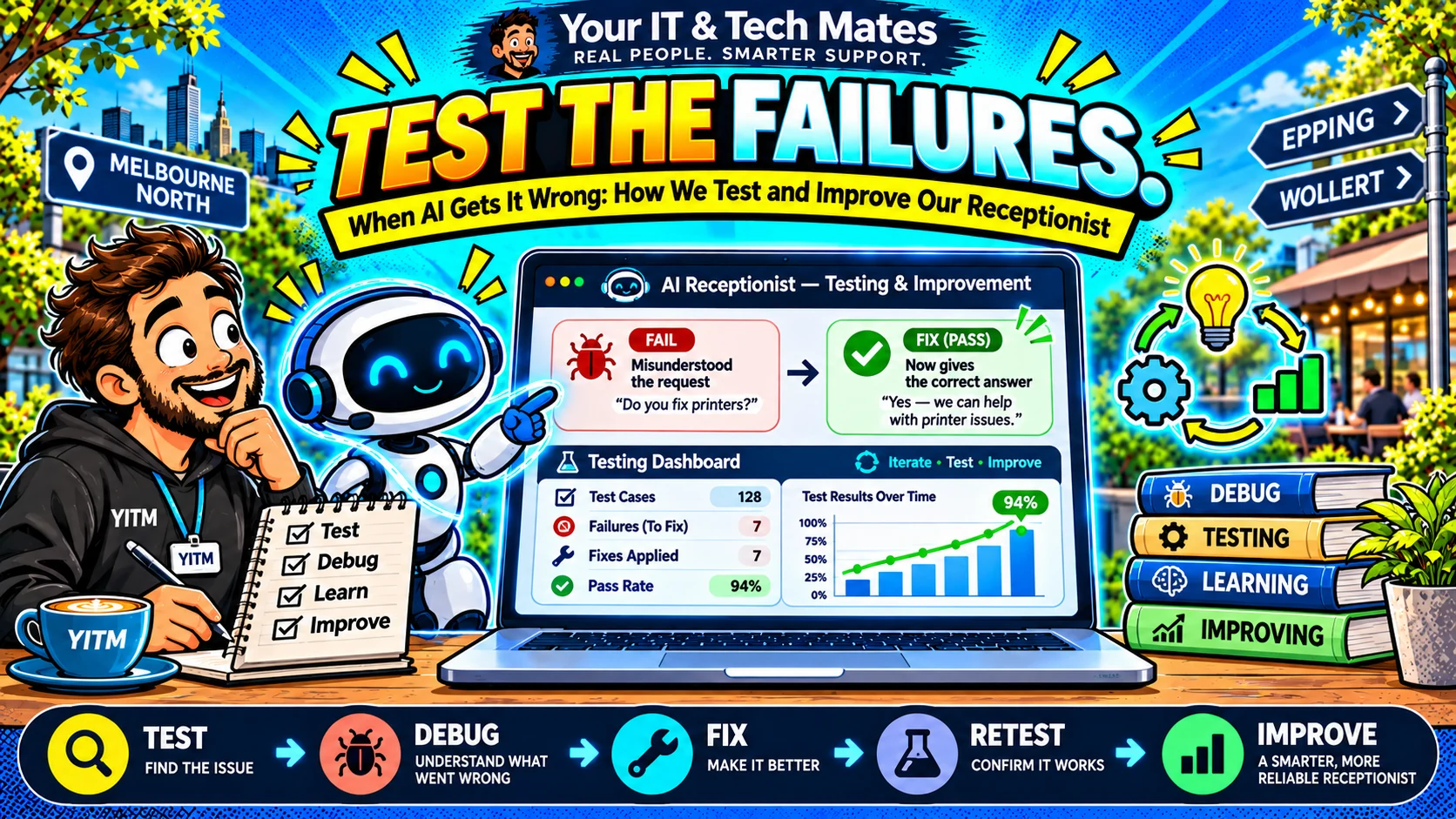
One of our most useful test results was a failure. The customer wrote, “Something flashes and stops working.” The virtual receptionist asked which device they meant. The customer answered, “It’s my laptop.” Instead of continuing, the website offered an unrelated general enquiry. A test suite had passed; the actual journey had not.
Evidence note: YITM build experience and labelled tests are distinguished from unverified live-customer savings or conversion outcomes.
The customer problem behind this workflow
A fluent reply does not prove a correct workflow. Automated tests can cover a service class while missing the state passed between browser requests. A model can also return well-formed output that names the wrong intent.
Treating synthetic test scores as customer success would hide those gaps. We needed separate evidence for classification, schema validation, context preservation, live provider behaviour and public browser experience.
How we designed the YITM workflow
YITM uses labelled regression scenarios for repairs, business enquiries, complaints, supplier requests, corrections, security boundaries and budget failures. We check not only the answer but also what was stored, whether a handover stayed unsent and whether staff actions remained blocked.
For model-generated plans, strict validators reject unsupported evidence. For multi-turn journeys, we repeat the same words through the receptionist, visit state and browser. When a failure appears, we write the reproducing case before changing the code.
What we built, tested and learned
Our initial strict real-Azure EP2 probe passed three of five cases. Offline Stage 1I suites subsequently passed, but browser testing still revealed a disabled feature flag and an old fallback path. These are different failure classes: model interpretation, deployment configuration and runtime state.
The response was not to claim a perfect accuracy figure. We separated flags for a restricted staff lab, added the failing laptop journey to integration coverage and kept public activation gated until real browser acceptance could be observed.
What this could improve for YITM and other businesses
For YITM, this approach should help prevent repeated customer explanations and incorrect handovers before they become lost jobs or frustrating service calls. The operational impact remains to be measured on genuine workflows.
Any company adopting AI can borrow the lesson: save the exact failure case, test the entire user journey, record whether it was mock or live and publish only metrics your evidence can support.
Local business perspective: Epping, Wollert and Melbourne North
Our own service work in Melbourne’s northern suburbs provides a practical test bed: customers want a clear next step, especially when they cannot describe a technical problem. This article is a first-party YITM workflow example, not a claim that an identical automation suits every local business. A café, clinic or trade service should map its own permissions, customer journey and response expectations before copying the pattern.
Measures to watch each week
Track elapsed minutes from enquiry arrival to a useful staff response, split by website and missed-call source. Measure how often people abandon a draft before sending and how often staff must ask for the same information again.
A notification delivery count is not a business result. For YITM, the practical goal is that customers know their next step and staff know which enquiries need attention.
Four metrics and what they actually tell you
First meaningful response time: how long the customer waits for information they can act on, excluding a generic instant acknowledgement. Completed enquiry rate: the share of eligible visits that lead to a submitted request, not merely a clicked form.
Correction or re-question rate: how often the receptionist makes people repeat known facts or reclassifies the enquiry incorrectly. AI cost per useful enquiry: eligible model spend divided by reviewed, completed enquiry outcomes, with provider failures disclosed separately.
Frequently asked questions
Why can a chatbot pass tests but fail in a browser?
Offline tests may not reproduce configuration, browser sessions or the exact state exchanged by live endpoints.
Does a rejected AI response mean the system failed?
Sometimes rejection is the correct safety behaviour. The next customer step still needs to be useful.
Keep exploring YITM's workflow automation work
Start with our virtual receptionist overview, then follow the engineering details below.
- small business ai automation case study melbourne
- quoteme ai virtual receptionist melbourne
- How our website works as a virtual front desk
- Our wider small-business workflow lessons
Behind the Build · all ten articles
- Part 1 — How We Built an AI Receptionist That Asks Better Questions
- Part 2 — Why Our AI Receptionist Needs to Remember the Conversation
- Part 3 — AI or Rules? How We Keep Our Virtual Receptionist Practical and Affordable
- Part 4 — From AI Conversation to QuoteMe: A Safer Customer Handover
- Part 5 — When AI Gets It Wrong: How We Test and Improve Our Receptionist
- Part 6 — One Customer, Two Problems: Designing AI for Multiple Service Requests
- Part 7 — Why Our AI Receptionist Cannot Book Work or Approve Prices on Its Own
- Part 8 — How We Connect Website Enquiries, QuoteMe and Staff Follow-Up
- Part 9 — How We Measure Whether an AI Receptionist Is Actually Helpful
- Part 10 — Start With One AI Workflow: What Our Small Business Learned
Could your business use a clearer customer workflow?
Tell us which enquiry, follow-up or handover consumes time for your team. We can discuss a small, human-reviewed workflow that fits your current tools. Please do not send passwords, API keys or private customer records. We confirm scope and pricing before any paid work.