
Small Business AI Automation in Melbourne: What We’re Learning at YITM
We are building AI-assisted enquiry handling for our own tech business in Melbourne’s north. Here is what we have set up, how it is meant to help busy small businesses, and what we still need to prove. No made-up numbers.
Quick answer
Small business AI automation works best when it fixes one repeated job, like missed calls or enquiry details, and keeps a person in charge. At YITM we are connecting a missed-call text, QuoteMe enquiries and an AI virtual receptionist, with people confirming the work and price.
Case-study checkpoint: 22 October 2026. A build-and-learn case study. We do not claim any measured time saving or efficiency percentage.
How do I stop missing customers when I’m busy?
You are fixing something, serving someone or on a job site, and the phone rings. Ten minutes later you cannot remember who called, or the caller has already tried someone else. Sound familiar?
“We need AI” is too big a goal. “We ask customers for the same details in three different places” is a problem you can actually fix. That is how we started with our own customer enquiry workflow: make the next step clear for the customer and for our team.
We are working on four connected moments: missed-call enquiries, our AI virtual receptionist, one ongoing customer conversation and QuoteMe intake. This article pulls the lessons together so you can borrow what suits your business.
Benefits at a glance
These are the things the design is meant to deliver. We are still measuring how well it works in practice.
- Less repeat typing. Customers explain the problem once, in their own words, and your team starts from that.
- A next step for every caller. A missed-call text back gives people a simple way to tell you what they need while you are busy.
- Clearer handovers. Staff see a readable enquiry with the right context, not a vague note.
- You stay in control. AI helps with wording and routing. A person confirms the work, the final price and the arrangements.
- Controlled AI costs. Usage limits stop the assistant from running up costs unnoticed.
- A fallback that still helps. If AI is unavailable, customers still get clear choices and normal ways to enquire.
Who does this help?
Small local businesses where the same few people answer calls, quote jobs and do the work. That might be a tradie in Wollert, a clinic in Mill Park, a retail shop in Epping, a service team in Mernda or Campbellfield, or an office in South Morang, Doreen, Thomastown or Bundoora. If enquiries pile up while you are busy, this approach is worth a look.
It also suits families and seniors who contact us for tech help. They can describe what is wrong in plain language without choosing a technical category first.
How does an AI-assisted customer enquiry workflow work?
The simple version:
- Someone reaches out. They call, visit the website or talk to the receptionist.
- They get a clear next step. That might be a text link to QuoteMe, a reviewed answer or a simple choice of options.
- They describe what they need. They check the details and choose to submit the enquiry.
- A person reviews it. Your team reads it, asks follow-up questions and confirms the work, price and arrangements.
- The conversation continues in one place. Replies stay with the same enquiry instead of scattering across calls, texts and emails.
Each step is separate on purpose. A missed-call text is not a booking. A generated summary is not a submitted request. A saved reply is not an email that has landed in an inbox. An invoice is not proof of payment. Naming these states clearly keeps customers and staff on the same page.
Why reuse the systems you already have?
Our receptionist reuses the intent engine behind QuoteMe and our existing controlled AI gateway. Private customer lookups use the sign-in and ownership checks we already have. Enquiries return to the existing conversation instead of creating another customer database.
The benefit is fewer places that need to agree about the same request. It also makes the boundaries obvious: the public assistant helps someone describe a need, while the account area looks after private messages and records.
The same idea applies to your business. Start with the CRM, job software, website and phones you already use. YITM SMS Connect is an example of assessing a connection to an existing system instead of asking you to move everything.
Where does AI actually help, and where doesn’t it?
Real customers make typos, use shorthand and are not always sure what they need. AI is good at working out what someone means. It does not need to sit behind every button. Clear choices, approved answers, access checks and notifications can follow predictable rules.
In our receptionist, an unclear AI request is limited to routing or picking from reviewed topics. It cannot make up commitments. That keeps your service information in your hands and gives you fewer behaviours to test.
A good question to ask any supplier: if the AI is switched off, can a customer still find a next step? Ours falls back to reviewed answers, clear choices and the usual enquiry routes. A failure should give a useful handover, not a confident guess.
How do you keep AI costs under control?
AI cost depends on how often a workflow calls a model, not just the price of one request. Reopening a page or checking a saved enquiry should not use AI at all. We keep those everyday actions separate from the unclear-language tasks that do.
The receptionist also has extra limits on attempts per verified customer, per visitor connection and per day overall. Our existing AI gateway applies its own policies too, and private settings can tighten the limits further. These controls cap usage. They do not make every other feature free, and an IP address is not a reliable way to identify a person.
When you assess any automation, look at the whole running cost: messaging, AI use, hosting, upkeep and the time spent fixing problems. A cheap model does not rescue a muddled process.
Where does a real person step in?
People confirm proposed work, final pricing and service arrangements. They keep service information up to date and decide what to do when a request does not fit the usual path. The customer reviews and chooses to submit their own enquiry.
Human review works best when the reviewer can see the context and take a clear action. A readable request with one specific unanswered question beats a vague “needs review” pile. The goal is to help your team finish the job, not hand them more things to check.
For a senior or family enquiry, patient explanation and the right support arrangement matter. For a business software request, permissions, existing systems and scope matter. Automation can prepare those conversations. It cannot assume consent or make every judgement for you.
What have we built, and what are we still proving?
At our 22 October 2026 checkpoint, the receptionist was installed and enabled. General service-answer examples had been tried, and the customer enquiry pathway was available. The receptionist’s repair-progress and issued-invoice views were still switched off, and we are keeping them separate from the parts we are demonstrating.
Controlled tests check routing, ownership boundaries, message retries and failure cases. That is useful engineering evidence. It is not a customer satisfaction study, a guarantee of email delivery or proof that live settings are right.
We would like to handle a large share of routine enquiries, with an 80% target. That is an ambition, not a measured result. We need real customer questions and completed outcomes before we can say how much work is resolved without staff involvement.
How will you know it’s working?
| Measure | What it tells us |
|---|---|
| Time spent handling an enquiry | Whether staff effort changes after setup and review costs are included. |
| Repeated contacts about the same issue | Whether customers can find and understand the next step. |
| Correct, useful answers | Whether the assistant supplies approved information that addresses the question. |
| Completed customer actions | Whether an enquiry is submitted or a needed handover actually happens. |
| Customer-confirmed resolution | Whether the person considers the question answered, rather than merely leaving the page. |
| Running cost and exceptions | Whether the process remains worthwhile once failures and maintenance are counted. |
Agree a baseline first, review similar enquiries and keep the tricky cases in your sample. A repair chase passed to staff is a handover, not a solved enquiry. And a customer who gives up is not a saved contact.
What’s a good first step for a local business?
Pick one repeated job: collecting opening details, returning missed callers, finding a conversation or sending an agreed update. Write down the steps today, name who is responsible and decide what a useful improvement looks like. Then test the smallest connection that could work.
For businesses in Epping, Wollert, Mernda, Campbellfield and the rest of Melbourne North, YITM can assess a Workflow Improvement Pilot or software and AI support. We talk through suitability, availability, scope and costs before any work starts. Your process and systems shape the proposal.
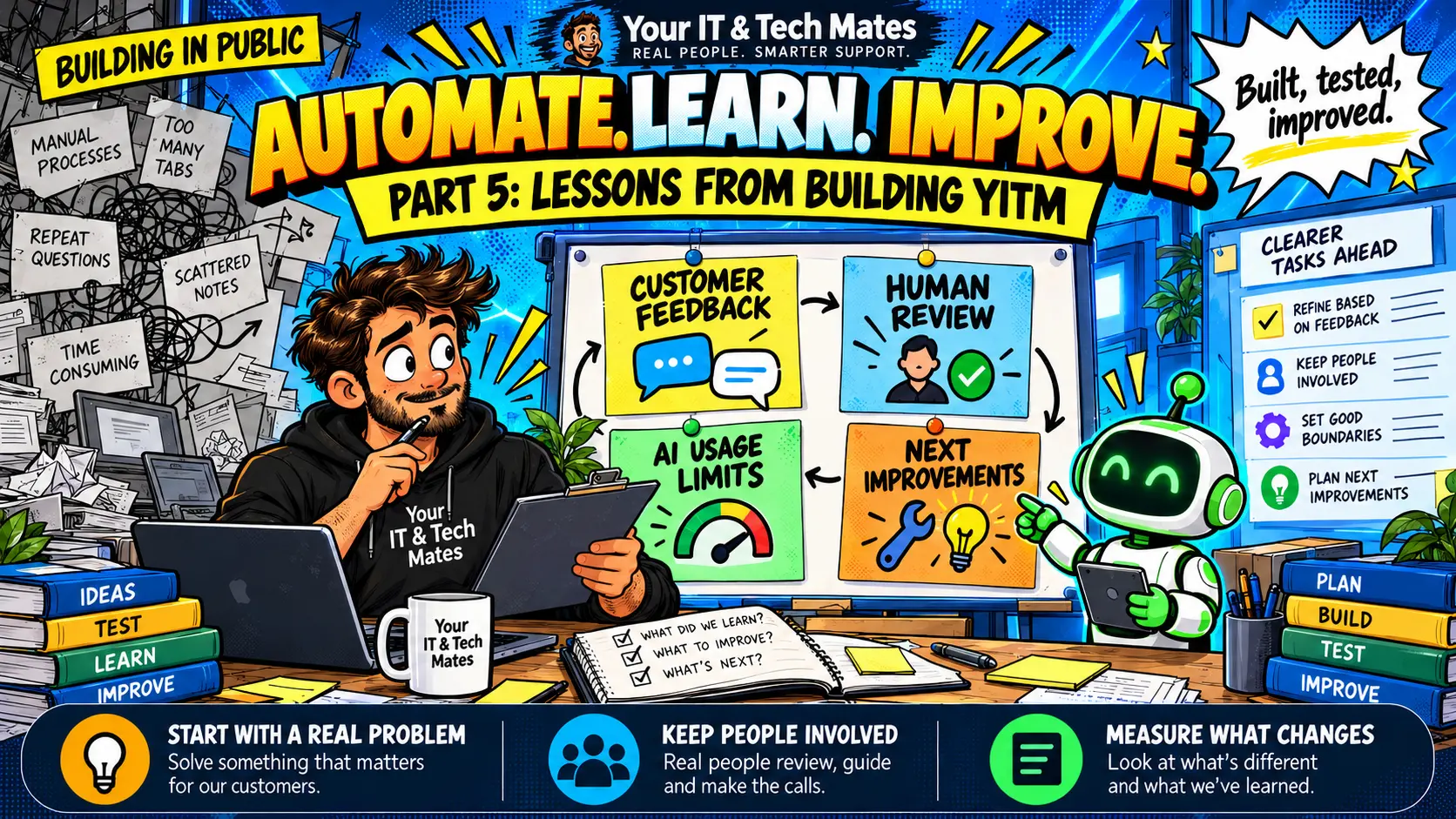
The big lesson from building our own workflow: keep improving the handover between people and tools. Start with a real problem, make the next action clear and check whether the change helps.
A connected next step for website visitors
For the website stage of this journey, see how YITM connects questions, helpful pages and reviewed enquiries into a virtual front desk.
Frequently asked questions about AI automation for small business
What is small business AI automation?
It means using software, and sometimes AI, to handle repeated admin such as enquiry details, missed-call follow-up and common questions. At YITM a person still confirms the work, final price and arrangements.
Does every small business need an AI virtual receptionist?
No. Some problems are better fixed with a clearer form, simple rules, notifications or a supported integration. AI helps most where customers describe things in their own words.
Has YITM proved an 80% reduction in customer enquiries?
No. Handling 80% of routine enquiries is an ambition, not a measured result. We need real question samples, completed actions and customer-confirmed outcomes to assess progress.
What should I measure before automating?
Record current handling time, repeated contacts, completed customer actions, answer quality and running costs. Compare similar work after the pilot and include time spent fixing exceptions.
Can I start without replacing my CRM?
Yes. Assessment can start with your current systems. Whether they can support the workflow depends on available interfaces, access, customer matching and testing.
Can YITM help my business in Melbourne North?
Yes, we assess workflow improvements for businesses in Epping, Wollert, Mernda, Campbellfield and nearby areas. We discuss suitability, scope and costs before any paid work starts.
Continue the YITM workflow automation case studies
Follow the connected journey from the first question to missed calls, helpful website guidance, secure conversations and the lessons we are learning.
What to do next: tell QuoteMe what slows you down
Tell us which job keeps repeating, what software you use and what you would like to make easier. Leave passwords, API keys and private customer records out of the enquiry. A person reviews it, and we talk through suitability, scope and costs before any paid work starts.