
Missed-Call SMS & Enquiry Connector: Keep Your Existing CRM
Give missed callers a next step while keeping your existing customer system. Our connector service uses YITM SMS Connect for the SMS integration.
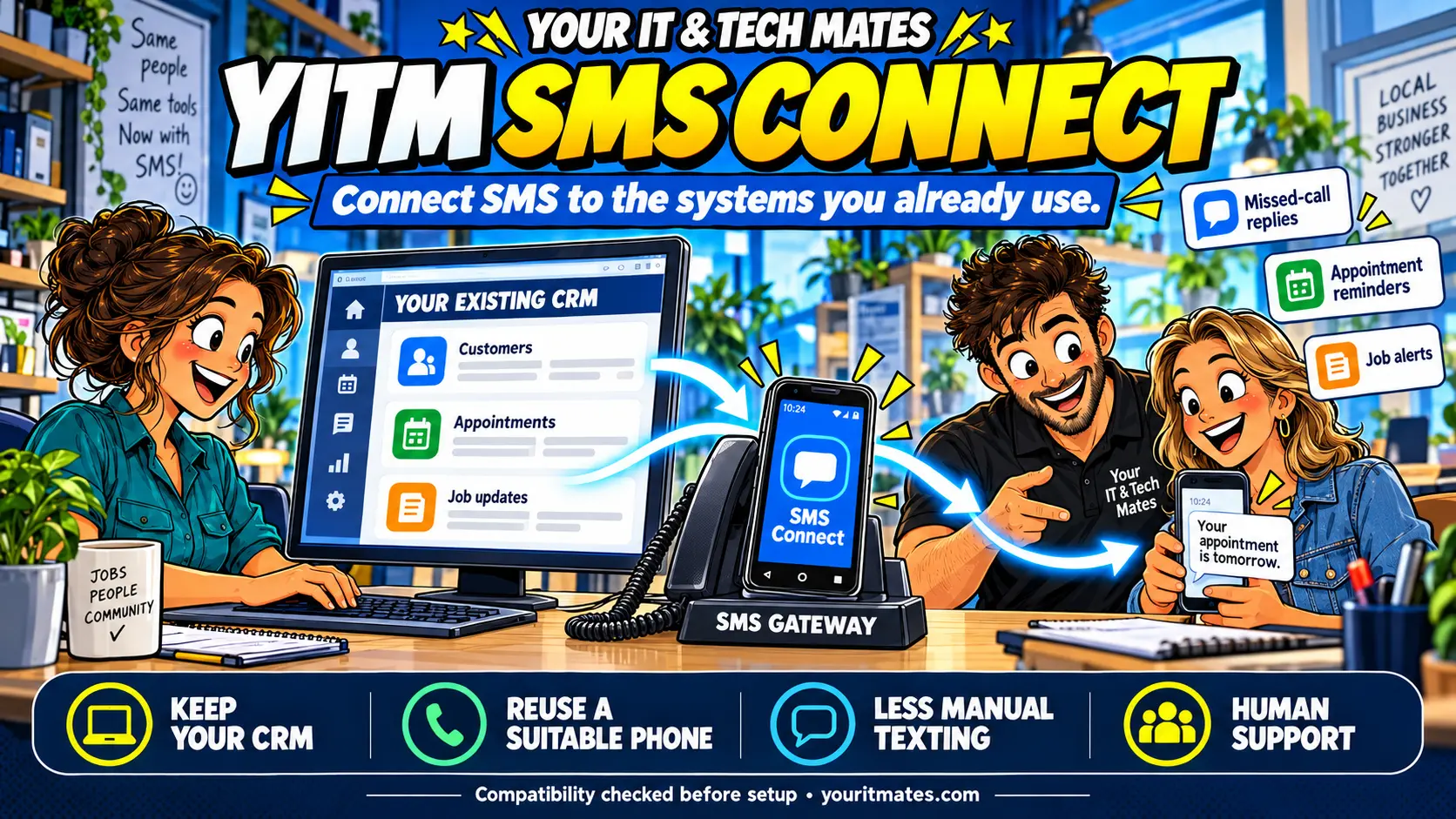
Quick answer
The Missed-Call SMS & Enquiry Connector helps eligible missed callers continue through a short text and your business enquiry page or supported customer system. YITM SMS Connect is the SMS integration behind the service. We assess your CRM and phone arrangement, then agree the first message, scope, cost and testing before rollout.
Your CRM already holds the customer history
The missed-call problem often starts before a record reaches your CRM. A local tradesperson may be on a job when the phone rings; the caller may try someone else instead of leaving a voicemail. A follow-up list cannot help with an enquiry the team never receives.
Many Australian small businesses already use a CRM, booking tool or job-management system. The customer record, appointment and work status are there, but a staff member still picks up a phone to type the same text message.
YITM SMS Connect is designed to bridge that gap. It adds an SMS gateway connection to an existing workflow where the software supports it. Staff keep their familiar system, while a short message helps the customer take the next step.
What the SMS connection does
The service name describes the customer outcome: a missed call can become an organised enquiry for your team to review. YITM SMS Connect names the underlying SMS integration product, which can also support separately scoped reminders and job alerts. Those broader integrations depend on your software and are not automatically included in a missed-call setup.
Think of it as a connection between a business event and a text message. An agreed event in your software requests an SMS, the gateway sends it over the mobile network, and any status reporting is handled according to the integration scope.
For example, an appointment record might provide a reminder time and customer number. A staff-approved job status might trigger a collection alert. A missed-call event could invite a caller to your existing enquiry page.
These are potential use cases to assess, not a list of prebuilt integrations or a promise that every CRM supports them.
Start with one useful message
- Missed-call reply: give an eligible caller a clear next step when the team cannot answer.
- Enquiry acknowledgement: confirm receipt and explain the expected next action.
- Appointment reminder: use an agreed booking event to remind a customer.
- Job progress or collection alert: send a concise update after the relevant staff action.
- Incoming reply: explore putting a reply into the right CRM record where the necessary integration exists.
Choose the point that currently creates repeated manual work. A narrow, tested first connection is easier to assess against your baseline.
One practical starting point: missed call to CRM enquiry
Configure an eligible missed-call event to request a friendly SMS with a link to your existing enquiry page. The customer can describe the work, add photos or ask for a callback where your form supports it. A supported custom API or webhook can then send the enquiry to the agreed CRM record or staff queue for review.
The benefit is a clearer handover when the team is free: useful details in a familiar system, with less retyping between the phone and the office. Message delivery, record matching and staff follow-up need testing; an acknowledgement alone does not secure a booking.
How a suitable office Android phone can help
An SMS gateway sends text messages on behalf of another system. A suitable office Android phone may be able to provide that gateway through its mobile connection, giving existing equipment a useful role.
We review the handset, Android support, permissions, mobile plan, power, connectivity and intended message volume before recommending reuse. Some phones or business number arrangements need another approach. We handle the agreed setup and explain the day-to-day checks to your team.
Read how YITM used an office phone in its own missed-call workflow. Our enquiry, quote and repair system is an example of the wider journey; SMS Connect is the SMS component.
Keep your existing system at the centre
Your CRM can remain the main customer record. SMS Connect does not require your customers to move into YITM’s My Tech Help workspace. The enquiry link can point to your own suitable web page or customer system.
Where a new form, portal or quote workflow would help, we discuss that as separate work. The starting point is the software and customer process your business already has.
How custom APIs and webhooks connect your CRM
Custom API and webhook integration can connect YITM SMS Connect to your current CRM platform without replacing it. An API lets systems request or exchange agreed information; a webhook notifies another system when an agreed event occurs. Where supported, this can connect a missed-call enquiry or staff-approved message event with your existing workflow, reducing repeated data entry and manual texting. We assess available interfaces, permissions, customer matching and testing before confirming the integration. Returning replies or delivery statuses to the CRM requires a separately supported and scoped connection.
What we check before offering an integration
- Software access: which CRM or business tool you use and whether it exposes suitable APIs, webhooks or integrations.
- Message events: what should trigger a text and who approves important changes.
- Customer matching: where the correct mobile number and request reference come from.
- Message eligibility: preferences, opt-out handling, repeat-message limits and appropriate use.
- Reliability: duplicate prevention, offline behaviour, failure visibility and any delivery-status reporting.
- Incoming SMS: whether replies can be matched and recorded in the correct customer record.
Sending or queuing a message is not the same as confirming that a recipient has received or read it. We agree what the proposed connection can report and test it before rollout.
Where the time saving can come from
The benefit is reducing the repeated act of checking a record, copying a number and typing a routine message. Connected status information can also make staff handovers clearer.
A saving must be measured against your actual workload and running costs. Agree a baseline such as handling minutes per message or time spent sending reminders, then compare it after the pilot. We do not promise a fixed percentage saving, instant integration or more bookings.
Keeping a suitable CRM can also avoid the disruption of moving the whole team to another platform solely for missed-call follow-up. Compare the proposed setup and recurring costs with the manual work it replaces; the service does not make SMS or integration maintenance free.
A scoped service for Melbourne North businesses
Your IT & Tech Mates can review the workflow, assess gateway suitability, build the agreed connection, test it and hand it over to staff. Support and maintenance can be agreed separately.
We help businesses around Epping, Wollert, Mernda, Campbellfield and Melbourne North. Tell us your location, software and first message use case so we can confirm suitability and availability.
Explore the Missed-Call SMS & Enquiry Connector service or read about our Workflow Improvement Pilot.
Frequently asked questions
What is YITM SMS Connect?
YITM SMS Connect is an SMS gateway integration service. We assess how a business’s existing CRM, booking or job-management software can trigger SMS messages through a suitable gateway, then agree the setup and testing scope.
Do we need a new CRM?
No. The aim is to add an SMS channel to the system your team already uses. A customer portal or new enquiry form is optional work, not a requirement of every setup.
Can you guarantee integration with our CRM?
No. We first check the product, API or webhook support, access permissions and the events you want to use. Compatibility and implementation effort are confirmed before a quote.
Can customers reply to the messages?
Customers can send replies to an SMS-capable mobile number, but routing those replies into the correct CRM record requires a supported and tested incoming-message integration. That capability is checked separately.
Does reusing an Android phone make SMS free?
No. A suitable existing phone may avoid buying another handset, but mobile service, messaging tools, connectivity, hosting and maintenance can still have costs. We confirm the proposed arrangement and recurring costs during scoping.
Can SMS Connect send reminders and job updates?
Those are possible integration use cases, where your software provides suitable events and permissions. Message wording, eligibility, staff approvals, duplicate prevention and testing are agreed before rollout.
Related reading
Could the connector fit your existing system?
Tell us your CRM or software, phone arrangement and the first message you want to connect. Leave passwords, API keys and private customer records out of the enquiry.
Discuss the connector for my businessContinue the YITM workflow automation case studies
These companion case studies build on the original QuoteMe customer-intake example. Follow the practical journey from the first question to staff follow-up and the lessons we are learning.
- Part 1 — Start with the customer’s own words
- Part 2 — From Missed Call to Next Step: YITM’s SMS Enquiry Automation
- Part 3 — Meet YITM’s Virtual Receptionist: A Friendlier First Step for Tech Help
- Part 4 — One Conversation, Less Back-and-Forth: Inside YITM’s Customer Workflow
- Part 5 — Automate, Learn, Improve: Lessons from Building YITM’s Customer Workflow