
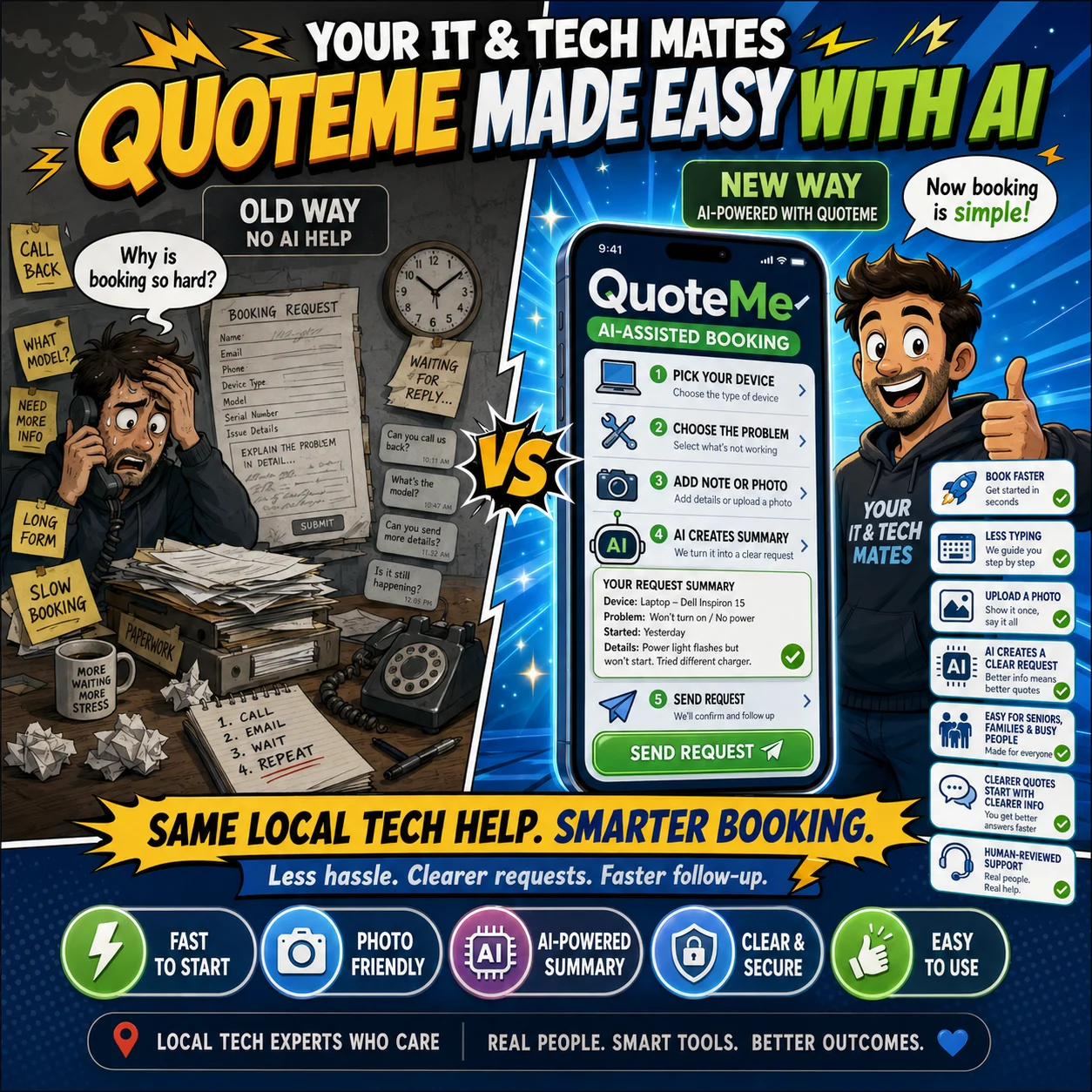
QuoteMe is designed to be tap first and use less typing. AI is not used after every answer. It may provide one optional wording request near review, while the customer checks and submits the final request.
Choose the device and problem before writing a sentence
The fastest way to understand a request is usually a few reliable choices. Customers choose the device, the main problem and practical details such as when it started, whether the device powers on, whether touch works or how many people are affected.
Text stays optional unless the problem genuinely needs extra context. Answers remain in place when the customer moves backwards or reviews the request.
Only show questions that match the selected problem
Laptop liquid damage
When it happened, whether power is off, whether charging was attempted and whether there is heat, swelling or smell.
Wi-Fi problem
Property size, provider, weak rooms, existing mesh equipment and whether the service is completely offline.
Phone screen damage
Device model, touch response, visible display, backup status and an optional photo.
Business support
Number of affected users, whether work is blocked, urgency and remote or onsite preference.
Use “Help me word this” only when it saves real typing
When a customer has added useful short text, QuoteMe may offer Help me word this. The form makes one optional wording request near review, not a new request after every tap.
The result is a short suggested summary plus a maximum two approved follow-up questions. The website owns the question labels and answer choices, so the assistance cannot invent an open-ended interview.
Customer note
screen smash touch some time work green line
Suggested wording
The phone screen is cracked and has a green line. Touch works intermittently. Technician review is required before repair advice or pricing.
Connect QuoteMe to the earlier website journey
QuoteMe can be more useful when the customer has already resolved part of their need on the website. See the newer journey-aware handover proof and why submission still remains explicit.
The customer reviews, edits or ignores the suggestion
The customer reviews the prepared wording and can keep it, edit it or use the original note. AI does not select consent answers, change contact details and does not submit the request.
The final screen should make the action simple: Looks right or Edit, followed by the normal submit action.
One useful request is better than AI running after every tap
A normal tap-only request needs no text assistance. A request with useful free text can use one wording step. A suitable photo may use the existing separate vision path when it adds real value.
Length limits, approved fields, one-use tokens and server-side validation keep the result focused. Repeated clicks or unknown output fields do not create extra customer requests or automatic actions.
The reviewed answers stay with one QH reference
Tap answers, the original wording, any reviewed summary and useful photo context continue through the existing QuoteMe submission. They do not create a second form, account, lead or conversation.
After submission, the same request continues through My Tech Help, Customer Room, quote review and booking.
QuoteMe still works when AI is unavailable
If AI is unavailable, uncertain or rate limited, the form keeps the customer’s existing choices and prepared summary. The customer can edit the note and continue normally.
AI failure does not block submission, erase answers or force the customer to restart.
Wording assistance does not make service decisions
| Assistance may | Assistance does not |
|---|---|
| Make a short note clearer | Diagnose the device |
| Suggest up to two approved questions | Invent unrestricted questions |
| Highlight a possible safety concern | Make the final safety decision |
| Prepare a customer-reviewed summary | Submit the request |
| Help staff understand the request | Set urgency, price or booking |
Staff assistance remains separate and human reviewed
After a request is submitted, authorised staff may explicitly prepare a conversation summary, missing-information checklist, reply draft, next-action recommendation, technician suggestion and possible risk flags.
That staff-side assistance also cannot send, assign, quote, book or close anything automatically. Read why a real technician still checks every job.
Photos can reduce typing without becoming a diagnosis
A suitable label or condition photo may help staff understand the request, but it remains separate from diagnosis and final condition checks.
See how AI-assisted pickup keeps the technician and customer responsible for the handover.
Questions about less typing and controlled AI
Does QuoteMee AI after every tap?
No. Tap answers use the normal rules. One optional wording request may be offered near review.
Can the suggestion submit my request?
No. The customer reviews the wording and deliberately submits the request.
How many extra questions can be suggested?
A maximum of two approved follow-up questions can be shown.
What happens if AI is unavailable?
QuoteMe keeps the existing prepared summary and continues normally.
Can AI choose urgency, price or a booking?
No. Those decisions remain with the customer and authorised staff.
Are my original words lost?
No. The original wording remains attached to the same request.
Continue from here
Useful next steps for this topic
These links are selected from the same hub, Intent, service and tool relationships.