
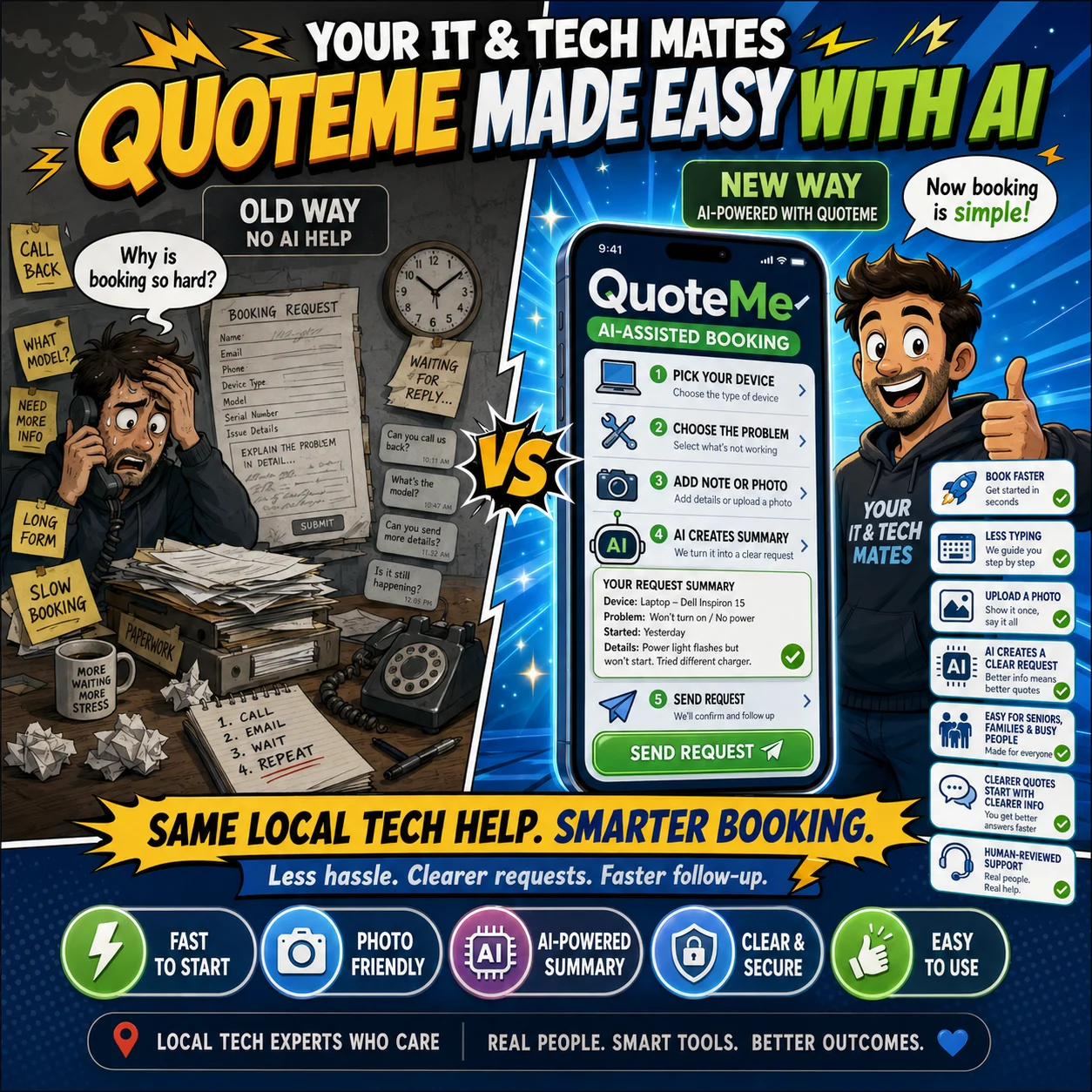
AI helps organise information, reduce repetitive typing and prepare useful suggestions. A technician or authorised staff member reviews every important decision, and nothing is sent or changed automatically.
One connected request, with human checkpoints from first tap to booking
QuoteMe starts with taps, not a long technical description
Customers first choose the device, problem and practical follow-up answers. Laptop liquid damage, Wi-Fi problems, phone screen damage and business support each show only the questions relevant to that request.
When a short note would help, the customer may choose Help me word this. The system may prepare one optional wording suggestion near the review step and no more than two approved follow-up questions. The customer keeps, edits or ignores the wording before submitting the same request.
Read how QuoteMe reduces typing without running AI after every tap.
Prepare smart assistance creates one review screen, not an automatic operator
Inside Quick Chat, authorised staff may explicitly choose Prepare smart assistance. The result can include a conversation summary, an editable missing-information checklist, a suggested reply, an explained next-action recommendation, a verified technician suggestion where suitable data exists, and possible safety or inconsistency flags.
Staff can edit, dismiss or copy useful wording into the existing reply box. Copying a draft does not send it. The tool cannot assign a technician, set a price, approve a quote, create a booking, close the request or change customer records.
Human control: nothing is sent or changed automatically. The existing request, messages, photos, quote and booking records remain authoritative.
AI can organise evidence, while a technician confirms the device and condition
A suitable label photo may help suggest a brand, model or product number. A separate condition photo may help describe visible damage. The system can also flag a blurry label, a possible mismatch or a missing requested view.
These are observations for review. A technician confirms the correct device, identifiers, accessories, visible condition and safe handling before relying on them.
See the complete human-reviewed pickup and handover process.
Suggestions do not become confirmed findings or prices
AI may organise symptoms, highlight unanswered questions or turn technical notes into a clearer draft. The technician still reproduces the problem where practical, checks likely causes and records the confirmed diagnosis.
A person confirms the repair scope, required and optional work, parts, labour, price, timing and warranty terms. The customer then reviews and approves or declines the real quote through the existing Customer Room.
The system keeps the next action clear without deleting the history
Staff can see whether a request needs a reply, is waiting for the customer, has moved to a job, is not proceeding, has closed after no response or has been archived. Conservative reminders can be recorded without producing duplicate messages when the process runs again.
Closing or reopening retains the same QH reference, conversation and photos. A customer reply cancels pending no-response closure, and a converted request continues through Customer Room rather than becoming a second thread.
Booking remains a confirmed step after the quote
Customer Room presents one primary next action based on the current state, such as reviewing a quote, choosing an appointment, confirming, rescheduling or cancelling.
Before an appointment is confirmed, the existing booking system checks duration, preparation or travel buffers, current appointments and temporary availability holds. It rechecks the slot at confirmation so two customers cannot successfully claim the same time.
What AI may assist with and what a person must confirm
| AI may assist with | A person must confirm |
|---|---|
| Organising customer answers | The correct request record |
| Suggesting a clearer summary | The wording used or sent |
| Preparing a missing-information checklist | Which questions are actually needed |
| Describing visible evidence | The device, condition and safe handling |
| Suggesting diagnosis checks | The final diagnosis |
| Drafting quote explanations | Scope, parts and final price |
| Suggesting a technician | The authorised assignment |
| Flagging a possible concern | The safety or consistency decision |
Responsible assistance means using less data and fewer unnecessary requests
Contact details, private codes and payment-like values are removed before an assistance request is routed. Customer wording suggestions are length limited, staff suggestions use approved options, and repeated unchanged staff requests may reuse a short-lived result instead of using the provider again.
AI is optional. When it is unavailable or uncertain, the normal QuoteMe, Quick Chat, Customer Room, quote and booking workflow continues.
AI is not another portal or another customer record
The customer continues through the existing My Tech Help and Customer Room pathway. Messages, photos, quote decisions, invoices, appointment changes and the service history remain attached to the same request.
Opening Customer Room, viewing a draft or preparing smart assistance does not approve paid work or create another request.
Continue with the part of the workflow you need
Less typing in QuoteMe
See the tap-first choices, controlled wording help and customer review step.
Human-reviewed device pickup
Follow label, condition, accessory, safety and handover checks.
AI technician notes with human review
See how staff review and improve notes before communication.
What happens after submission
Follow review, quote, approval and service steps.
Questions customers ask about human-reviewed AI
Does AI diagnose my device?
No. A technician confirms the diagnosis after reviewing the evidence and, where required, inspecting the device.
Does smart assistance send a message or change the job?
No. Staff review every suggestion. Nothing is sent, assigned, booked, priced or closed automatically.
Can AI set the repair price?
No. A person confirms scope, parts, labour, final price and warranty terms.
What happens if AI is unavailable?
The normal workflow continues without AI.
Can QuoteMe reduce customer typing?
Yes. It uses tap-first choices and may offer one optional wording suggestion near review.
Does a booking happen automatically?
No. A valid quote and an available time still require the relevant confirmations.
Continue from here
Useful next steps for this topic
These links are selected from the same hub, Intent, service and tool relationships.