
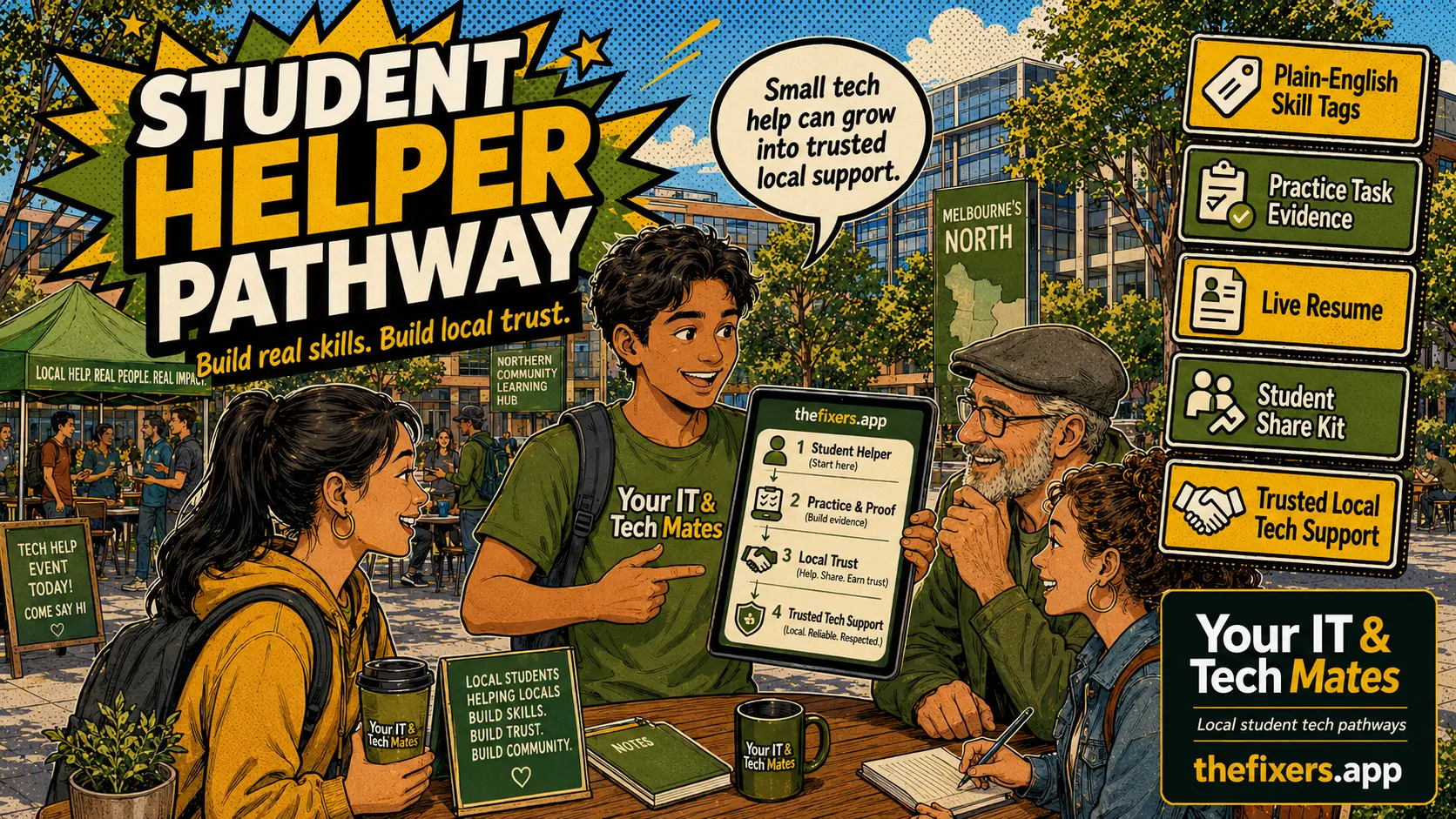
If you are a student, here is the real point
You do not need to be an expert to start. Beginner tech support can be as simple as helping with Wi-Fi, printing, Microsoft 365, files, forms or safe scam checking.
This helps your future
This helps your future because tech support roles value calm troubleshooting, plain-English explaining and knowing when to ask for review.
Example resume line
[Volunteer] Helped a student with a simple tech issue and practised troubleshooting, clear explanation and privacy-safe support.
Small next step
Start with a low-risk tech mission and avoid passwords, banking, private files or anything sensitive without review.
Keep Volunteer proof clearly tagged as Volunteer. Keep paid proof separate. Share only privacy-safe examples.
Real student example: how this could help your future
You helped a student check Wi-Fi basics, restart safely, confirm the right network and write down the next step if the problem continued.
Career skill you can prove
[Volunteer] Helped a peer with basic campus Wi-Fi troubleshooting and practised step-by-step support, privacy awareness and calm communication.
How to explain it later
“I do not guess or touch private details. I start with safe checks, explain each step and know when to ask for review.”
Where this fits
This can help students move toward IT support, helpdesk, digital admin or small business tech roles in Melbourne North and nearby campuses.
Student action for this week
Start with a low-risk tech mission such as Wi-Fi basics, Microsoft 365 setup, printing or file organisation.
Share line: I’m building beginner tech support proof through safe campus missions.
Start with safe beginner tech tasks
Students should not start with risky repair or private account work. They can start with simple support such as Wi-Fi checks, printer setup guidance, Microsoft 365 basics, phone settings or file organisation.
The goal is confidence and proof, not rushing into advanced work.
Example beginner missions
Help someone connect to campus Wi-Fi. Show a peer how to organise cloud folders. Help with basic printer settings. Explain how to spot a suspicious login link. Create a simple Microsoft 365 checklist.
Each mission should stay within safe boundaries and ask for review when private data, payments, passwords or advanced faults are involved.
How this maps to jobs
These missions map to tech support assistant, customer support, digital admin assistant and cyber safety assistant job families.
The student proof should mention the skill, not private details.
Career benefit
Students can build interview examples for help desk, retail tech, school IT support, digital support and local tech helper roles.
Sample resume proof lines
Peer support
[Volunteer] Helped a fellow student with a small campus task and practised clear communication, planning and follow-up.
Workplace proof
Built evidence of organisation, customer care, teamwork and privacy-safe support through a small guided mission.
Job family
Connected the mission to a future role such as tech support assistant, digital admin assistant, customer support or junior project coordinator.
Helpful internal links for students
Explore the full campus helper proof branch
Use these related guides as the hub-and-spoke pathway. Each page answers one student question and links back to the main branch.
How Students Can Build Real Resume Proof by Helping Other Students on Campus
A plain-English hub for students who want experience before their first job: volunteer-tagged campus missions, soft skills, job-family proof and a safe path toward paid review.
Volunteer Proof vs Paid Work: What Students Should Show Clearly
How students can use Volunteer-tagged proof honestly while keeping paid work separate.
What Is a Campus Mission Board and How Can It Help Students Get Experience?
A campus mission board gives students small, safe missions they can complete to build practical proof.
Soft Skills Students Can Prove Before Their First Paid Tech Job
Students can prove communication, planning, organisation, teamwork and customer care before they start paid work.
Study Skills Missions That Can Become Resume Proof
Study planning, task boards and assignment organisation can become useful employability proof for students.
Business Communication Missions Students Can Use as Career Proof
Follow-up messages, support notes and clear explanations help students prove business communication skills.
Management and Organisation Skills Students Can Build Through Campus Help
Campus missions can help students prove planning, task breakdown, deadline tracking and group coordination.
How a Student Resume Showcase Card Can Help You Share Proof Safely
A resume showcase card lets students share Volunteer-tagged proof, skill tracks and career examples without exposing private details.
How Peer Thank-You Notes Can Support Student Resume Proof
Peer thank-you notes can help students show communication, patience and reliability when privacy is handled properly.
From Volunteer Campus Help to Paid Review: A Safer Path for Students
Volunteer proof can help students prepare for paid work, but paid pathways should still be review-first.
How Campus Ambassador Sharing Helps Students Build Career Proof
Campus ambassador sharing can help students grow the helper loop while building marketing, communication and community proof.
Common student questions
What tech jobs should students avoid at first?
Avoid risky work like password recovery, payment issues, data recovery, advanced hardware repair or private account access without review.
Can beginner tech help still be valuable?
Yes. Clear explanation, careful questions and safe troubleshooting are valuable workplace habits.
Should volunteer tech help be labelled?
Yes. Volunteer campus tech help should carry a visible Volunteer tag.