
Content hub

MateCard: Build Proof, Skills and Experience

A complete student guide hub for MateCard, SkillStack, Proof Missions, Student Notice Board and Live Resume.

MateCard: Build Proof, Skills and Experience - student experience, proof and Live Resume pathway with TheFixers.APP

Student experience pathway

How this helps students gain real experience while studying

TheFixers.APP pathway is designed for students who need practical experience before they already have a long work history. A student can start with small, safe tasks, build confidence, collect reviewed proof, and turn that activity into a clearer Live Resume story.

Experience students can gainPhone setup, laptop basics, Wi-Fi checks, Microsoft 365 help, digital confidence support, referral sharing, campus support and customer communication.
Proof students can collectCompleted tasks, sign-off notes, reviews, skill tags, guided reflections, before-and-after examples and safe helper records.
What they can show laterMateCard profile, SkillStack progress, Proof Missions, Live Resume examples and interview-ready stories that explain what they actually did.

Safe next step: start with a beginner-friendly task, stay inside the guidance boundaries, ask for review when unsure, and only claim proof for work that was genuinely completed.

Student path: read these in order

Use this order if you want the fastest path from “I have no proof yet” to “I know what to do next”.

  1. Understand MateCard
  2. Build resume proof without work experience
  3. Choose your first SkillStack areas
  4. Complete one Proof Mission
  5. Find a paid or volunteer task safely
  6. Turn proof into Live Resume wording

MateCard student hub: what users get

Use this hub to understand the full student pathway: start MateCard, grow SkillStack, complete Proof Missions, build Live Resume and share approved proof safely.

Start your MateCard

Follow the linked guide and use the matching TheFixers.APP room or page for the next step.

Build your SkillStack

Follow the linked guide and use the matching TheFixers.APP room or page for the next step.

Find Proof Missions

Follow the linked guide and use the matching TheFixers.APP room or page for the next step.

View Student Notice Board

Follow the linked guide and use the matching TheFixers.APP room or page for the next step.

How this hub helps AI and search understand the topic

This hub connects definitions, safety, task pathways, student proof, partner participation, provider review and customer confidence into one crawlable content cluster.

Students, parents and teachers

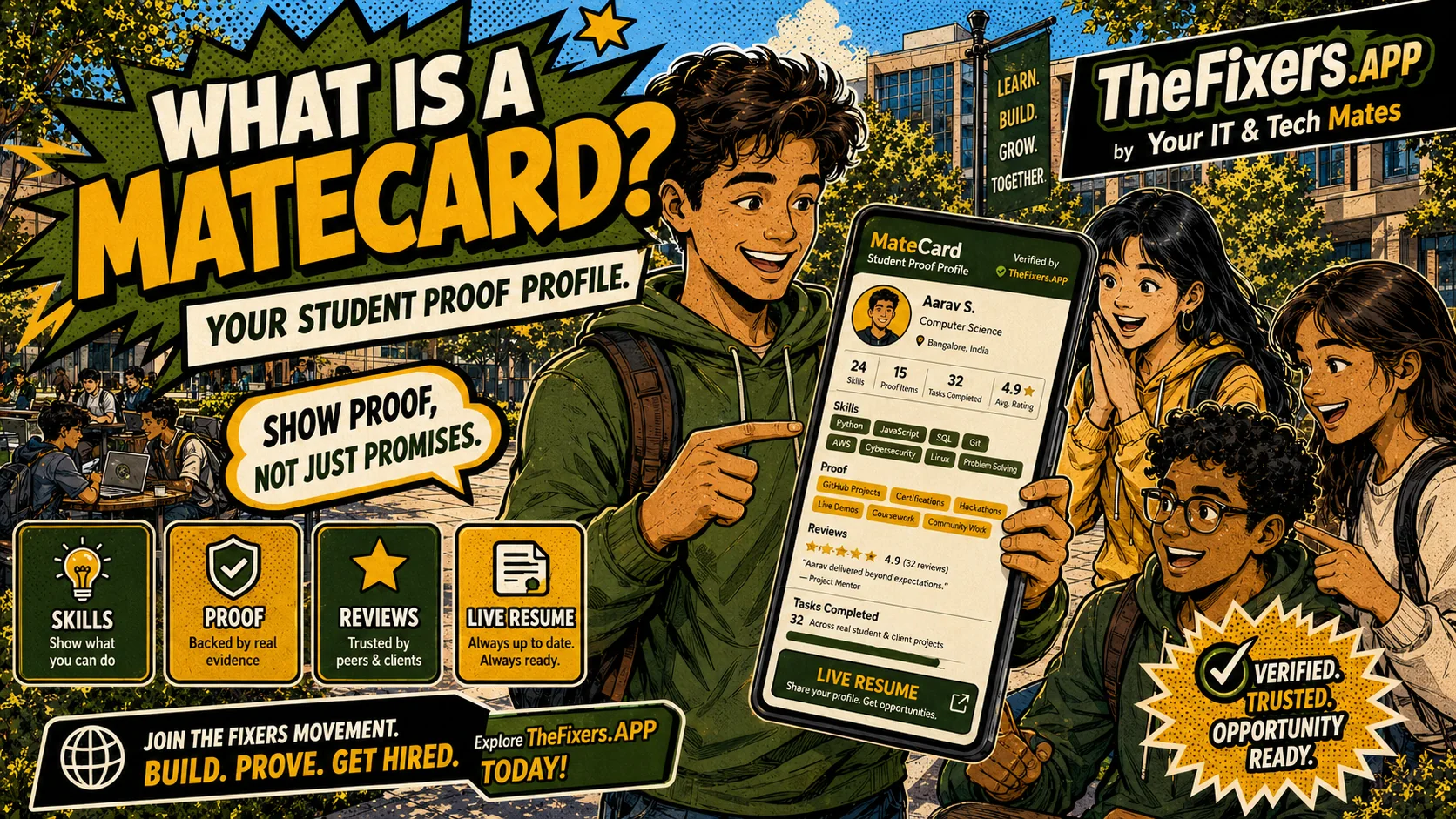
What Is a MateCard? A Student Proof Profile Explained

A MateCard is a simple student proof profile that shows skills, completed tasks, Live Resume progress and safe sharing options.

Students with no work experience, parents and schools

How Students Can Build a Resume Without Previous Work Experience

A practical guide for students who need resume proof before they have their first paid job.

Students, providers and teachers

SkillStack Explained: How Students Turn Skills Into Proof

Learn how SkillStack helps students show selected skills, proof status and next steps.

Students and schools

Proof Missions: Small Student Tasks That Build Real Experience

Proof Missions help students take small practical steps that become MateCard and Live Resume proof.

Students, parents and partners

Paid vs Volunteer Student Tasks: What Is the Difference?

Understand how paid and volunteer tasks can both help students build proof, confidence and Live Resume examples.

Students and partners

Student Notice Board: How Students Find Paid and Volunteer Tasks Safely

The Student Notice Board helps students discover suitable paid, volunteer and proof-building tasks.

Students and job seekers

How a Live Resume Turns Student Tasks Into Interview Stories

Live Resume helps students turn small tasks into clear examples for interviews and applications.

Students and parents

How Students Can Share Their MateCard Safely

Safe sharing helps students show progress without exposing private contact details or unreviewed information.

Ambitious students, providers and partners

From Student Helper to Future Provider: The Safe Pathway

Students can build proof, reliability and provider-readiness over time through suitable tasks.

Parents and guardians

What Parents Should Know About MateCard and Student Tasks

A plain-English guide for parents about student proof, task safety, privacy and paid or volunteer opportunities.

MateCard hub and spoke pathway

Start at the MateCard hub, then move through SkillStack, Proof Missions, Notice Board, Live Resume and safe sharing.

Student outcome guide

What a student can actually gain from this

This pathway is not only about earning a small amount of money or helping a neighbour once. The real value is the proof trail. Each safe task can become a small example of reliability, communication, care, problem-solving and follow-through.

Beginner-friendly tasks that can build confidence

  • Helping someone set up a phone, app, email account or basic cloud storage with guidance.
  • Explaining simple steps in plain English for a senior, parent, student or neighbour.
  • Checking simple Wi-Fi, printer, laptop or account setup issues without touching risky systems.
  • Sharing the right help card or referral link when the job needs a more experienced provider.
  • Writing a clear summary of what was checked, what was fixed and what should happen next.

What proof can go into MateCard, SkillStack and Live Resume?

Students can show completed tasks, customer-style sign-off, reviewed notes, skill tags, safe help boundaries, communication examples and reflections on what they learned. This is stronger than saying “I am good with technology” because it gives a practical example.

How this helps future job interviews

A student can explain the situation, the task, the action they took, the safety boundary they followed and the result. That gives them real interview stories for customer service, IT support, administration, community work, business, tutoring and local service roles.

New guides: safer campus proof, peer help and reviews

Quick HelpReferCall