
Quick answer
Start with the business workflow, not the software brand. Map where an enquiry begins, who owns the next step, what information must stay attached to the request, and where a human must review or approve the outcome before automating anything.
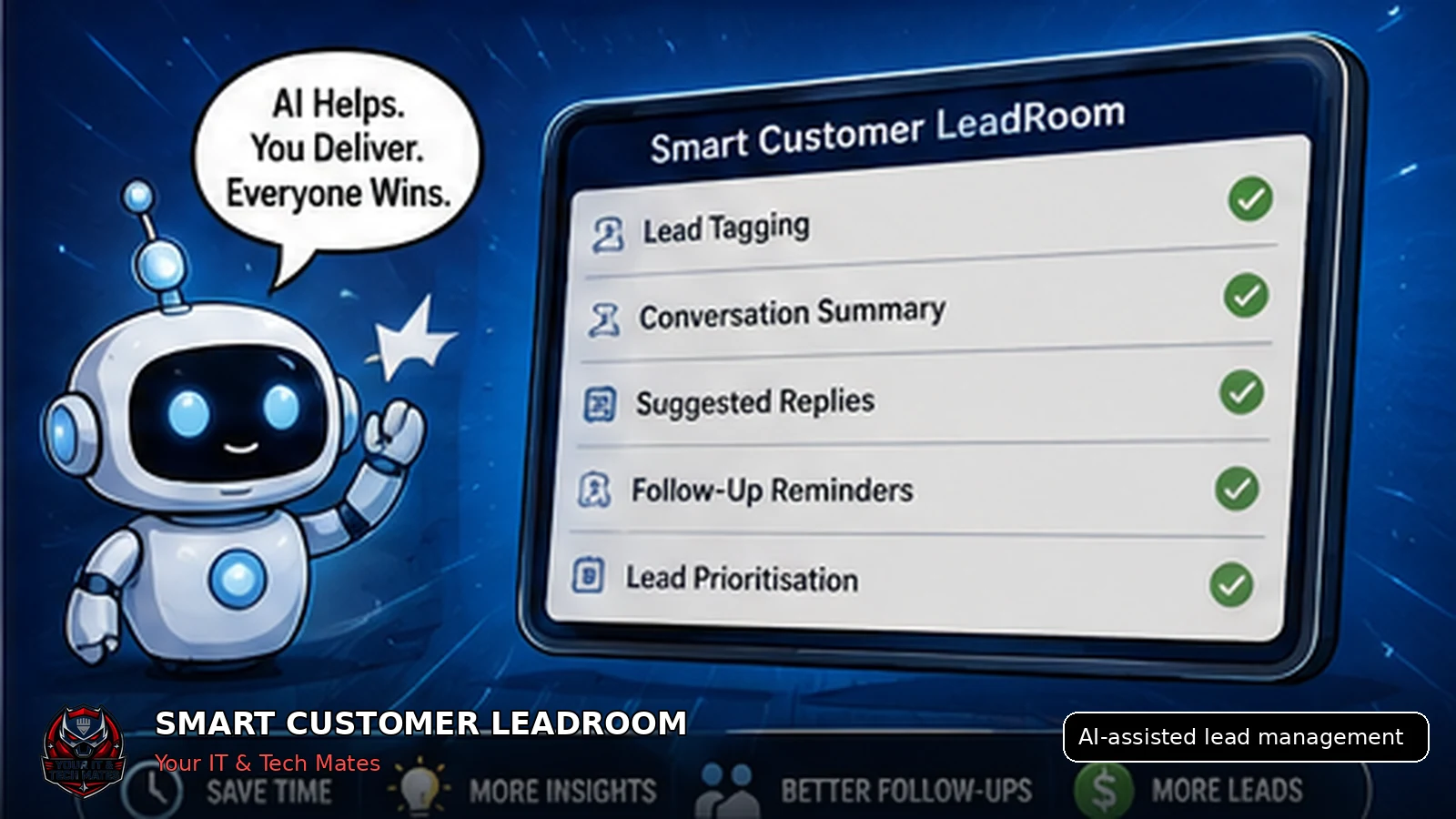
AI is most useful when it assists an organised lead workflow: tagging enquiries, summarising context, suggesting next actions and drafting replies for staff review. It should not replace customer consent, pricing judgement or formal approval.
What an AI-cautious owner who wants practical value without privacy or quality surprises needs from this guide
- A small first use case with an easy rollback
- Clear human control over replies, prices and customer decisions
- A distinction between current workflow capability and future AI ideas
Enhancement made: This guide now provides a low-risk starting sequence and a clear do-not-automate boundary.
Fix the workflow before adding AI
AI cannot reliably organise a process that has no clear statuses, ownership or next actions. The business first needs one lead record and a consistent definition of what “new”, “waiting” and “ready for quote” mean.
Once that foundation exists, AI can reduce repetitive reading and sorting.
Six practical AI uses
Lead tagging
Suggest service type, location, urgency or required specialist.
Conversation summaries
Condense a long history into the customer need, evidence and next action.
Reply drafting
Prepare a clear response for staff approval.
Follow-up prompts
Flag leads that may have waited longer than the business rule.
Information extraction
Suggest device, model, service or issue details found in messages and photos.
Lead routing
Recommend the right staff member or queue based on the service required.
Human controls that should remain
- Approve or edit for customers messages.
- Confirm extracted information before saving it as authoritative.
- Set prices and quote conditions.
- Decide whether assessment or attendance is required.
- Record formal approval through the correct workflow.
- Handle sensitive, vulnerable or disputed situations personally.
Use the minimum customer data needed
AI prompts should not include unnecessary contact details, passwords, banking data or unrelated customer content. Where possible, redact or minimise information before a model receives it.
The business should also record when AI was used and provide a fallback when the model is unavailable or uncertain.
How Smart Customer LeadRoom prepares for AI
Smart Customer LeadRoom creates the structured lead context that AI needs: source, status, last activity, customer-visible history, assigned owner and next action.
The planned AI layer can then assist staff without becoming a second customer conversation or decision system.
AI readiness checklist
- One stable lead history
- Clear customer and internal messages
- Defined statuses and ownership
- Human approval for outbound replies
- Data minimisation rules
- Fallback when AI is unavailable
Start with one low-risk AI task
- Choose a repetitive internal task. Start with conversation summaries or overdue-lead flags, not automatic customer decisions.
- Define the source information. Limit AI access to the minimum lead fields and messages needed for the task.
- Require staff review. Keep a visible approval step before any draft becomes a customer message.
- Measure one outcome. Track response time, follow-up completion or admin time rather than vague “AI productivity”.
- Keep a manual fallback. Staff must be able to continue the workflow when AI is unavailable or uncertain.
Tagging, summaries, reminders and extracting requested details.
Reply drafts, routing suggestions and next-action recommendations.
Pricing, quote acceptance, repair approval, sensitive advice or promises to customers.
Key takeaways
- Keep one lead history instead of copying customer details between conversations.
- Make ownership, status and the next action visible.
- Keep formal quote and job approval separate from normal chat.
- Use AI to assist staff, not to replace accountable decisions.
Frequently asked questions
Benefits and practical outcomes
Use these outcomes as a practical check on whether the advice is making the situation clearer and easier to manage.
Fewer missed enquiries
Keep customer contact attached to one request so staff can see what still needs a response.
Less double handling
Reduce copying the same names, photos, notes and status information between disconnected tools.
Clearer ownership
Make the next action visible so staff know who is reviewing, replying, quoting or following up.
Safer customer communication
Use SMS or email for concise notifications while sensitive detail stays in the appropriate secure workflow.
Example: one enquiry arrives through two channels
A customer emails about a job and then texts an extra photo. Instead of creating two separate records, staff keep both contacts attached to the same request, review the information once and continue the next step from that shared history.
Outcome: less copying, fewer duplicate follow-ups and a clearer path from enquiry to review or quote.
Can AI decide which leads become jobs?
AI can highlight signals, but staff should decide based on customer needs, scope, capacity and commercial requirements.
Should AI write every customer reply?
No. It is most useful for repetitive drafts and summaries, with staff checking tone, accuracy and promises.
Can AI read customer photos?
Vision tools can suggest visible details, but the output must be treated as assistance rather than a confirmed diagnosis.
What should a business automate first?
Start with a repetitive, low-risk task such as tagging, summarising or reminder preparation.
What is the safest first AI feature to test?
An internal summary or overdue-lead flag is usually lower risk than automatic customer messaging because staff can verify the output before it affects the customer.
Related software and lead-management guides
AI follow-up reminders for small business
Learn how simple AI-assisted reminders can help small businesses identify overdue customer leads, prepare follow-ups and keep staff in control.
Read guideCustomer lead management for tradies
A practical lead-management guide for Australian tradies who rely on SMS, job photos and manual follow-up to turn enquiries into quotes and paid work.
Read guideTurn SMS enquiries into trackable leads
A practical six-step process for Australian small businesses to organise SMS enquiries, photos, ownership and follow-up without losing the personal customer experience.
Read guideWant to test one useful AI task, not automate everything?
We can help select a small workflow, define the human controls and measure whether it genuinely saves time.