
Quick answer
Start with the business workflow, not the software brand. Map where an enquiry begins, who owns the next step, what information must stay attached to the request, and where a human must review or approve the outcome before automating anything.
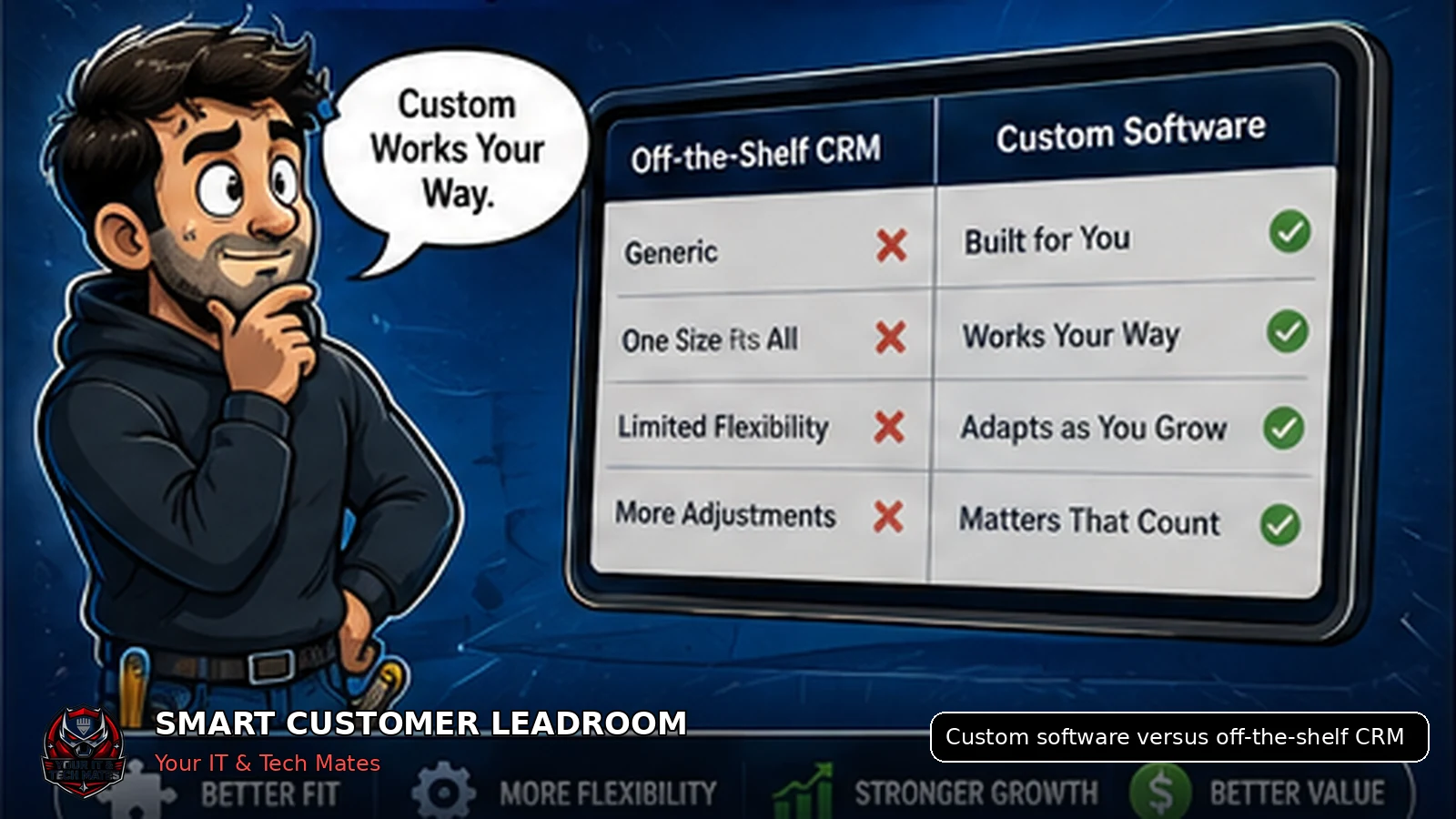
Choose an off-the-shelf CRM when your workflow is common and configurable. Consider custom workflow software when the business has a proven operational gap that generic systems cannot solve without excessive workarounds.
What a cost-conscious small-business owner comparing software options needs from this guide
- A balanced answer rather than a sales pitch for custom software
- Questions that reveal total cost, staff effort and workflow fit
- Permission to choose a standard CRM when it already solves the problem
Enhancement made: This guide now includes a quick decision scorecard and a lower-risk way to test the choice.
Start with the workflow, not the product name
The best decision begins with a map of how customer information enters the business, who acts on it and where time or accuracy is lost.
Buying software before understanding the workflow often replaces one set of workarounds with another.
When an off-the-shelf CRM is usually better
- The business needs standard contact, pipeline, email and reporting features.
- The team can adapt to the product’s existing terminology and stages.
- Required integrations are already supported.
- Implementation speed matters more than a highly specific experience.
- The subscription cost is reasonable for the expected usage.
When custom workflow software may be justified
- The workflow is a genuine competitive or operational differentiator.
- Staff are copying the same information between several systems.
- Customers need a specific guided experience that generic forms cannot provide.
- Privacy or permission boundaries require tighter control.
- The process has already been tested manually and the business knows what should be automated.
Comparison table
| Decision factor | Off-the-shelf CRM | Custom workflow software |
|---|---|---|
| Launch speed | Usually faster when configuration is straightforward. | Requires discovery, design, build and testing. |
| Workflow fit | Best for common sales and service processes. | Can match a specific proven workflow. |
| Upfront effort | Lower, but configuration and migration still require work. | Higher because the business owns more design decisions. |
| Ongoing responsibility | Vendor manages the platform; the business manages configuration. | The business needs maintenance, security and product governance. |
| Flexibility | Limited to supported features, integrations and pricing tiers. | Greater control, but every feature has a development and support cost. |
A hybrid approach can be sensible
Custom does not need to mean rebuilding everything. A focused for customers workflow can connect to existing accounting, email or job systems while leaving those mature functions in place.
Smart Customer LeadRoom follows that principle: improve lead capture and continuity without creating a second quote, payment or job system.
Questions to answer before deciding
- What exact problem costs the most time?
- How often does the problem occur?
- Can an existing product solve 80% of it?
- Which integrations are essential?
- Who will own the system after launch?
- What is the smallest useful first release?
Quick decision scorecard
| Question | Leans towards off-the-shelf CRM | Leans towards custom workflow software |
|---|---|---|
| Does a common CRM already match most of the process? | Yes, with minor configuration | No, major workarounds remain |
| Can staff follow the standard workflow? | Yes, without duplicated entry | No, the business process is genuinely specialised |
| Are integrations standard? | Email, forms, calendar and common accounting tools | Special operational systems or controlled customer journeys |
| Is the business ready to maintain custom software? | No dedicated budget or ownership | Clear owner, budget, support and change process |
Trial the closest existing CRM using one real workflow and fake or non-sensitive test records.
Consider tailored software only when the measured workarounds, risk or lost time justify it.
Keep a standard CRM as the record system and build a focused customer workflow around a verified gap.
Key takeaways
- Keep one lead history instead of copying customer details between conversations.
- Make ownership, status and the next action visible.
- Keep formal quote and job approval separate from normal chat.
- Use AI to assist staff, not to replace accountable decisions.
Frequently asked questions
Benefits and practical outcomes
Use these outcomes as a practical check on whether the advice is making the situation clearer and easier to manage.
Fewer missed enquiries
Keep customer contact attached to one request so staff can see what still needs a response.
Less double handling
Reduce copying the same names, photos, notes and status information between disconnected tools.
Clearer ownership
Make the next action visible so staff know who is reviewing, replying, quoting or following up.
Safer customer communication
Use SMS or email for concise notifications while sensitive detail stays in the appropriate secure workflow.
Example: one enquiry arrives through two channels
A customer emails about a job and then texts an extra photo. Instead of creating two separate records, staff keep both contacts attached to the same request, review the information once and continue the next step from that shared history.
Outcome: less copying, fewer duplicate follow-ups and a clearer path from enquiry to review or quote.
Is custom software always more expensive?
It usually requires more upfront work, but the meaningful comparison is total cost, workflow fit and ongoing ownership, not licence price alone.
Can a small business build custom software safely?
Yes, when the scope is focused, the workflow is proven and maintenance, security and support responsibilities are clear.
Should a business replace its CRM?
Only when the current system cannot support a necessary workflow after reasonable configuration and integration options are considered.
What is the lowest-risk approach?
Test the workflow manually, define a small first release and preserve existing authoritative systems where possible.
Should a small business try a CRM before building custom software?
Usually yes when a suitable product exists. A controlled trial can reveal whether the gap is configuration, integration, staff process or a genuinely specialised workflow.
Related software and lead-management guides
AI follow-up reminders for small business
Learn how simple AI-assisted reminders can help small businesses identify overdue customer leads, prepare follow-ups and keep staff in control.
Read guideCustomer lead management for tradies
A practical lead-management guide for Australian tradies who rely on SMS, job photos and manual follow-up to turn enquiries into quotes and paid work.
Read guideTurn SMS enquiries into trackable leads
A practical six-step process for Australian small businesses to organise SMS enquiries, photos, ownership and follow-up without losing the personal customer experience.
Read guideNot sure whether to configure, integrate or build?
Bring one real workflow and the tools you already use. We will help identify the smallest practical option before discussing a larger build.