
Quick answer
Start with the business workflow, not the software brand. Map where an enquiry begins, who owns the next step, what information must stay attached to the request, and where a human must review or approve the outcome before automating anything.
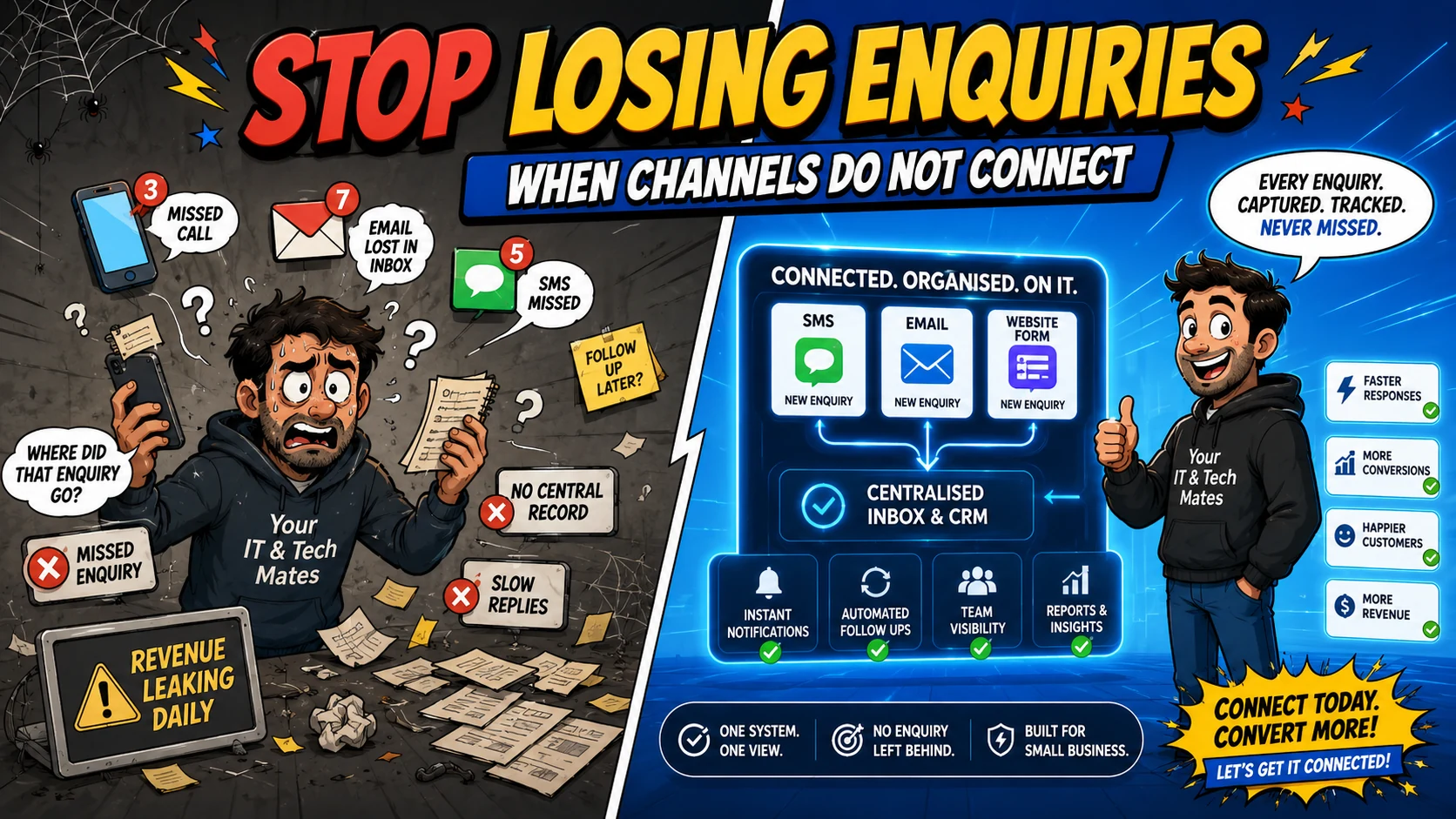
Small businesses lose enquiries when every channel becomes its own to-do list. The practical fix is to connect SMS, email and website requests to one customer workflow with a clear owner, status, next action and secure conversation history.
Tell us what is slowing your business down. QuoteMe gives Your IT & Tech Mates a structured starting point for a human review before any recommendation or paid work.
Start with QuoteMe →Why “we check every inbox” does not scale
A small team can often cope with scattered messages while volumes are low. One person remembers that an SMS needs a reply, another flags an email, and a website enquiry sits in a notification inbox. The failure appears when someone is busy, away, or assumes another person has handled it.
The issue is not staff effort. The system has no single answer to basic questions: Who owns this enquiry? Has anyone replied? Is the customer waiting? Did we quote it? What happens next?
The hidden cost of disconnected channels
Disconnected channels create duplicate data entry and inconsistent follow-up. A mobile number may be copied into a spreadsheet, an email may be forwarded, and website-form details may be pasted into a separate CRM. Every copy introduces delay and another place where the context can diverge.
For tradies and local service businesses, this often shows up as slower quotes, repeated customer questions, lost photos, unclear callback promises and after-hours admin that should have been handled by the workflow.
What one connected workflow needs
List every entry channel
Include website forms, email, SMS, calls, social messages and referrals.
Choose the authoritative record
Decide where customer identity, request status and the current conversation should live.
Define ownership and status
Make waiting-for-staff, waiting-for-customer and quote-ready states visible.
Capture first, automate second
Automation cannot repair a process that has no authoritative record. The first priority is reliable capture: every supported entry point should land in, or safely map to, the same customer request model. Once ownership and status are clear, reminders and notifications become much safer to automate.
This is why our own Your IT & Tech Mates workflow treats SMS and email as transport into the existing request rather than creating a new operational system for each channel.
A useful workflow does not need to be a giant CRM
Many Australian small businesses do not need a huge sales platform. They need a clear enquiry record, a chronological conversation, a next action, a quote path and a secure way to continue detailed customer communication. A focused workflow can solve that without forcing every business process into a generic CRM.
How to tell whether your business has this problem
Look for practical signals: staff ask whether somebody replied, customers repeat information, leads live in personal phones, quotes are chased manually from memory, or the team cannot see the latest customer update without searching several apps. Those are workflow symptoms, not simply communication problems.
Benefits and practical outcomes
The value is not adding more software. It is reducing the gaps between customer contact, staff review, follow-up and the next approved action.
Capture more consistently
A connected intake reduces the chance that a website form, SMS or email sits unseen in a separate channel.
Reduce repeated follow-up
Staff can work from one request history instead of asking the customer to repeat information.
Make handovers easier
Another staff member can understand the current state without searching multiple devices and inboxes.
Measure the real bottleneck
Once enquiries enter one workflow, it is easier to see whether the delay is intake, review, quoting or follow-up.
Example: email on Monday, SMS on Tuesday
A customer emails about a problem on Monday, follows up by text on Tuesday and submits a website request on Wednesday because they are unsure anyone saw the earlier messages. In a disconnected business those contacts may create duplicate work. A connected workflow can safely match the customer to the correct active request and give staff one place to continue.
Outcome: fewer duplicate records, less customer repetition and a clearer queue for staff.
Practical workflow checklist
- List every entry channel. Include website forms, email, SMS, calls, social messages and referrals.
- Choose the authoritative record. Decide where customer identity, request status and the current conversation should live.
- Define ownership and status. Make waiting-for-staff, waiting-for-customer and quote-ready states visible.
- Connect notifications to the record. A notification should point back to the correct request, not start another uncontrolled thread.
- Measure missed follow-up. Track unanswered enquiries, response time and duplicated admin before adding more automation.
Key takeaways
- Give customers convenient entry channels without creating separate operational records for every channel.
- Keep one authoritative request, clear status and chronological conversation.
- Use SMS and email for concise transport and notifications; use My Tech Help for detailed or sensitive context.
- Keep quote scope, pricing, approval, payments and paid work under explicit human-controlled steps.
- Map the workflow before adding AI or automation.
Frequently asked questions
Do I need a CRM to stop losing enquiries?
Not necessarily. The important requirement is one authoritative enquiry workflow. That may be a focused custom system, a well-configured CRM or another suitable platform.
Should SMS and email be removed?
No. Customers should be able to use convenient channels. The goal is to connect those channels to one operational workflow.
Can AI solve missed enquiries by itself?
No. AI can assist summaries, classification and reminders, but it needs a reliable underlying request and status model.
What is the first metric to track?
Start with unanswered enquiries and time to first useful response. Those usually reveal whether the capture and ownership process is working.
Can Your IT & Tech Mates review an existing workflow?
Yes. A systems review can map the current process before any integration, automation or custom software work is proposed.
Are enquiries getting lost between channels?
Use QuoteMe to show us how customers currently contact your business and where follow-up becomes manual. We can review whether a simpler connected workflow, integration or automation would remove the bottleneck.
Related customer-workflow guides
One Customer Workflow: How We Connect SMS, Email, QuoteMe and My Tech Help
See how Your IT & Tech Mates connects SMS, email, QuoteMe, Quick Chat and My Tech Help into one small-business customer workflow without creating duplicate inboxes or tickets.
Read guideFrom Message to Quote: A Better Small-Business Customer Workflow
A practical Australian small-business workflow from first customer message to reviewed quote, using structured intake, one request history and secure customer follow-up.
Read guideText Without Chaos: How Customer SMS Can Feed a Real Business Workflow
See how customer SMS can become a trackable small-business help request with safe matching, acknowledgements and My Tech Help follow-up instead of another unmanaged inbox.
Read guideWhy We Keep Sensitive Customer Updates Out of SMS and Email
Why Your IT & Tech Mates uses SMS and email for concise notifications while detailed technician updates, files and quote context stay inside secure My Tech Help threads.
Read guideWant to connect a messy customer workflow?
Start by mapping where enquiries arrive, where the authoritative customer record lives, and which steps genuinely need integration or automation.