
Quick answer
Start with the business workflow, not the software brand. Map where an enquiry begins, who owns the next step, what information must stay attached to the request, and where a human must review or approve the outcome before automating anything.
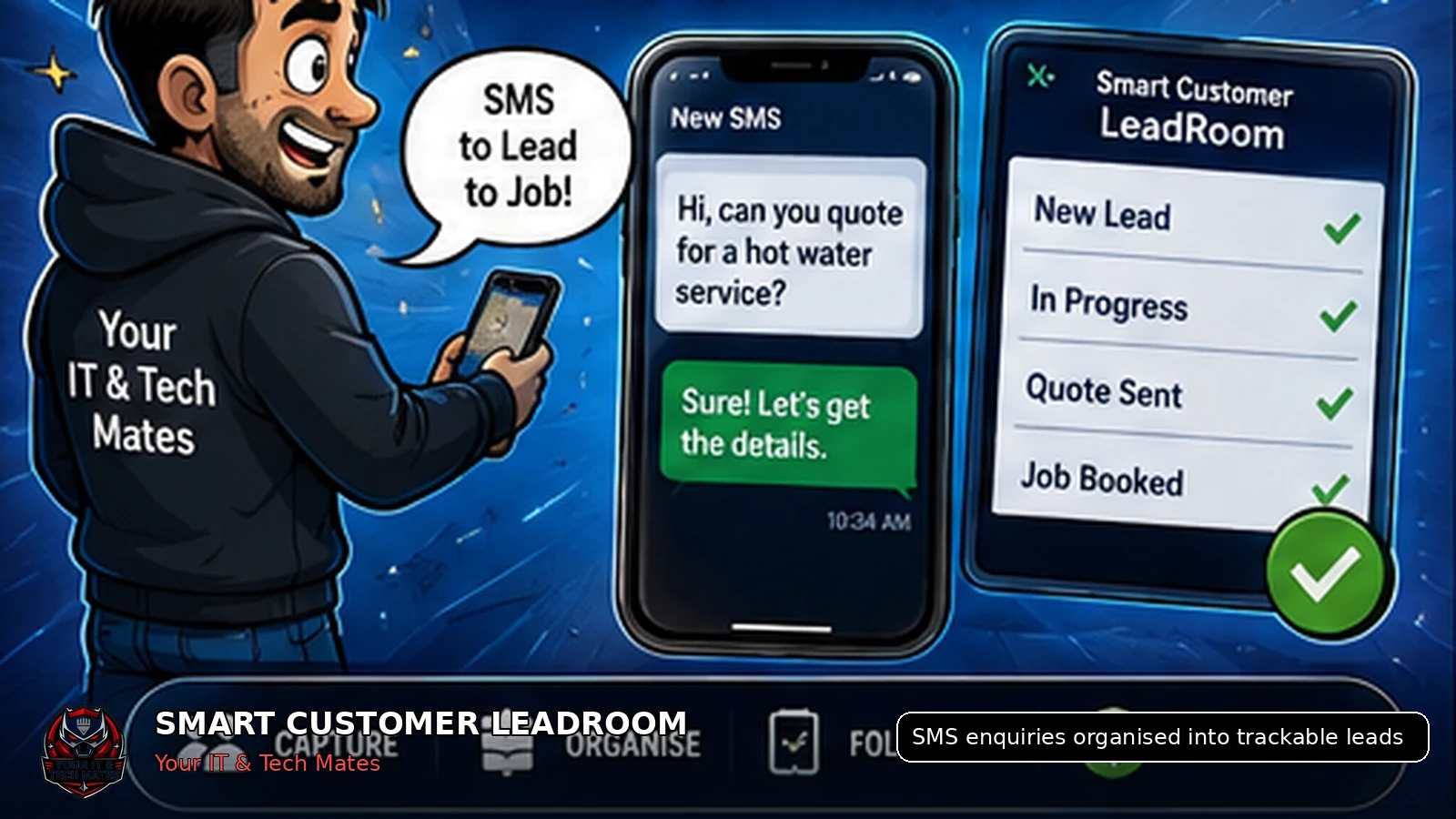
Keep SMS as a first-contact channel, then move the continuing enquiry into one protected lead record with an owner, customer history, next action and clear pathway towards assessment, quote or job.
What a busy sole trader who answers enquiries between jobs needs from this guide
- A process that keeps SMS as the easy first contact
- A quick way to see who is waiting and what happens next
- A starting routine that does not require migrating every old message
Enhancement made: This guide now includes a 15-minute lead-rescue routine and a sample lead record that can be used before changing software.
Why SMS stops working as a lead system
SMS is fast and familiar, which makes it useful for first contact. The problem begins when a customer conversation must become an organised business process.
A genuine lead may include a customer name, location, problem description, several photos, timing questions and a request for an estimate. When those details stay in a phone inbox, the business has no reliable lead status, ownership or next action.
Six steps to make an SMS lead trackable
- Capture the source. Record whether the lead began by SMS, phone, email, website, referral or social media.
- Create one enquiry reference. Give the conversation a stable reference so messages and photos remain connected.
- Send protected customer access. Use a private link and separate access PIN rather than placing customer details in the URL.
- Collect only useful information. Ask for job details, optional device information and permitted photos without forcing every field.
- Assign ownership and a next action. Make it clear whether the business or customer is waiting.
- Progress through the proper workflow. Create a quote or job only when the required assessment and approvals exist.
What information should the lead record contain?
Customer-visible information
The enquiry, staff replies, customer replies, permitted photos, plain-English status and clear next steps.
Internal operational information
Assigned owner, private notes, lead source, next action, follow-up timing and whether an assessment or quote has been requested.
What should remain separate?
A lead record should not automatically become a formal quote, repair authorisation or paid job. Those steps need their own defined scope, price, terms and evidence of approval.
Internal notes should also remain separate from customer-visible messages. This allows staff to coordinate work without accidentally exposing operational discussion.
How Smart Customer LeadRoom supports the process
Smart Customer LeadRoom was designed by Your IT & Tech Mates around this exact workflow. Customers can continue through a private link and access PIN, while staff manage the same lead from a shared dashboard.
The customer history stays connected as the lead progresses. That means less copying, fewer repeated questions and a clearer handover when another authorised staff member becomes involved.
A practical starting checklist
- List every channel where leads arrive
- Decide who owns each new lead
- Define meaningful lead statuses
- Record the next action and due time
- Keep customer photos with the correct lead
- Separate chat from formal approval
A 15-minute lead-rescue routine
Start with today’s unanswered or incomplete enquiries rather than trying to clean up every historical SMS.
- Source
- SMS
- Customer
- Masked name and mobile
- Need
- Hot-water service quote
- Status
- Waiting for photos
- Next action
- Review photos by 3 pm
- Owner
- Assigned staff member
Do not move everything at once. Prove the workflow with a small group of active leads, then expand only after staff can use it consistently.
Key takeaways
- Keep one lead history instead of copying customer details between conversations.
- Make ownership, status and the next action visible.
- Keep formal quote and job approval separate from normal chat.
- Use AI to assist staff, not to replace accountable decisions.
Frequently asked questions
Benefits and practical outcomes
Use these outcomes as a practical check on whether the advice is making the situation clearer and easier to manage.
Fewer missed enquiries
Keep customer contact attached to one request so staff can see what still needs a response.
Less double handling
Reduce copying the same names, photos, notes and status information between disconnected tools.
Clearer ownership
Make the next action visible so staff know who is reviewing, replying, quoting or following up.
Safer customer communication
Use SMS or email for concise notifications while sensitive detail stays in the appropriate secure workflow.
Example: one enquiry arrives through two channels
A customer emails about a job and then texts an extra photo. Instead of creating two separate records, staff keep both contacts attached to the same request, review the information once and continue the next step from that shared history.
Outcome: less copying, fewer duplicate follow-ups and a clearer path from enquiry to review or quote.
Should a business stop accepting SMS enquiries?
No. SMS can remain a useful entry point. The improvement is moving the ongoing enquiry into a trackable business process.
What makes a lead trackable?
A stable reference, shared customer history, assigned owner, status, next action and visible follow-up timing.
Should every enquiry become a quote?
No. A quote should only be created when there is enough information to define the scope and pricing basis.
Can sole traders use this approach?
Yes. A simple lead workflow is especially useful for sole traders who currently manage follow-up after hours.
Do I need to import every old SMS conversation?
No. Start with active leads and a clear cut-over date. Historical messages can remain where they are unless there is a genuine operational or record-keeping reason to move them.
Related software and lead-management guides
AI follow-up reminders for small business
Learn how simple AI-assisted reminders can help small businesses identify overdue customer leads, prepare follow-ups and keep staff in control.
Read guideCustomer lead management for tradies
A practical lead-management guide for Australian tradies who rely on SMS, job photos and manual follow-up to turn enquiries into quotes and paid work.
Read guideSecure customer photo upload
A safer workflow for Australian service businesses to collect customer job and repair photos without leaving images scattered across personal phones and SMS threads.
Read guideWant to rescue active leads without rebuilding everything?
Show Your IT & Tech Mates how enquiries arrive today. We can map a small first workflow around your busiest lead type.