
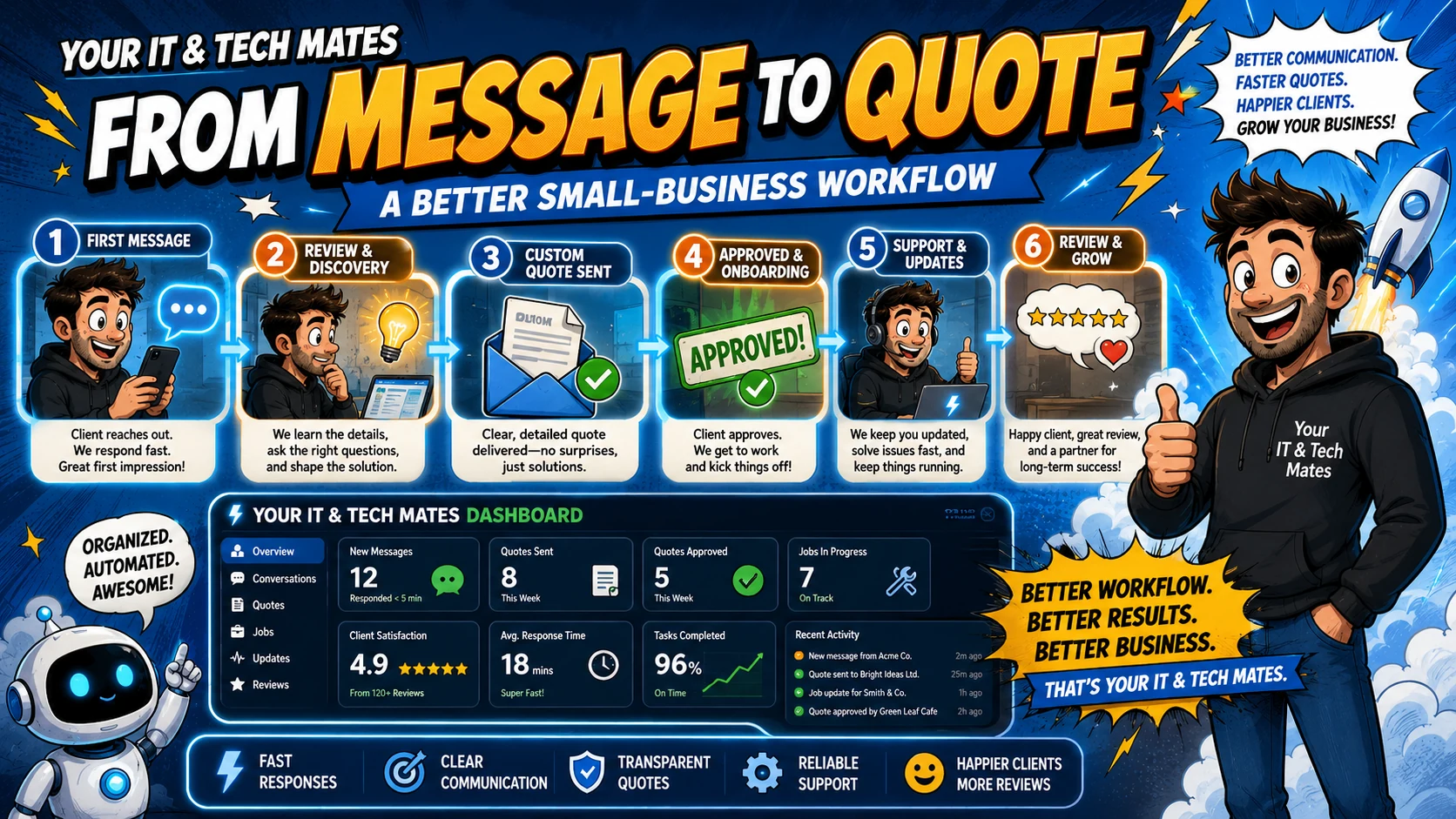
Quick answer
Start with the business workflow, not the software brand. Map where an enquiry begins, who owns the next step, what information must stay attached to the request, and where a human must review or approve the outcome before automating anything.
A strong message-to-quote workflow separates four things that often get mixed together: enquiry capture, staff clarification, quote preparation and customer approval. Keeping those stages visible reduces premature pricing, duplicated questions and “which version is current?” confusion.
Tell us what is slowing your business down. QuoteMe gives Your IT & Tech Mates a structured starting point for a human review before any recommendation or paid work.
Start with QuoteMe →Why the quote should not be the first system action
For Melbourne and Australian service businesses, the same issue appears across tradie work, repairs, consulting and field services: the first message is useful context, but it is not always enough information for a dependable quote.
A customer’s first message is often incomplete. They know the outcome they need, but not necessarily the technical scope, parts, site conditions or information required for a reliable price. Turning that first message straight into a quote can create false certainty.
The better workflow captures the request first, asks the minimum useful follow-up questions, then lets a person confirm scope before a fixed quote or estimate is issued.
How QuoteMe supports structured intake
Your IT & Tech Mates uses QuoteMe as a tap-first request entry point. Device, problem and practical context can be captured with less typing, and optional wording assistance can help organise the request. The customer can review the summary before it becomes the request that staff see.
That structure is valuable beyond IT support. A tradie or service business can use the same principle: ask the few questions that affect routing and scope, preserve the customer’s own description, then hand the organised request to a person.
The five stages from first message to quote
Capture the request
Record the customer, contact channel and practical need before trying to price the job.
Clarify the missing scope
Ask only the questions that affect routing, feasibility, timing or price.
Prepare a reviewed quote
Use the complete request history and confirmed scope; do not price from a fragment of the conversation.
Why a chronological thread matters before quoting
If clarification happens across different SMS messages, email replies and phone notes, quote preparation becomes detective work. A single conversation history means the staff member preparing the quote can see what the customer asked, what was clarified and what is still uncertain.
It also reduces the risk that an old email or copied note becomes the basis for a newer quote after the scope has changed.
Notifications are not approvals
A customer can receive an SMS or email saying that a quote or update is ready, but the notification itself should not count as approval. The quote needs a clear review and acceptance action. The same applies to paid work: communication can be automated while the commercial decision stays explicit.
Where automation can help safely
Low-risk automation can notify staff that a request is waiting, prepare a follow-up reminder, summarise the latest conversation for review, or tell a customer that an update is available. Pricing, final scope, promises and approval should remain accountable human actions.
Benefits and practical outcomes
The value is not adding more software. It is reducing the gaps between customer contact, staff review, follow-up and the next approved action.
Better information before quoting
Structured intake helps staff understand the device, service or business need before preparing a price.
Fewer quote revisions
Clarifying scope before the quote reduces avoidable back-and-forth after pricing is sent.
Clear approval boundaries
Messages and notifications do not automatically approve pricing or paid work.
Stronger customer confidence
A visible path from first contact to reviewed quote makes the process easier to understand.
Example: a repair enquiry becomes a reviewed fixed quote
A customer sends a message about a laptop with a black screen. Staff review the request, ask for the missing device details and keep the answers in the same conversation. Only after the scope is clear is a fixed quote prepared for the customer to review. A notification tells the customer the quote is ready; it does not approve the work for them.
Outcome: clearer scope, fewer surprises and an explicit separation between communication, quote review and paid-work approval.
Practical workflow checklist
- Capture the request. Record the customer, contact channel and practical need before trying to price the job.
- Clarify the missing scope. Ask only the questions that affect routing, feasibility, timing or price.
- Prepare a reviewed quote. Use the complete request history and confirmed scope; do not price from a fragment of the conversation.
- Notify the customer. Use email or SMS for a concise “ready to review” notice linked to the correct request.
- Record explicit approval. Keep acceptance, payment and paid-work commencement separate from ordinary chat messages.
Key takeaways
- Give customers convenient entry channels without creating separate operational records for every channel.
- Keep one authoritative request, clear status and chronological conversation.
- Use SMS and email for concise transport and notifications; use My Tech Help for detailed or sensitive context.
- Keep quote scope, pricing, approval, payments and paid work under explicit human-controlled steps.
- Map the workflow before adding AI or automation.
Frequently asked questions
Should a business quote directly from an SMS?
Only when the scope is genuinely simple and known. For many service jobs, the SMS should start the request and a person should confirm the details before pricing.
Can AI write the quote?
AI may assist wording or organise known information, but pricing, scope and promises should be reviewed by the responsible person.
What should happen when a customer changes the scope?
Update the authoritative request and quote context. Do not rely on an old copied message or previous email thread.
Is a “looks good” text message enough approval?
Businesses should use a clear approval mechanism appropriate to the job and their terms rather than relying on ambiguous conversational wording.
What is the benefit for tradies?
A structured request-to-quote path reduces repeated questions, after-hours admin and uncertainty about which enquiry or quote needs follow-up.
Want a cleaner path from enquiry to quote?
Start with QuoteMe and describe where your current quoting process slows down. Your IT & Tech Mates can review the intake, follow-up and approval steps before recommending software or automation.
Related customer-workflow guides
One Customer Workflow: How We Connect SMS, Email, QuoteMe and My Tech Help
See how Your IT & Tech Mates connects SMS, email, QuoteMe, Quick Chat and My Tech Help into one small-business customer workflow without creating duplicate inboxes or tickets.
Read guideStop Losing Enquiries: Why SMS, Email and Website Forms Need One Workflow
Learn why disconnected SMS, email and website enquiries create missed follow-up for small businesses, and how one connected customer workflow reduces duplicate admin.
Read guideText Without Chaos: How Customer SMS Can Feed a Real Business Workflow
See how customer SMS can become a trackable small-business help request with safe matching, acknowledgements and My Tech Help follow-up instead of another unmanaged inbox.
Read guideWhy We Keep Sensitive Customer Updates Out of SMS and Email
Why Your IT & Tech Mates uses SMS and email for concise notifications while detailed technician updates, files and quote context stay inside secure My Tech Help threads.
Read guideWant to connect a messy customer workflow?
Start by mapping where enquiries arrive, where the authoritative customer record lives, and which steps genuinely need integration or automation.