
Quick answer
Start with the business workflow, not the software brand. Map where an enquiry begins, who owns the next step, what information must stay attached to the request, and where a human must review or approve the outcome before automating anything.
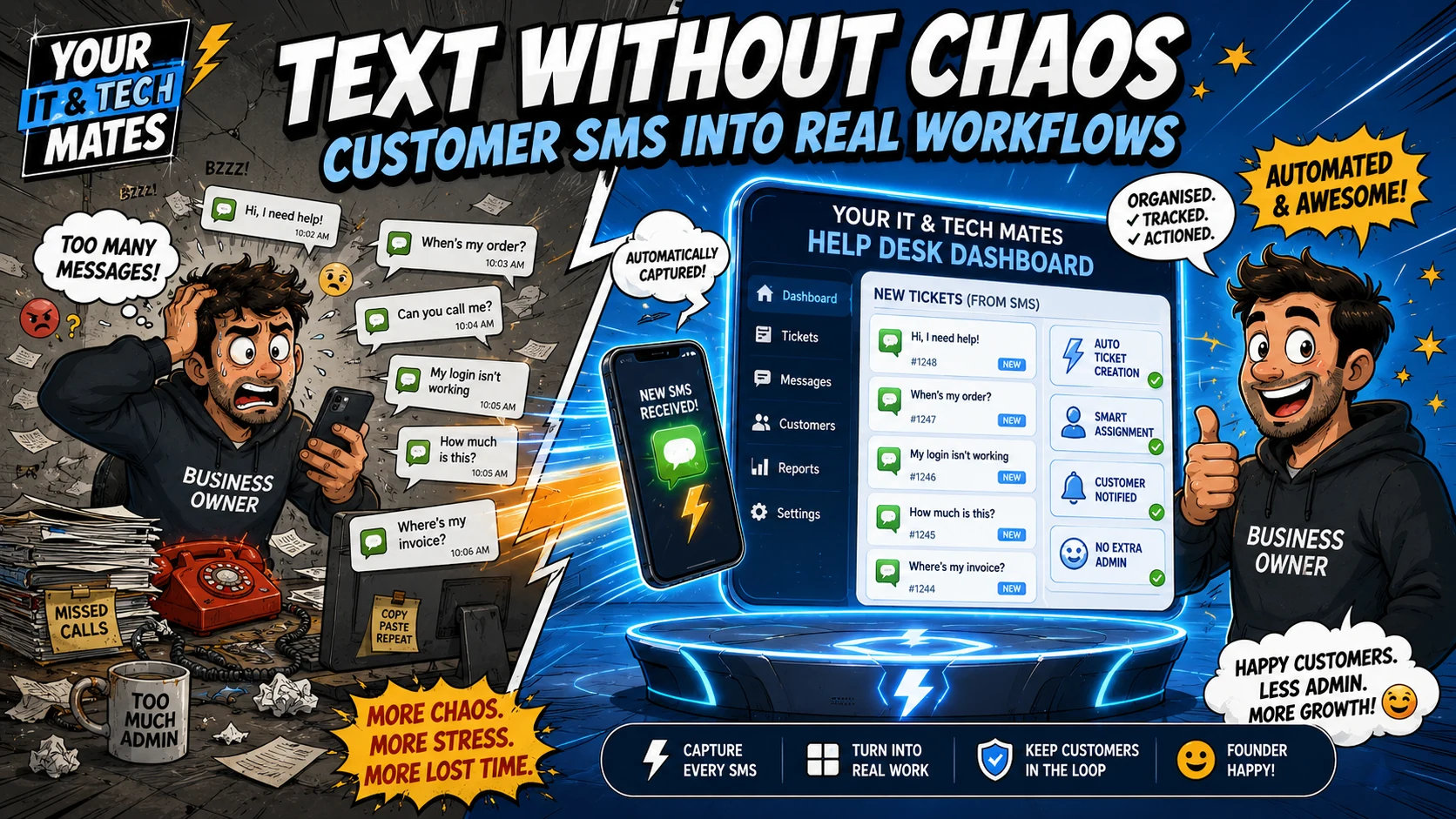
Customer SMS becomes useful operational data when an inbound message is safely matched to one existing request or creates one new request when needed, then staff continue from the same timeline. The SMS gateway should transport messages, not become a second customer database.
Tell us what is slowing your business down. QuoteMe gives Your IT & Tech Mates a structured starting point for a human review before any recommendation or paid work.
Start with QuoteMe →Why SMS is useful and dangerous at the same time
SMS has almost no customer friction. A person can send a short problem description while standing beside the device, job site or broken item. That makes it a strong entry channel for service businesses.
The operational risk appears when the message stays on a phone. Staff may not know whether it belongs to an existing customer, whether somebody replied, or whether the customer is waiting for a quote. Screenshots and copy-paste are not a durable workflow.
The gateway should be transport, not the ticket system
Our TextBee integration follows a simple boundary: TextBee sends and receives the SMS, but the Your IT & Tech Mates request remains authoritative. The inbound webhook validates the provider message, normalises the phone number, deduplicates the provider message ID and then hands the content to the existing request services.
That avoids a second SMS-specific ticket product. If a request reference and mobile match safely, the message can continue the existing request. If the mobile has one clear active request, it can be appended conservatively. If the system cannot determine the right request, it should not guess.
What happens after a customer texts
Receive and verify the provider event
Validate the webhook signature and expected device before trusting the message.
Normalise and match the mobile
Use an Australian E.164 number and a conservative request-matching rule.
Create or continue one request
Do not create a second SMS ticket when the customer already has the relevant active request.
Acknowledgements should be short and useful
The customer needs confirmation that the message arrived and a reference they can use later. An acknowledgement should not contain a long diagnostic answer or sensitive request details. It can confirm receipt, show the QH reference and direct the customer to My Tech Help when more context is required.
Delivery tracking matters to staff
Sending an API request is not the same as knowing that a customer received a notification. Delivery events such as sent, delivered and failed can help staff understand whether SMS was a successful contact method. A failed notification should be visible rather than triggering unlimited retries.
When SMS should hand off to My Tech Help
Long explanations, customer files, technician findings, quote details and sensitive account or device information are better handled inside the secure My Tech Help thread. SMS can remain the convenient doorbell; it does not need to become the whole building.
Benefits and practical outcomes
The value is not adding more software. It is reducing the gaps between customer contact, staff review, follow-up and the next approved action.
Keep SMS convenient
Customers can send a short text without staff needing to manage a separate informal ticket list.
Create a trackable request
A new inbound message can create or safely continue the existing canonical help request.
Acknowledge quickly
The customer can receive a concise reference and next-step message without waiting for manual copying.
Move detail to the right channel
Longer, private or quote-related content can continue inside My Tech Help.
Example: “My laptop screen is black”
A customer sends a short SMS saying their laptop turns on but the screen stays black. The message enters the existing help workflow and receives a request reference. A technician reviews the request in Quick Chat. When more detailed troubleshooting or quote information is ready, the customer receives a short notification and opens the secure My Tech Help thread for the full context.
Outcome: the customer keeps the simplicity of texting while staff keep one organised request and conversation history.
Practical workflow checklist
- Receive and verify the provider event. Validate the webhook signature and expected device before trusting the message.
- Normalise and match the mobile. Use an Australian E.164 number and a conservative request-matching rule.
- Create or continue one request. Do not create a second SMS ticket when the customer already has the relevant active request.
- Acknowledge with a reference. Confirm receipt and provide the request reference without exposing sensitive details.
- Move detailed communication to My Tech Help. Use the secure thread for files, technician details, quote context and longer updates.
Key takeaways
- Give customers convenient entry channels without creating separate operational records for every channel.
- Keep one authoritative request, clear status and chronological conversation.
- Use SMS and email for concise transport and notifications; use My Tech Help for detailed or sensitive context.
- Keep quote scope, pricing, approval, payments and paid work under explicit human-controlled steps.
- Map the workflow before adding AI or automation.
Frequently asked questions
Will every text automatically become a job?
No. A text can create or continue a help request, but staff still review the request and later quote or job actions remain separate.
What if the customer has two active requests?
The system should avoid guessing. Ask for the request reference or direct the customer to the secure request view.
Can customers reply by SMS after the first message?
Yes, when the mobile and request can be matched safely. The reply can return the request to the staff queue.
Should businesses send sensitive updates by SMS?
No. Use SMS for short notifications and move detailed or sensitive information into a protected customer channel.
Does this require a new CRM?
Not if an existing authoritative request system can accept SMS as another transport channel. Reusing the existing request is usually cleaner than building a parallel store.
Want customer texts to become organised requests instead of another inbox?
Tell us how SMS is handled in your business today. Start with QuoteMe and we can review whether inbound messaging, acknowledgements, routing or My Tech Help-style handoff could reduce manual admin.
Related customer-workflow guides
One Customer Workflow: How We Connect SMS, Email, QuoteMe and My Tech Help
See how Your IT & Tech Mates connects SMS, email, QuoteMe, Quick Chat and My Tech Help into one small-business customer workflow without creating duplicate inboxes or tickets.
Read guideStop Losing Enquiries: Why SMS, Email and Website Forms Need One Workflow
Learn why disconnected SMS, email and website enquiries create missed follow-up for small businesses, and how one connected customer workflow reduces duplicate admin.
Read guideFrom Message to Quote: A Better Small-Business Customer Workflow
A practical Australian small-business workflow from first customer message to reviewed quote, using structured intake, one request history and secure customer follow-up.
Read guideWhy We Keep Sensitive Customer Updates Out of SMS and Email
Why Your IT & Tech Mates uses SMS and email for concise notifications while detailed technician updates, files and quote context stay inside secure My Tech Help threads.
Read guideWant to connect a messy customer workflow?
Start by mapping where enquiries arrive, where the authoritative customer record lives, and which steps genuinely need integration or automation.