
How to Use AI on Your Website Without Losing Human Control
A practical small-business guide to using AI on a website while keeping prices, approvals, customer requests, safety decisions and important public information under human control.
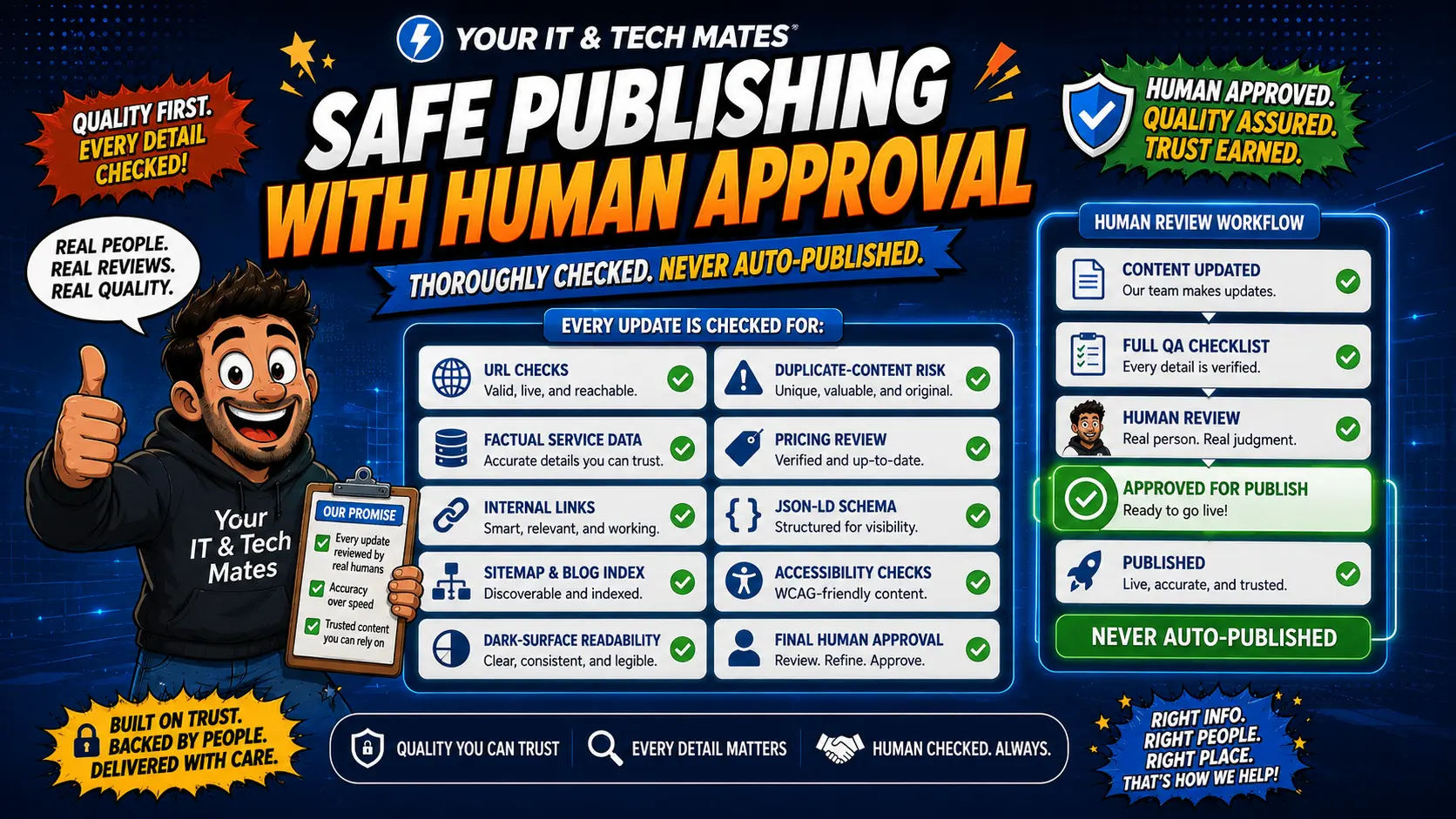
Quick answer
The safest way to use AI on a business website is to give it a bounded job: understand wording, summarise reviewed information or suggest an approved next step. Keep final prices, paid work, sensitive decisions, customer submissions and public publishing behind explicit customer or human approval.
Start by separating assistance from authority
AI can be helpful without being the decision-maker. Before adding a model, write down which tasks are advisory and which actions carry real consequences.
Advisory examples: identify a likely help area, summarise reviewed guidance, draft a short explanation, suggest one of several approved next steps.
Authority examples: submit a customer request, approve paid work, set a binding price, publish public claims, change an account or make a safety-critical decision.
The second group needs explicit controls.
Use approved actions instead of invented actions
A practical pattern is to let the website work with a fixed library of approved actions. The AI or intent layer can return an ID such as “repair-help”, “pricing” or “scam-safety”, and the website decides the real label, URL and permission.
That is safer than letting a model invent links, forms or transaction steps.
Keep important facts tied to real business information
Prices, service coverage, policies, safety instructions and product facts should come from reviewed business sources. AI can explain those facts in simpler language, but it should not become a separate source of truth.
If the approved source changes, the website should be able to update the answer without relying on a model to remember the old version correctly.
Make customer approval visible
When AI-assisted wording is carried into a form, show the customer what will be submitted and let them edit or remove it. “Nothing has been submitted yet” is often more useful than a long technical explanation of the AI system.
The same principle applies to a quote, booking, upload or customer message: the person should know what action is about to happen.
Design for failure before launch
- Keep ordinary navigation and key contact paths available without AI.
- Use pre-written fallbacks for common questions where possible.
- Put limits around request size, frequency and provider cost.
- Reject unexpected output rather than trying to make unsafe output fit.
- Keep safety pathways able to override normal commercial suggestions.
- Test mobile, keyboard, reduced-motion and screen-reader behaviour as part of the feature, not after it.
Use the smallest amount of customer data needed
Do not create a new customer profile merely because the website can understand a public question. Short-lived context can make the journey easier, while authenticated customer history stays behind the existing verified account or request system.
For outside AI providers, send only the information needed for that task and avoid secrets, passwords, payment details and unnecessary identifiers.
Roll out one low-risk use case first
A good first test is usually something reversible: help customers choose the right guide, summarise approved information, prepare a draft, or surface a staff reminder. Measure whether it actually reduces confusion before expanding into more consequential actions.
See how human approval works in the live learning layer
Our Human-in-the-Loop AI guide shows the approval boundary in practice, including what can be automatically weakened and what still needs an admin decision.
See the latest intent-driven features in practice
Frequently asked questions
Can AI choose which service page to show?
It can assist with that choice when the possible destinations are reviewed and the website keeps the final routing rules controlled.
Should AI set prices on a small-business website?
AI can explain approved pricing guidance, but binding prices and quotes should come from the normal pricing and approval process.
How do I stop AI from submitting something without the customer knowing?
Keep submission as a separate explicit action, show what will be sent and do not treat an AI interpretation as consent.
What happens if the AI provider is down?
The site should retain normal pages, contact paths and pre-written fallbacks so a provider outage does not block basic help.
Do I need to save every customer question?
No. Retain only what the business genuinely needs and follow the existing privacy and customer-record rules instead of building a new profile by default.
Want AI assistance without handing over control?
We can map one customer or staff workflow, identify the safe AI task and define where customer or human approval must remain.
Human control across the whole journey
The same boundary should hold after the first AI-assisted answer. See how customer choice, privacy and explicit approval remain part of the wider journey through enquiry and QuoteMe.