📞 0452 323 571 💬 WhatsApp Now
HomeLaptop & Phone Repair HubWiFi & Internet Troubleshooting Epping & Wollert
Same-day* WiFi & internet support — Epping & Wollert · *Subject to availability, Mon–Sat 9am–7pm · NBN · OptiComm · Mesh WiFi · No Fix No Fee
Darren — WiFi, NBN & Network Troubleshooting Expert
WiFi · NBN · OptiComm · Network Support · Your IT & Tech Mates · Epping & Wollert VIC
8+ Yrs Experience NBN Certified OptiComm Specialist Mesh WiFi Expert NDIS Provider ⭐ 5.0 · Neighbours’ Reviews
Guide last updated:
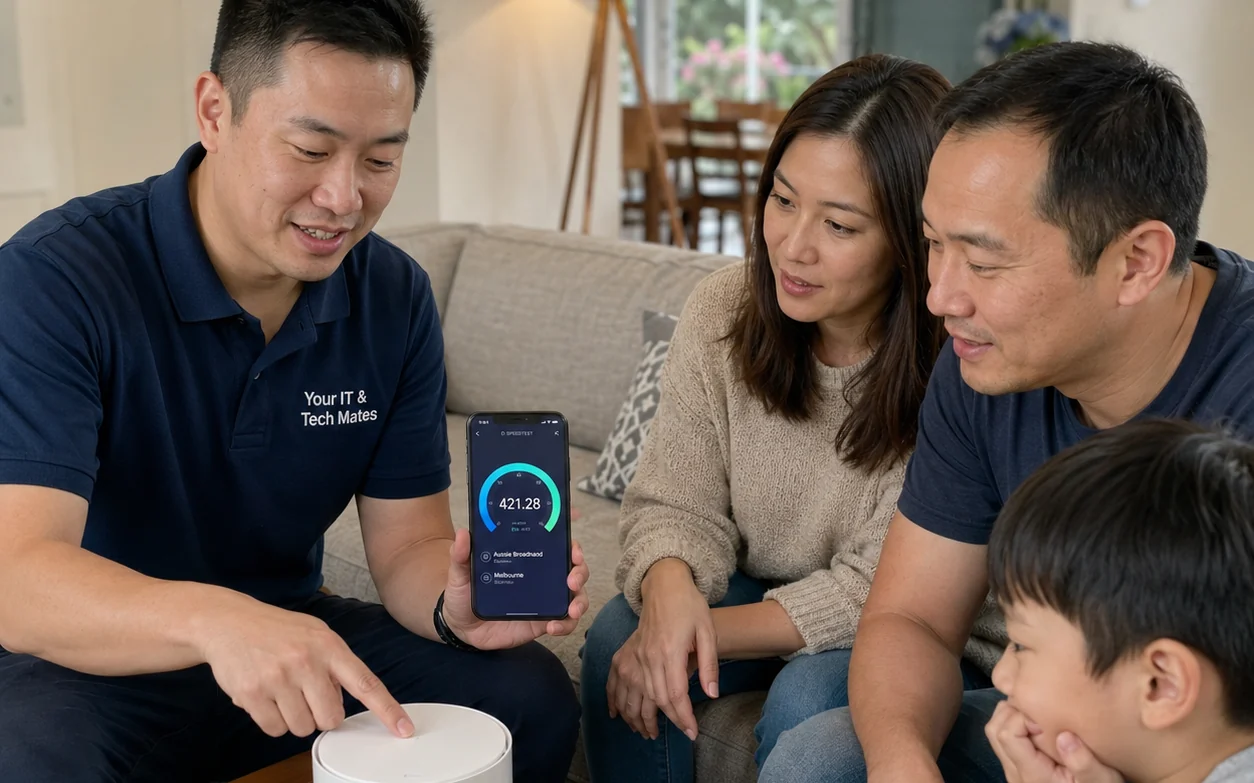
Your IT and Tech Mates WiFi specialist helping an Epping family fix slow NBN and WiFi dead zones — same-day WiFi troubleshooting Epping 3076 and Wollert 3750 Melbourne North VIC
📡 Free Speed Test · Same-Day Service* · No Fix No Fee

WiFi & Internet
Troubleshooting
Epping & Wollert.

Slow NBN, OptiComm dropouts every night, WiFi dead upstairs, Netflix buffering? Run our free advanced speed test then get an honest local diagnosis. Same-day service available subject to availability across Epping 3076, Wollert 3750 and Melbourne North.

📡 NBN & OptiComm specialist
🏠 We Come to You
No Fix, No Fee
📋 Written Quote First
NDIS Accepted
5.0 · Neighbours’ Reviews
WiFi support from
$89
free diagnostic included
  • NBN & OptiComm diagnosis
  • Mesh WiFi supply & install
  • Router config & VLAN fix
  • Speed & coverage audit
  • Written price before we start
  • NDIS invoices available

*Same-day service subject to availability, Mon–Sat 9am–7pm. Written quote before every job.

Jump to: Speed Test WiFi Guide NBN Issues OptiComm FAQ Reviews Service Area All Services

WiFi Internet Troubleshooting Epping & Wollert

Understanding your network before you call anyone — NBN, OptiComm and what actually causes the problems you're experiencing.

A family in Wollert called us after six months of evening dropouts on OptiComm. Their ISP sent two technicians and replaced the modem twice — zero improvement. We found an incorrect VLAN configuration on their third-party router. Fixed in under 10 minutes. No dropouts since. That's why we built this guide.

WiFi internet troubleshooting in Epping 3076 and Wollert 3750 is one of our most requested services — for good reason. Homes across Melbourne's northern growth corridor use a mix of NBN (FTTP, HFC, FTTN, FTTC), OptiComm fibre in new estates, and 4G/5G home broadband — each behaving very differently when things go wrong. Before spending money on a new modem, it's worth understanding which layer the problem is actually coming from.

Before troubleshooting your network, rule out computer problems first — if your laptop is slow, crashing, or overheating, that can look exactly like a WiFi issue. See our Epping laptop repairs and computer repairs Epping 3076 pages if the device itself may be the issue.

Is It a WiFi Problem or an ISP / NBN Problem?

📶
Signs It's a WiFi Problem
  • Fast near the modem, slow upstairs or in other rooms
  • WiFi drops when the microwave or other appliances run
  • Network visible on some devices but not others
  • Speeds improve when you move closer to the router
  • Dropouts affect only one or two devices, not all
  • Random disconnections in double-storey homes
🌐
Signs It's an ISP / NBN Problem
  • Slow on Ethernet AND WiFi simultaneously
  • Consistent slow speeds every night (7–11pm)
  • All devices drop out at exactly the same time
  • Speeds drop after heavy rain (FTTN/FTTC areas)
  • Speed well below your NBN plan's rated tier
  • Modem sync light flashing or disconnecting

Free Advanced Network Speed Test

Measures download & upload throughput, latency, jitter, mesh readiness, health score and estimated NBN technology type. Results in ~12 seconds.

Advanced WiFi & Internet Diagnostics

8 network metrics · personalised diagnosis · DIY fix steps · upgrade advice

⬇ Download ⬆ Upload 📡 Latency 📶 WiFi Analysis 🔍 NBN Detection ✅ Scoring
-- Mbps

⏳ Starting diagnostics…

Why Is My NBN So Slow in Epping?

Many Epping and Wollert residents report slow NBN every evening. This is usually congestion — not WiFi — but the correct fix depends on identifying which layer is failing.

🕖
Evening Peak Congestion

7–11pm slowdowns are the NBN's busiest period. Your ISP shares bandwidth across many households — if they've oversold capacity, every subscriber suffers. Compare your ISP via the ACCC Internet Speed Report. Consistently below 70% of your plan speed? Lodge a congestion complaint or switch ISP.

📊
Wrong Speed Tier for Your Home

NBN 25 (Basic II) is genuinely inadequate for a home with 3+ people streaming, gaming and working from home simultaneously. NBN 50 handles moderate households; NBN 100 is recommended for families with 4+ heavy users. Use our calculator to match your plan to your household size.

📡
Outdated Router Hardware

ISP-supplied modems from 2019–2021 use WiFi 5 (802.11ac) which struggles with 15+ connected devices. WiFi 6 (802.11ax) routers handle dense device environments significantly better. If your router is over 3 years old, upgrading it costs $150–$300 and often solves persistent speed issues without touching your NBN plan.

NBN Technology Types in Epping & Wollert — 2026

Technology Typical Speed Common in Epping Area? Rain Affected? Max Plan
FTTP (Fibre to Premises)Up to 2000/200 Mbps✅ New estates, upgradesNo — all fibreHome Hyperfast (2Gbps)
HFC (Hybrid Fibre-Coaxial)Up to 1000/50 Mbps✅ Older Epping areasRarelyHome Ultrafast (1Gbps)
FTTC (Fibre to the Curb)60–250 Mbps typical⚠️ Some Epping/Lalor streetsMinor — short copperNBN 250
FTTN (Fibre to the Node)12–100 Mbps (varies)⚠️ Older Epping streetsYes — copper pit floodingNBN 100 (distance-limited)
OptiComm (Private Fibre)Up to 1000/500 Mbps✅ Wollert, Donnybrook estatesNo — all fibre1 Gbps (ISP dependent)

Check your exact technology at nbnco.com.au. FTTN users in Epping may now qualify for a free FTTP upgrade — check eligibility.

Slow OptiComm Internet in Wollert — What's Really Causing It

OptiComm fibre is available across Wollert 3750, Donnybrook, Kalkallo and new Epping estates. Despite being full fibre capable of gigabit speeds, many residents experience slow OptiComm internet — especially at night. Here's why.

⚙️
Most Common OptiComm Issues in Wollert
  • VLAN misconfiguration — OptiComm requires VLAN ID 2 on the WAN port. Third-party routers (ASUS, TP-Link, Netgear) must be manually configured. This is the #1 cause of slow or no connection.
  • ISP congestion — Your ISP leases OptiComm backhaul. An oversold ISP will still bottleneck your connection even on gigabit fibre.
  • Internal cabling faults — New-build homes occasionally have loose or damaged fibre at the distribution point (FDP) inside the wall.
  • WiFi placement — OptiComm ONT (the white box) is usually near the front door. Your router needs to be centrally placed or supplemented with mesh nodes.
🔧
OptiComm DIY Troubleshooting
  • Power-cycle ONT and router (unplug both for 60 seconds)
  • Connect a laptop via Ethernet directly to the ONT — if fast, the router is the problem
  • Check your router's WAN settings: VLAN ID must be set to 2, connection type PPPoE or DHCP depending on your ISP
  • Log into your ISP's app or account and run their built-in line test
  • Run our speed test above — if download is below 70% of your plan speed, escalate to your ISP

Still slow after all that? WhatsApp us — we fix OptiComm VLAN and configuration issues same-day across Wollert 3750, subject to availability.

ProblemDIY FixWhen You Need Us
Slow all dayReboot ONT + router, check VLANVLAN config, ISP fault lodgement
Slow only 7–11pmSwitch to 5GHz, reduce background downloadsISP congestion complaint, ISP switch advice
WiFi dead upstairsMove router to a more central locationMesh WiFi supply & install (from $149)
Random disconnectsCheck all cables, reboot devicesLine test, router swap, VLAN audit
No connection at allCheck ONT lights, reboot sequenceONT fault, ISP fault request, cabling check
Slow after new routerCheck VLAN 2 setting on WAN portFull router config & VLAN setup

WiFi Troubleshooting Epping — Expert Answers

Honest, detailed answers — no jargon, no upselling.

Why is my OptiComm internet slow only at night in Wollert or Epping?
Evening congestion between 7–11pm is the most common cause of slow OptiComm and NBN internet in Epping 3076 and Wollert 3750. Your ISP shares bandwidth across hundreds of households simultaneously — if they've oversold capacity, every subscriber on that segment experiences slowdowns. Run a speed test at 3pm and again at 9pm. If 9pm is significantly slower, it's ISP congestion. Compare your provider's evening performance against other ISPs using the ACCC Internet Speed Reports. If your ISP consistently fails to deliver 70%+ of your plan speed during peak hours, you have grounds to escalate a complaint or switch providers — call Your IT & Tech Mates on 0452 323 571 for honest local advice. Same-day support available subject to availability.
Why does my WiFi drop out upstairs in my double-storey Epping or Wollert home?
Double-storey homes in Epping 3076 and Wollert 3750 commonly use concrete flooring, steel wall framing, fire-rated insulation batts and double-brick construction — all of which significantly attenuate 5GHz WiFi signals. A single router located downstairs near the front door (where the NBN/OptiComm connection terminates) physically cannot reliably cover an entire two-storey home. The solution is almost always a mesh WiFi system with satellite nodes on each floor — systems like Eero Pro 6E, Google Nest WiFi Pro or TP-Link Deco XE75 create seamless whole-home coverage. Your IT & Tech Mates supplies, configures and installs mesh systems across Epping and Wollert. Same-day installation available subject to availability. Call 0452 323 571.
Why is my NBN internet slow after rain in Epping?
Rain-related NBN speed drops in Epping are almost exclusively caused by water entering underground copper pits in FTTN or FTTC network nodes. Moisture creates resistive line noise that degrades the VDSL/ADSL signal quality on your copper segment — you'll typically see dramatically reduced speeds and increased latency the day after heavy rain. This is a NBN Co infrastructure fault, not a WiFi, router or ISP configuration issue. Log a fault with your ISP (not just via app — call and specifically mention rain-related degradation), who must escalate to NBN Co for a pit inspection and copper repair or replacement. If your address qualifies for FTTP upgrade, this may be the trigger to request it. Your IT & Tech Mates can help document your speed evidence and advise on the most effective escalation path.
Why does Netflix keep buffering even though my WiFi speed test shows 100 Mbps?
This is one of the most misunderstood WiFi problems. Your speed test runs on the phone or laptop in your hand — which is close to the router and getting a strong signal. Netflix is buffering on the smart TV in the lounge room which may be 10+ metres from the router with walls in between, and receiving a signal only strong enough for 5–10 Mbps — not enough for 4K. The fix: connect the TV directly to the router via Ethernet cable (most smart TVs have an Ethernet port), or place a mesh WiFi node in the same room as the TV. 4K Netflix requires a sustained 25 Mbps to the specific device. Your IT & Tech Mates can assess every room's signal strength during an on-site WiFi audit and recommend the most cost-effective fix. Same-day assessment available subject to availability.
How do I fix slow OptiComm internet in Wollert new-build estates?
The vast majority of OptiComm connectivity problems in Wollert 3750 new estates come down to incorrect VLAN configuration. OptiComm requires VLAN ID 2 set on the WAN/internet port of your router. ISP-supplied modems are pre-configured, but third-party routers (ASUS, TP-Link, Netgear, MikroTik) require this to be set manually in the WAN settings. If you recently bought a new router or changed your ISP and your OptiComm stopped working at full speed — this is almost certainly the cause. Other causes include: ISP-level congestion on OptiComm backhaul, router throughput limitation (older routers can't handle gigabit), and internal cabling faults at the Fibre Distribution Point (FDP) inside your wall. We fix OptiComm VLAN issues across Wollert 3750 and Donnybrook same-day, subject to availability. Call 0452 323 571.
What is the difference between NBN FTTP, FTTN, FTTC, HFC — and which does Epping have?
Epping 3076 has a mix of NBN technologies depending on which street and development you're in. FTTP (Fibre to the Premises) runs fibre all the way into your home — the most reliable, capable of up to 2000/200 Mbps and not affected by rain. HFC (Hybrid Fibre-Coaxial) uses the old Foxtel/Telstra cable for the last section — very capable but can experience congestion in dense areas. FTTC (Fibre to the Curb) runs fibre to a small device on the kerb outside your home, then copper for the last 30 metres — good speeds but minor rain vulnerability. FTTN (Fibre to the Node) runs fibre to a green street cabinet up to 800 metres away, then copper to your home — slowest and most rain-affected. If you're on FTTN, you may now qualify for a free FTTP upgrade under NBN Co's FTTP Upgrade Program — check at nbnco.com.au. OptiComm is a private fibre network used in Wollert and new estates — not NBN, managed by OptiComm/Uniti Group, capable of gigabit speeds.
Why does my gaming lag and ping spike at night even on a fast NBN plan?
Gaming lag at night combines two separate problems that compound each other: (1) Peak-hour ISP congestion increases your ping by 20–80ms as the shared network segment becomes saturated, and (2) WiFi interference from neighbours' routers (especially on the 2.4GHz band) increases jitter — the inconsistency in your ping — which causes lag spikes even when average ping looks acceptable. The most effective fixes in order: connect your console or gaming PC via Ethernet (typically drops ping 10–40ms immediately), enable QoS (Quality of Service) on your router to prioritise gaming traffic, switch to the 5GHz WiFi band or WiFi 6 if available, and check your ISP's congestion report at accc.gov.au. If hardware issues are suspected, see our gaming console repairs Epping & Wollert page.
Can NDIS participants get WiFi troubleshooting support in Epping and Wollert?
Yes. NDIS self-managed and plan-managed participants across Epping 3076, Wollert 3750, Mernda 3754 and South Morang 3752 who depend on stable internet for telehealth appointments, communication devices, education or daily living activities can access WiFi and internet support services. Depending on your plan and goals, this may be claimable under Assistive Technology or Daily Activities supports. Your IT & Tech Mates provides NDIS-compliant invoices for all eligible services. We also provide patient, jargon-free in-home support for seniors. Visit our NDIS Tech Support Epping and NDIS Computer Repairs pages for full details.
How much does WiFi troubleshooting cost in Epping and Wollert?
WiFi troubleshooting and diagnosis starts from $89 and includes a free 15-minute remote assessment first so you're not paying for something we can fix over the phone. Mesh WiFi supply and installation starts from $149 plus hardware cost (we recommend and source the right system for your home size). OptiComm VLAN configuration and router setup is from $89. All jobs include a written quote upfront, No Fix No Fee, and NDIS-compliant invoices available. Same-day service is available subject to technician availability, Mon–Sat 9am–7pm. Call 0452 323 571 or WhatsApp for a free quote before booking.

What Locals Say — WiFi Support Epping & Wollert

5.0
★★★★★
Based on our neighbours’ reviews · Epping, Wollert & Melbourne North
★★★★★

"WiFi was dead upstairs in our double-storey Epping home — nothing worked. Darren installed a mesh system and it now works perfectly everywhere including the backyard. He explained every step clearly and finished in under an hour. Night and day difference."

— Epping 3076 · Mesh WiFi dead zone fix
★★★★★

"OptiComm was dropping every night for months in our Wollert new build. ISP sent two technicians — replaced the modem twice — still slow. Your IT & Tech Mates found a wrong VLAN setting on our router and fixed it in 10 minutes. Wish I'd called 6 months ago."

— Wollert 3750 · OptiComm VLAN fix · slow internet at night
★★★★★

"Home office WiFi was dropping out constantly during Zoom calls from our South Morang study. Darren optimised our whole-home setup and positioned a mesh node — zero disconnections since. Two people WFH and kids gaming simultaneously with no issues."

— South Morang 3752 · Home office WiFi · WFH internet fix
★★★★★

"Our NBN kept dropping every single night for months in Craigieburn. Telstra couldn't fix it. Your IT & Tech Mates identified our ISP was heavily congested and helped us switch to a better provider. Speeds are consistently 95 Mbps now. Honest, no-nonsense advice."

— Craigieburn 3064 · NBN dropping every night · ISP congestion
★★★★★

"Gaming lag was destroying me every night on NBN in Epping. Darren set up QoS on my router, moved me to Ethernet and identified my ISP was the bottleneck. Ping went from 80ms to 18ms. Absolute game changer — literally."

— Epping 3076 · Gaming lag fix · NBN ping spike
★★★★★

"As an NDIS participant I rely on a stable internet connection for my telehealth appointments. Darren was patient, jargon-free and fixed our WiFi the same day he came out. Provided an NDIS-compliant invoice with no fuss. Highly recommend to anyone in Epping."

— Epping 3076 · NDIS WiFi support · telehealth internet

Official Resources — NBN & Consumer Rights

Australian government resources every Epping & Wollert internet user should bookmark.

📊
ISP Performance
ACCC — NBN Speed Reports
Compare real-world evening speeds by ISP across Australia. Use this to evidence an ISP congestion complaint.
Read ACCC.gov.au ↗
🌐
NBN Network
NBN Co — Address Checker
Check which NBN technology type (FTTP, HFC, FTTC, FTTN) is at your Epping or Wollert address, and FTTP upgrade eligibility.
Check nbnco.com.au ↗
⚖️
Telco Complaints
TIO — Telecommunications Ombudsman
If your ISP fails to resolve ongoing speed, outage or NBN fault issues after reasonable attempts, lodge a formal TIO complaint.
Visit TIO.com.au ↗
🔐
Network Security
ASD — Secure Your Home Router
Australian Cyber Security Centre guidance on securing your home WiFi router and preventing unauthorised network access.
Read Cyber.gov.au ↗

WiFi Support — Epping, Wollert & Melbourne North

Mobile service — we come to you. Same-day* visits across all of Melbourne's northern growth corridor.

5.0
★★★★★
our neighbours’ reviews
Your IT & Tech Mates
📍Wollert VIC 3750 — mobile service, we come to you
🕐Mon–Sat 9:00 am – 7:00 pm · Sunday closed
No Fix No Fee · Written quote first · NDIS accepted
⚠️*Same-day service subject to technician availability
📍 Open in Google Maps
Service Areas
Epping 3076Wollert 3750 Lalor 3075Mernda 3754 South Morang 3752Mill Park 3082 Bundoora 3083Doreen 3754 Craigieburn 3064Thomastown 3074 Donnybrook 3064Kalkallo 3064
🛠️ 16 Free Diagnostic Tools — All Connected
Melbourne North’s most comprehensive free tech tool suite — laptop, phone, iPad, WiFi, NDIS & senior support.
🗺️ View Full Tool Cluster →
🛡️
Step 1 — Start Here
Tech Health Score

10 questions, score out of 100, fault list and repair cost estimate. Free.

Check Your Device Score →
🧮
Step 2 — Decide
Repair or Replace Calculator

Enter repair quote and device age. Instant 50% rule recommendation.

Run the Calculator →
🔍
Free Diagnostics
Free Tech Diagnostics Epping

Not sure what's wrong? Free diagnostic assessment before committing to any repair.

Book Free Diagnostics →
🔋
Battery Health Guide
Laptop Battery Health Checker

DIY Windows Battery Report and macOS cycle count guide. Free.

Check Battery Health →
Speed Tool
SSD Performance Upgrade Estimator

Select startup speed and see estimated improvement with SSD upgrade.

Estimate Speed Boost →
🪫
Battery Cost Tool
Battery Replacement Cost Estimator

Instant battery replacement price for iPhone, Samsung, MacBook, Windows laptop and iPad.

Get Battery Price →
💻
Maintenance Guide
Laptop Maintenance Guide Epping

Monthly, quarterly and yearly checklists to prevent overheating.

View Maintenance Guide →
📱
Phone Guide
Repair or Replace Phone Guide

iPhone, Samsung and Android pricing tables and embedded calculator.

Read the Phone Guide →
💰
Trade-In Tool
Phone Trade-In Value Estimator

Model plus condition — resale value vs repair cost comparison.

Compare Repair vs Sell →
📵
Crack Checker
Phone Screen Crack Severity Checker

Select your crack pattern for instant repair urgency rating.

Check Crack Severity →
📟
iPad Tool
iPad Generation Identifier Epping

Identify your iPad model, Apple service status and repair options.

Identify My iPad →
🍎
MacBook Repair
MacBook Repair Epping & Wollert

All MacBook models, all faults — screen, battery, keyboard, logic board.

MacBook Repair Options →
🚨
Emergency Repair
Emergency Laptop Repairs Epping

Liquid spill? No power? Same-day emergency repair.

Get Emergency Help →
NDIS Support
NDIS Tech Support Assessment

Registered NDIS provider — assistive tech, devices and support.

NDIS Tech Support →
👵
Senior Support
Senior Tech Support Assessment

Patient, plain-English tech help for older Australians in Epping and Wollert.

Senior Tech Support →
🔧
Repair Hub
Laptop and Phone Repair Hub

All repairs, free tools, pricing guides — central hub.

View All Services →
🖥️
Melbourne North
Computer Repairs Melbourne North

Desktop, laptop and phone repairs across Epping, Wollert, Mill Park, Bundoora and surrounds.

View Coverage Area →
🔒
PC Security Guide
PC Security Guide — Epping 2026

Windows hardening, BIOS setup, antivirus, backups and custom build security. Interactive checklist.

Read the PC Security Guide →
🛡️
Cyber Security
Essential Eight Checklist — Small Business

Free ACSC Essential Eight checklist. Assess your cyber security maturity across all 8 strategies.

Check My Cyber Security →

All tools free · No sign-up · Epping 3076 · Wollert 3750 · Melbourne North

All Services — Your IT & Tech Mates

One local Melbourne North team — every device, every problem.

💻
Laptop & Computer Repairs

Screen, hinge, battery, power — all brands. Same-day across Epping & Wollert.

📱
Phone Repairs

iPhone, Samsung, all Android — screen from $89, battery from $69.

🛡️
Security & Hack Recovery

Virus removal, hacked phone recovery, account security — fast and thorough.

📷
CCTV Installation

Full home & business CCTV install across Epping & Wollert — same team.

NDIS & Seniors Support

Patient, jargon-free. NDIS-compliant invoices. In-home visits across Melbourne North.

🤖
Business AI & Digital

AI agents, automation and digital transformation for Melbourne North SMEs.

WiFi & Tech Support Near You

💰 Refer & Earn — Get Paid for Helping Neighbours

Know someone in Epping, Wollert, Mernda or anywhere across Melbourne North with a WiFi issue, broken device or tech problem? Refer them through TheFixers.App and earn up to 4% Primary Referrer commission on every completed job — up to 24 months or the first 20 jobs. Free to join, no minimum payout.

How it works
  1. Sign up free at TheFixers.App
  2. Share your unique referral link
  3. They book — we fix — you earn
  4. 4% commission · 24-month window
Earns commission on
  • WiFi & NBN support Epping
  • Phone & laptop repairs Wollert
  • Computer repairs Melbourne North
  • NDIS device support
  • All Melbourne North suburbs
💰 Start Earning — Join TheFixers.App Free →

4% per completed job · Up to 24 months or 20 jobs · No fees · Paid via Stripe · Terms at TheFixers.App

WiFi Not Working?
Call Us Now.

Same-day* WiFi diagnosis, NBN troubleshooting, OptiComm VLAN fix and mesh WiFi installation across Epping, Wollert and Melbourne North. Written quote before we start — No Fix No Fee guaranteed.

Mon–Sat 9am–7pm · Epping VIC 3076 · Wollert VIC 3750 · WiFi Troubleshooting Epping · Computer Repairs Melbourne North · Repair or Replace Calculator
*Same-day service subject to technician availability. Written quote provided before every job. No Fix No Fee applies to diagnosed faults.

Free Tools from Your IT & Tech Mates

All free, no sign-up. Built for Epping, Wollert & Melbourne North.

🩺
Diagnosis
Tech Health Score

10 questions, device health score out of 100, fault list and repair cost estimate. Free, no booking required.

Check My Device →
⚖️
Decision Tool
Repair or Replace Calculator

Enter repair cost and device age — instant recommendation based on the 50% rule. Covers phones and laptops.

Run Calculator →
💰
Price Guide
Phone & Tablet Repair Price Estimator

Instant AUD cost range for iPhone, Samsung, iPad and Android repairs in Epping & Wollert.

Get Price Estimate →
🔋
Battery Tool
Battery Replacement Cost Estimator

Select your device — get an instant battery replacement cost estimate with urgency rating.

Estimate Battery Cost →
📱
Screen Tool
Screen Crack Severity Checker

Assess cracked screen urgency — is it safe to keep using? Repair recommendations by crack type.

Check My Screen →
💻
Health Guide
Laptop Battery Health Checker

Free DIY Windows Battery Report and macOS cycle count guide. Check before you book.

Check Battery Health →
Speed Tool
SSD Upgrade Performance Estimator

Enter your startup time — see estimated speed improvement from an SSD upgrade.

Estimate Speed Boost →
📟
iPad Tool
iPad Generation Identifier

Identify your iPad model and generation, check Apple service status and repair options.

Identify My iPad →
💱
Trade-In Tool
Phone Trade-In Value Estimator

Model plus condition — compare resale trade-in value against repair cost.

Compare Repair vs Sell →
📶
WiFi Tool
WiFi Troubleshooting Guide

Free speed test, NBN & OptiComm diagnosis, mesh WiFi installation guide for Epping & Wollert.

Fix My WiFi →
🛡️
Cyber Security
Essential Eight Checklist — Small Business

Free ACSC Essential Eight checklist. Assess your cyber security maturity across all 8 strategies.

Check Cyber Security →
🔧
Maintenance Guide
Laptop Maintenance Guide

Monthly, quarterly and yearly checklists to prevent overheating, battery wear and data loss.

View Maintenance Guide →

All tools free · No sign-up required · Epping 3076 · Wollert 3750 · Melbourne North VIC