⚑ Free tool β€” no login required Β· Use before booking
Home β€Ί Free Tools β€Ί Home Network Audit
πŸ”§ Free Diagnostic Tool

Home Network Audit β€” Review and Improve Your Home Internet Setup

Purpose: This audit reviews your home network setup and identifies specific improvements for speed, reliability, and security.

πŸ“‹ This tool is based on common issues we diagnose in real repairs across Melbourne's northern suburbs. We've seen hundreds of these faults β€” the guidance reflects real-world outcomes, not theory.

Most home networks run on default settings not optimised for actual device count, home layout, or usage patterns. This audit checks router position, channel selection, security settings, and device management to identify quick wins.

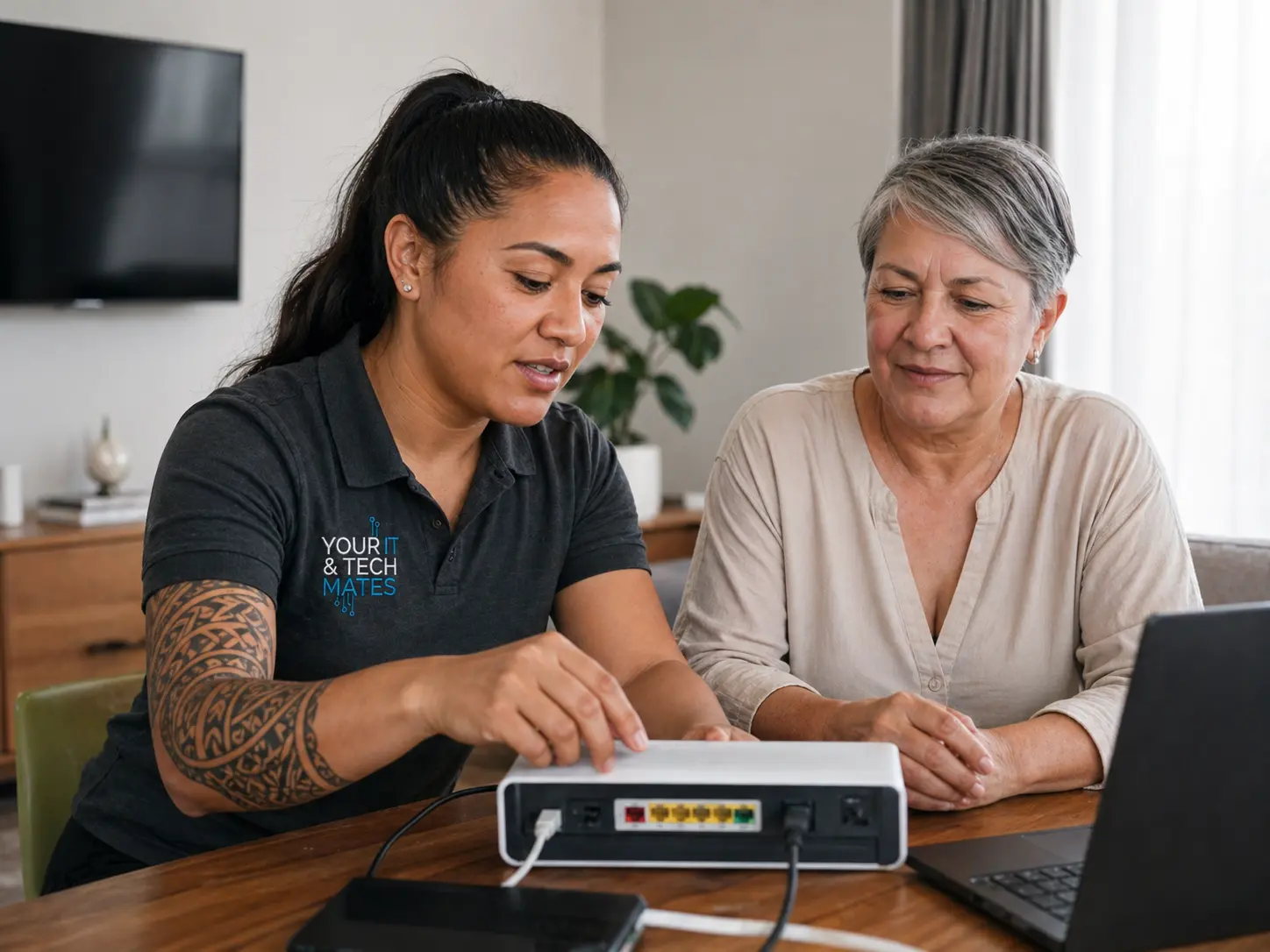
Home network audit tool β€” Your IT & Tech Mates
No Fix No FeeYou only pay if we fix it
Same-Day ServiceSubject to availability
5.0β˜… Rated200+ neighbour reviews
Local & MobileWe come to you
Mon–Sat 9am–7pmEpping base, Melbourne North
πŸ” Interactive Tool

Answer the questions to get your result

No personal information is collected. All processing is local to your browser.

Interactive tool loads here. Prefer a direct assessment? Call us for a live diagnosis.

Next steps

After You Get Your Result

βœ… All clear

Even a positive result benefits from preventive maintenance. Check related guides below.

⚠️ Minor issues

Many minor faults have DIY fixes. Our guides walk you through each option clearly.

πŸ”΄ Repair needed

Book with us β€” we come to you across Melbourne's north.

πŸ“ž Book Repair
πŸ“‹ Real Example β€” Home Network Audit

A Wollert family's router audit showed three unknown devices connected to their network. One was a neighbour's phone using their default password. We changed credentials, updated firmware, and enabled MAC filtering β€” resolving an ongoing security exposure.

Root Causes

What's Actually Causing This?

Understanding the cause helps you make better decisions β€” and helps us fix it faster.

Router Placement

A router in a cupboard, behind a TV, or on the floor loses 30–50% of its effective range. Central, elevated placement makes a measurable difference.

Wi-Fi Channel Congestion

In dense suburbs, many routers on the same channel (usually 6 or 11) cause interference. Switching to an uncrowded channel immediately improves stability.

Firmware Currency

Router manufacturers patch security vulnerabilities and performance bugs via firmware updates. Unupdated routers are a common security and reliability risk.

Device Count vs Bandwidth

Streaming 4K on multiple devices while gaming and video calling exceeds the practical capacity of most NBN 25 or 50 plans. An upgrade may be the solution.

What To Do Next

What Your Result Means β€” Next Steps

Your result points to either an issue you can address yourself, or one that needs professional attention before it worsens.

βœ… Minor Issue β€” Try This First

  • Move router to a central, elevated location β€” biggest single improvement
  • Change Wi-Fi channel in router settings to a less congested channel
  • Restart router monthly β€” clears memory leaks and refreshes connections
  • Update router firmware from the manufacturer's app or web interface

⚠️ Serious Issue β€” Act Now

  • If all devices lose internet simultaneously β€” check NBN box lights and call your ISP
  • Unknown devices on your network may indicate unauthorised access β€” change Wi-Fi password
  • Very slow speeds on a fast NBN plan often indicate a router hardware fault
  • Book a Wi-Fi assessment β€” we can map signal strength and identify dead zones
Key Questions

Is It Worth Fixing? Can It Get Worse? Hardware or Software?

βš™οΈNetwork vs device: If all devices have problems simultaneously β€” it's the network (router, NBN, ISP). If one device has problems β€” it's that device. This tool diagnoses the network layer. Device-specific faults need separate investigation.
⚠️What an unaudited network risks: Default router passwords are trivially guessed by automated scanners. Unknown devices on your network can access shared files and printers. Outdated router firmware has known vulnerabilities that are actively exploited.
βœ…What network remediation involves: Router password change: 5 minutes. Firmware update: 15 minutes. Channel optimisation: 10 minutes. Mesh node addition for dead zones: 1–2 hours. Most audit findings are self-service or a single professional visit.
🚨 Urgency note: Check your router for connected devices right now. Any device you don't recognise should trigger an immediate password change and security review.
Related Tools

Other Useful Diagnostic Tools

Not sure what to do next? Call or WhatsApp us for a free triage β€” no obligation.

πŸ“ž Call Now πŸ’¬ WhatsApp

πŸ’‘ A network with identified gaps is worth fixing properly β€” a professional setup typically pays for itself in reliability within a month.

Professional Help

Do You Need a Professional Repair?

βœ… You can DIY if:

You can address yourself: changing the router admin password from default, updating router firmware via the manufacturer's app, repositioning the router to a central elevated location, and restarting the router monthly.

πŸ”§ You need professional repair if:

You need professional help if: dead zones persist after repositioning; NBN speeds are consistently below 50% of your plan; unknown devices appear on your network; or your router is 5+ years old.

⚠️ What happens if you ignore this: A router running default credentials is detectable and exploitable by automated scanners within hours of internet exposure. An outdated router without firmware updates contains known vulnerabilities that are actively used to intercept traffic and redirect DNS β€” without any visible indication to the user.

πŸ› οΈ We set up and audit home networks across Melbourne's north β€” router configuration, mesh node installation, and security hardening. Most network setups are completed in a single 1–2 hour visit. Contact us to book.

πŸ“ž Call NowπŸ’¬ WhatsApp
Common questions

Home Network Audit β€” FAQs

Place centrally in your home, elevated off the floor, away from thick walls and appliances. Avoid cupboards, behind TVs, or in corners.
Most consumer routers handle 20–30 connected devices. Problems arise with simultaneous heavy use (streaming, gaming, video calls).
Basic WPA2/WPA3 password is usually enabled. However, default admin passwords, UPnP enabled, and no guest network are common weaknesses.
Router firmware, WiFi channel, security settings, guest network, device count, and speed performance across different areas of the home.
Related Reading

Helpful Guides

Need a Professional Network Audit? We Come to You.

Your IT & Tech Mates β€” fast, local tech support across Melbourne's northern suburbs.

Your IT & Tech Mates Β· Melbourne's North Β· Mon–Sat 9am–7pm
πŸ’° Refer & Earn

Know someone who needs tech help? Earn a commission.

Join the TheFixers.app referral network. Refer a friend, family member or client to Your IT & Tech Mates and earn a 4% Primary Referrer commission on every job they book β€” for up to 24 months or their first 20 jobs.

1
Share your referral link

Sign up free at TheFixers.app and get your unique referral link.

2
Your contact books a job

They use your link to request service. We handle everything from there.

3
You earn 4% commission

Paid per completed job. Commission window: 24 months or first 20 jobs.

Become a local IT referrer β€” earn with TheFixers.app
Primary Referrer Commission
4%
per completed job Β· 24-month window
Join TheFixers.app β€” Start Earning β†’
πŸ’¬ WhatsApp πŸ“ž Call Now