
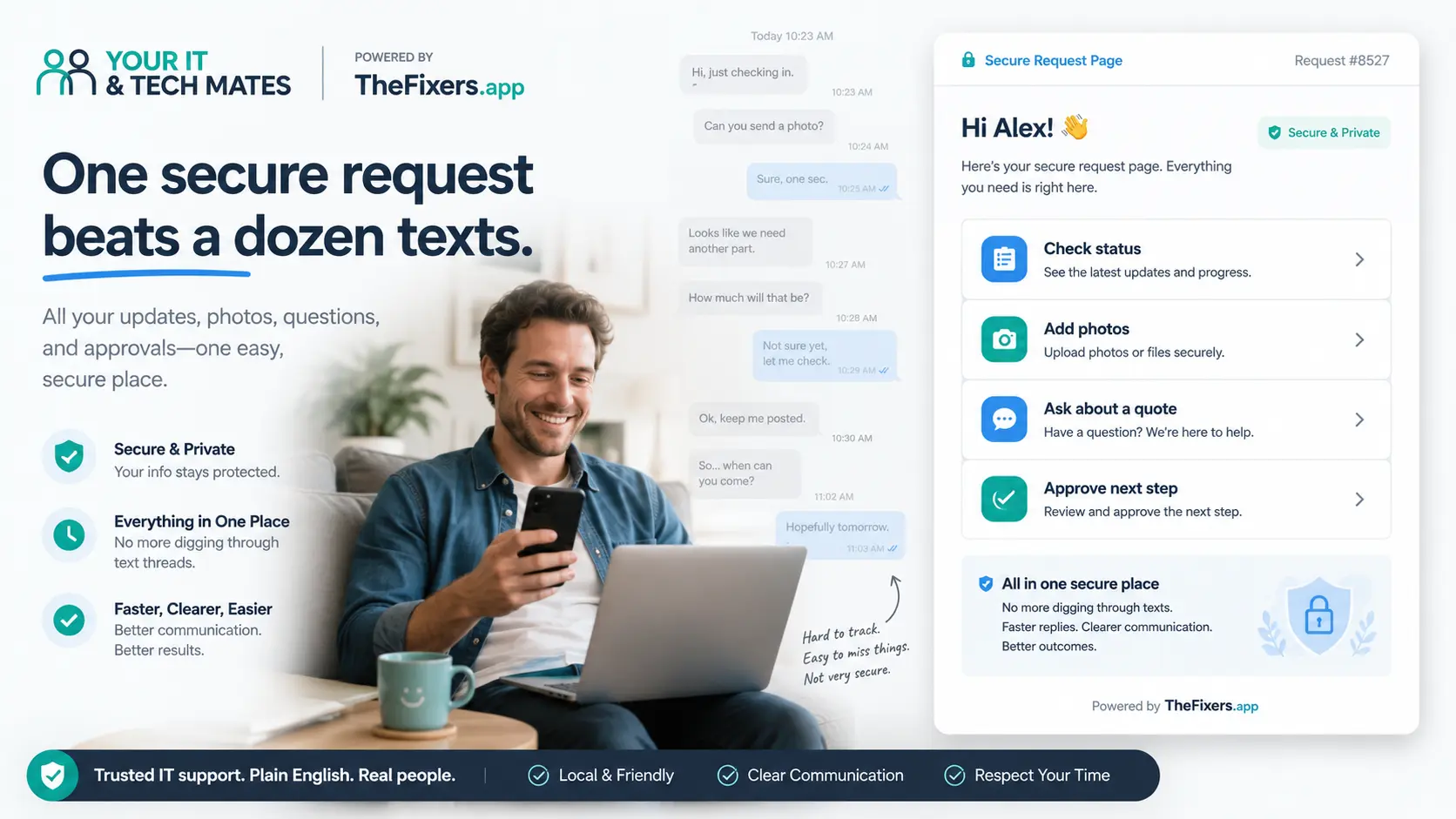
Quick answer
SMS is fine for short alerts, but it is not the best place to manage customer enquiries, IT support requests or private business information. A secure request page keeps the important details together so the right person can review, respond and follow up without searching through scattered text messages.
Use SMS for simple updates. Use the secure request page for anything detailed, private, support-related or attached to a customer request.
Best next step
If the issue includes a screenshot, customer detail, staff account problem, quote question, invoice concern, website error or scam worry, send it through the secure request page instead of a normal text thread.
Start QuoteMeWhat is a secure request page?
A secure request page is an official online page where a customer, staff member or business owner can explain a problem, add photos or screenshots, ask a quote question and keep the request history in one organised place.
The goal is not to collect more information than needed. The goal is to collect the right information in the right place, instead of spreading private details across SMS.
Why SMS can be risky for business support requests
SMS feels simple because everyone knows how to use it. A customer sends a message, a staff member replies, and the job starts moving.
The problem starts when the message contains customer names, account details, invoice numbers, screenshots, booking issues, payment questions, Microsoft 365 problems, Google Workspace access, website errors or scam concerns.
Those details can be missed, forwarded by mistake, split across different phones or mixed with unrelated messages. A secure request page gives the business a clearer record and a safer habit.
Risk level
Medium
SMS is usually low-risk for simple alerts, but the risk increases when screenshots, account access, customer data, payment concerns or private business systems are involved.
Use it for short alerts only, such as “we received your request” or “please check your secure request page”.
Move anything detailed, private or support-related to the secure request page.
Stop / Try / Send
Stop
- Do not text passwords, PINs, banking codes or one-time login codes.
- Do not send full screenshots if they show customer data, bank details, inboxes or private tabs.
- Do not keep important support details split across different phones.
Try
- Use SMS for quick alerts only.
- Use the secure request page when the issue needs a screenshot, file, quote question or history.
- Ask staff and customers to explain the issue in one place.
Send
- Your name, business name and best contact detail.
- The system, device, account or website involved.
- A safe screenshot or photo if it helps explain the issue.
- What changed before the problem started.
Customer enquiries are not always simple messages
Some customer enquiries are quick questions about opening hours, prices or availability. Others include private details that deserve more care.
A customer may send a screenshot of an account problem, a photo of a receipt, a payment concern, a booking issue, a complaint, a file problem, a checkout error or a message involving an order, address or contact detail.
If that information sits in a normal SMS thread, it can be harder to manage and easier to forward by mistake. A secure customer enquiry page gives the customer a guided way to explain the issue and gives the business a better record of what was asked.
IT support requests need clearer information
IT support often becomes messy when the first message is vague. “My email is broken”, “the computer is doing that thing again” or “the form is not working” are understandable, but they do not give enough detail to fix the issue quickly.
A secure business support request page can ask better questions upfront: what system is affected, when it started, whether one person or the whole team is affected, what error appears, whether work has stopped, and whether a safe screenshot is available.
That reduces back-and-forth and helps the support person choose the right next step, whether that is remote support, onsite tech help, Microsoft 365 support, Google Workspace support, website support, scam investigation or device troubleshooting.
Examples that should not stay in SMS
Move these to a secure page
- Customer enquiries with names, addresses, order numbers or payment concerns.
- Staff account, email, Microsoft 365 or Google Workspace access problems.
- Website, booking, checkout, invoice or file issues.
- Scam reports, suspicious links or security concerns.
- Screenshots that may show private customer or business information.
SMS is usually fine for
- “We received your request.”
- “Please check your secure request page.”
- “I am on my way.”
- “Please call when free.”
- Short reminders with no private details.
Why business owners benefit
Less back-and-forth
The request page asks for useful details at the start, so the support person does not need five follow-up texts to understand the issue.
Fewer missed details
Photos, screenshots, quote questions and request history stay together instead of being buried in different SMS threads.
Better handling of customer information
Customer details are less likely to be scattered across normal text conversations or forwarded by accident.
A better record of the request
The business can look back at who reported the issue, when it started, what system was affected and what details were provided.
Before you send a screenshot or file
- Crop out bank details, full card numbers, private inboxes and unrelated browser tabs.
- Do not include passwords, PINs, recovery codes, gift card codes or one-time login codes.
- Send only the part of the error, invoice, form or screen that helps explain the problem.
- Use the secure request page so the file is attached to the correct request.
Passwords and verification codes should not be sent by SMS
Staff and customers should not text passwords, authentication codes or banking codes to a support person. A support request can explain what is happening without sharing secret login details.
If someone asks for a code and you are unsure, pause and use the secure request page or call the official number before sharing anything sensitive.
Payment, invoice and booking questions need a cleaner record
Payment problems, invoice questions, booking changes and website checkout issues can include sensitive business or customer information. They are easier to review when the request, screenshots and follow-up notes are in one secure place.
Plain-English diagnosis table
| What you see | What it might mean | What to do next |
|---|---|---|
| Customer sends private details by text | The enquiry may need a safer record | Move the issue to the secure request page |
| Staff member texts a login problem | Account access or security may be involved | Do not text passwords or codes; submit a support request |
| Screenshot includes invoices or customer names | Private business information may be visible | Crop the image and upload it through the request page |
| Website or booking form is not working | The support team needs browser, device and error details | Send the page link, error message and safe screenshot |
| Suspicious link or scam concern | Security risk may be present | Stop clicking, do not forward codes, and ask for help securely |
I’m not technical
Simple explanation
Text messages are good for quick reminders. A secure request page is better when the issue needs details, photos, files, a quote question or a safer record.
More technical detail
Business support requests can involve account identifiers, browser errors, cloud accounts, customer records, authentication issues, payment workflow problems and system logs. Keeping those details in one structured request makes triage, privacy handling and follow-up easier.
Customer story snapshot
A small business owner had a website checkout issue and a customer payment question at the same time. If the details were sent by SMS, the screenshots and notes could be split across different phones. Using one secure request page kept the error, screenshot and follow-up together so the next step was clearer.
A simple process business owners can use
Set a simple rule: SMS is for quick updates. The secure request page is for anything detailed, private or support-related.
You can tell staff and customers: “Please use our secure request page for customer enquiries, IT support issues, screenshots or anything involving private details. SMS is fine for quick updates, but the request page helps us manage the issue properly.”
Before you contact us, send
- Your name, business name and best contact method.
- Whether this is a customer enquiry, staff tech issue, website issue, invoice question or scam concern.
- The system, device, account or website involved.
- What changed before the issue started.
- A safe screenshot or photo if it helps.
- Your suburb or service area.
- Whether the issue is stopping work now.
Choose your next guide
Use the link that matches what you need now.
Need local help near Epping, Wollert, Mernda or Melbourne North?
This guide explains the safer support habit. If you want help setting up a clearer support or request process, start with the option that matches what you need.
Start QuoteMe Business IT support Melbourne Computer repairs EppingBenefits and practical outcomes
Use these outcomes as a practical check on whether the advice is making the situation clearer and easier to manage.
One request history
Keep the problem, updates and next step attached to the same help request.
Less repeated explanation
Customers do not need to restate the same issue each time the channel changes.
Safer follow-up
Sensitive details can stay in My Tech Help or the Customer Room instead of scattered messages.
Clear next action
Status, questions and quote steps are easier to understand when they stay connected.
FAQ
Is SMS unsafe for every business message?
No. SMS is fine for simple updates, reminders and quick contact. The risk increases when the message includes customer details, passwords, security codes, screenshots, payment information, staff accounts or business system problems.
What is a secure customer enquiry page?
It is an online page where customers can send questions or support details in a more structured way. It helps keep the enquiry clearer than a normal SMS thread and gives the business a better record of the request.
Why use a secure request page for IT support?
IT support requests often need details about devices, accounts, email, internet, websites, files or business systems. A secure request page collects those details in one place and reduces back-and-forth.
Can customers still text the business?
Yes. Customers can still use SMS for quick updates or simple contact. Move detailed enquiries, screenshots, private information and support requests to the secure request page.
Should staff send passwords or verification codes by SMS?
No. Staff should not send passwords or verification codes by SMS. Use a safer support process that explains what is needed without sharing secret login details in a text thread.
What types of requests are better suited to a secure page?
Customer enquiries, IT support requests, staff account issues, website problems, booking issues, payment concerns, scam reports, screenshots and business system errors are better suited to a secure request page than a normal SMS conversation.
Is this only for large businesses?
No. Small businesses often rely heavily on SMS, which makes this habit even more useful. A secure request page can help small business owners manage customer enquiries and support requests without unnecessary complexity.
Still not sure what this means?
Send a short description of the issue, a safe screenshot if helpful, and your suburb. We will point you to the safest next step without asking you to text passwords or codes.
Start QuoteMe