
Quick answer
A Customer Room helps you act without writing a long text. You can check progress, add photos, ask a quote question or continue the next step from one secure page.
That means less missed-call chasing and fewer scattered messages because the request reference stays attached.
Best next step: Use the room when you want a clear next step without repeating your name, problem and request number.
Open request statusQuick answer card
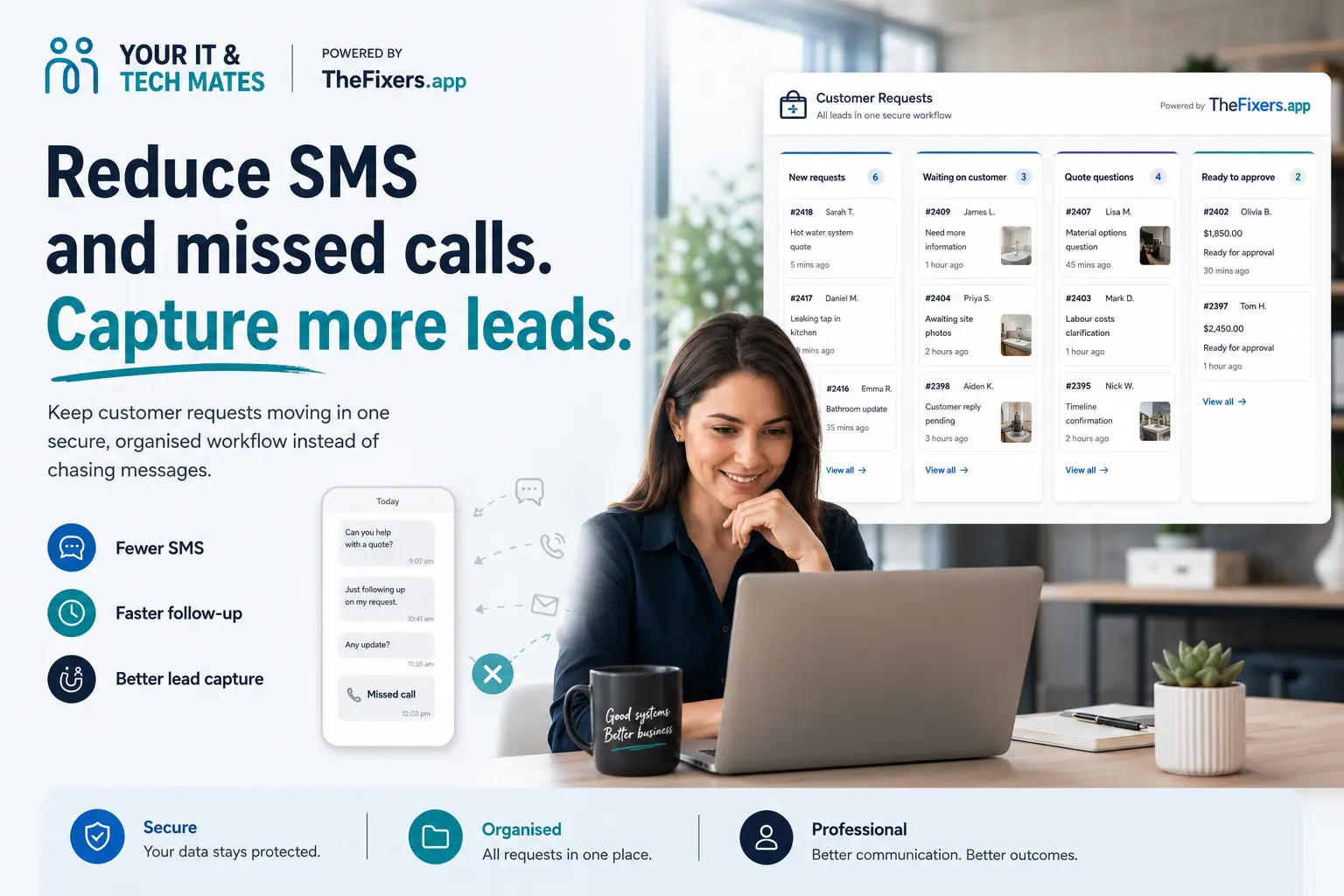
A Customer Room reduces SMS and missed calls by giving customers one secure place to add photos, ask questions, check progress and continue. It improves lead capture because the request context stays attached.
Best next step: Put the next customer action into the secure room so each request has one clear place to continue.
Post progress map
- Why SMS breaks down
- How the room organises requests
- What customers can send
- When human help matters
- Related guides
- Local help
Risk level and safest next step
Stop / Try / Send
Stop
- Do not rely on scattered text messages for photos, quote questions or approvals.
- Do not ask customers to repeat the same request number in every message.
- Do not use public links for private request information.
Try
- Send an alert that points back to the secure room.
- Use clear next-step cards for photos, quote questions and status.
- Keep human help available for urgent or confused customers.
Send
- Customer name or request reference.
- What information is still missing.
- Which action you want the customer to take next.
- Any photos or quote questions already received.
Before you contact us or use the room
- □ Confirm the request has the right contact detail.
- □ Use customer-friendly wording, not internal job notes.
- □ Make the next action obvious.
- □ Keep payment and approval steps on official pages.
- □ Retain records needed for service, disputes and accounting.
Plain-English diagnosis table
| What you see | What it might mean | What to do next |
|---|---|---|
| Customer keeps texting “any update?” | Status is not obvious | Point them to Check status in the Customer Room. |
| Customer sends photos in separate texts | Evidence is scattered | Use Add photos so files stay with the request. |
| Customer asks “how much?” | Quote context is missing | Use Ask about a quote with the request attached. |
| Customer wants to approve | Decision needs structure | Use Review quote / continue, not an informal text approval. |
I’m not technical
Simple explanation
The Customer Room turns scattered follow-up into one clear workflow for each customer request.
More technical detail
The customer room pattern keeps request state, file uploads, customer messages, quote intent and verified access connected so follow-up is less dependent on unstructured SMS threads.
Example from a busy local business
A small business was losing time moving between calls, SMS and photos. A Customer Room gave each request one workflow, making it easier to see who needed a quote answer, who had sent photos and who was ready to continue.
Need local help near Epping, Wollert, Mernda or Melbourne North?
This guide explains the safest next step. If you want local help, start with the option that matches what you need.
Still not sure what this means?
Send a photo or describe the issue. We’ll point you to the safest next step in plain English before you approve anything bigger.
Start QuoteMeWhat does “lead capture” mean for a customer?
For customers, it simply means the right details stay with the request so the team can help without asking the same questions again.
What to tap first
- Read the latest update at the top of the room.
- Tap the recommended card if one is highlighted.
- Use Check status, Add photos of the problem, Ask about a quote, or Review quote / continue.
- Use human help if you are urgent, stuck or unsure.
Why this feels easier than SMS
With scattered texts
- You may need to repeat your name, issue and request number.
- Photos and quote questions can end up in different message threads.
- It is easy to miss what changed or what to do next.
- You may not know whether the team has enough detail to respond.
With your Customer Room
- Your request reference stays attached.
- You can tap one card instead of writing a long text.
- Photos, quote questions and progress stay in one place.
- Viewing the room does not start payment, booking or quote approval.
Common customer situations
| If this is you | Best card to use |
|---|---|
| You are busy at work | Tap the right card in under a minute and come back later. |
| You have photos ready | Upload them to the request instead of sending them through scattered texts. |
| You need a quote answer | Ask the price or scope question with the reference attached. |
| You want a human if stuck | Use the help option so your request context still travels with the message. |
Safe use checklist
- Use the secure link or status page when you need to return.
- Only enter the contact detail used on the request when asked.
- Never share one-time codes, passwords, banking codes or device passcodes.
- Upload only helpful photos or files for the request.
- Choose human help if the situation is urgent or you are not sure what to do.
What happens after you choose a card?
- Check status: shows the latest customer-safe progress update.
- Add photos of the problem: takes you to the existing upload path so images stay with the request.
- Ask about a quote: opens the existing message path with the request context attached.
- Review quote / continue: takes you through the official quote path; payment only happens on the official payment page if required.
Related customer room guides
Benefits and practical outcomes
Use these outcomes as a practical check on whether the advice is making the situation clearer and easier to manage.
Fewer missed enquiries
Keep customer contact attached to one request so staff can see what still needs a response.
Less double handling
Reduce copying the same names, photos, notes and status information between disconnected tools.
Clearer ownership
Make the next action visible so staff know who is reviewing, replying, quoting or following up.
Safer customer communication
Use SMS or email for concise notifications while sensitive detail stays in the appropriate secure workflow.
FAQ
Is this only for businesses?
No. Customers use it to keep one request organised and easier to finish.
Can I still ask for human help?
Yes. Human help remains available, especially if you are urgent, stuck or unsure.
Why is it better than a phone call?
You do not need to repeat the details, and photos, quote questions and progress stay attached to the same request.
Will I be forced to pay?
No. Payment only happens through the official payment page when a payment step applies.
Can I come back later?
Yes. Use your secure link or status path. The page may ask for verification before showing details.