
How to correct a charger check in a QuoteMe repair draft
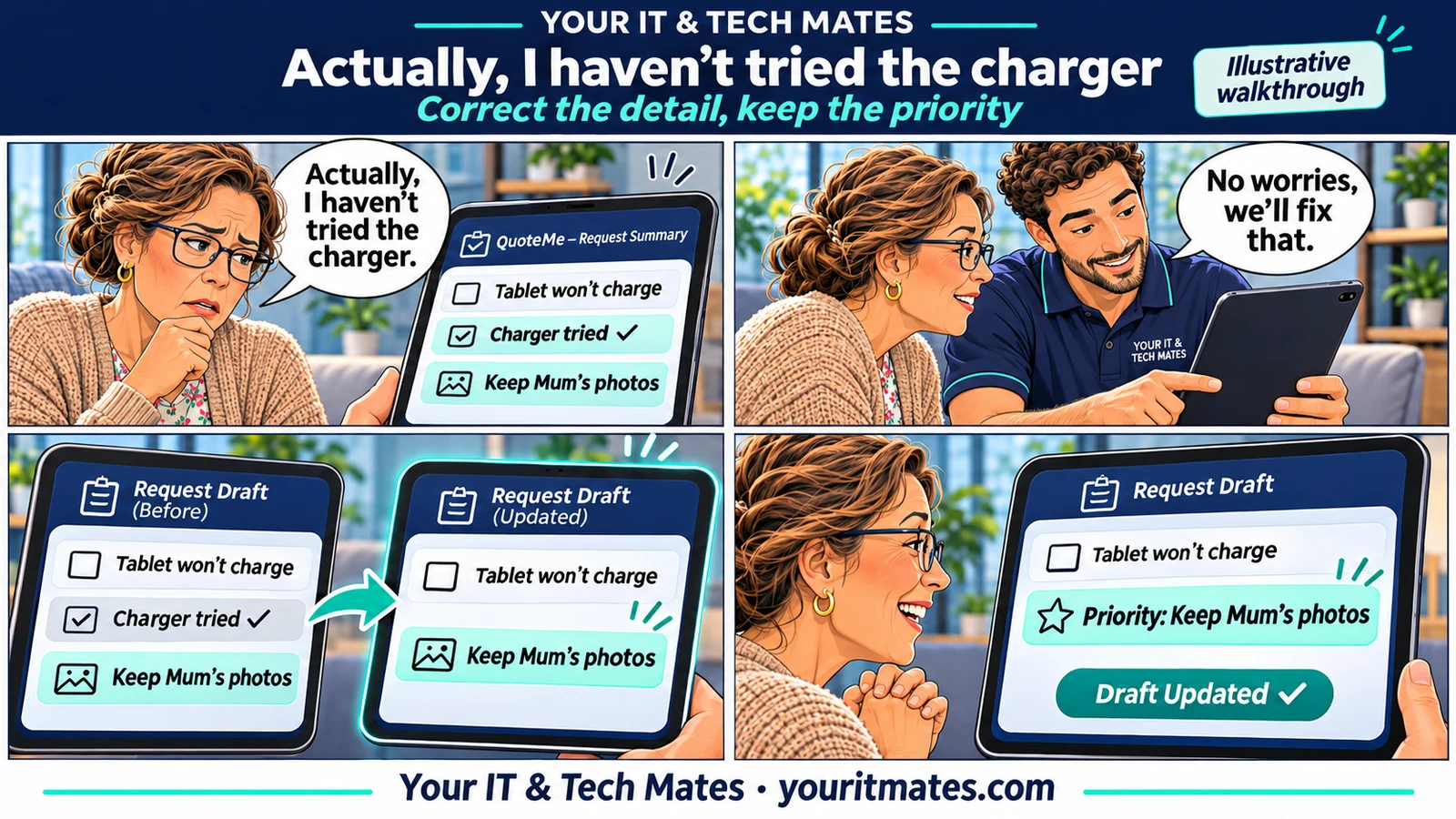
See how an explicit correction can remove a charger check from a QuoteMe draft while keeping the rest of the tablet repair enquiry in view.
Quick answer
If the enquiry is still a draft, correct the charger check before you send it. If it has already been sent, add the correction to the existing request in My Tech Help.
Illustrative walkthrough. The family and repair request are fictional. The applicable options are confirmed by the team for each enquiry.
What went wrong in the draft?
Imagine you said you’d tried another charger, then realised you’d only looked for one. That distinction matters to the technician. Write “Actually, I haven’t tried the charger yet.” It is easier to act on than a short reply such as “Actually, no”, which could refer to several earlier questions.
Check the correction and the details you still want to keep
The intended revised summary clears the earlier charger check. The charging symptom and the photo concern still belong in the request. Before sending, scan the summary for all three. If your correction also changes the device model or symptoms, state those separately and check the review again.
Already sent it? Keep the update with the request
Open the existing request in My Tech Help and add the correction there if you can. Include a short description of what changed. Keeping the update beside the original enquiry gives the technician a clearer chronology than opening another request for the same tablet.
What should the corrected draft say?
For a tablet charging enquiry, a useful correction is “I haven’t tested another charger. The screen is still blank and the photos are my priority.” This gives the technician the changed fact, the symptom that still applies and the reason the next step needs care.
Check these details before sending
- The draft no longer says you tested a charger that you didn’t use.
- The correct tablet and charging symptom are still listed.
- The photo priority and any collection question are still there if they apply.
If the draft still shows the old detail, edit it again or include a plainly worded correction for the team. If the request has a reference already, use that conversation so the correction reaches the same technician handover.