Fake ‘Telstra’ Scam Call in Wollert: What We Checked First
If an older family member has taken a suspicious Telstra, NBN or bank call, act quickly but calmly. Hang up, do not share more information, then check the phone, email, bank app, passwords and recovery settings before the scammer gets another chance.
Local scam protection and senior tech support across Melbourne’s north
Prepared byYour IT & Tech Mates content teamPlain-English customer guidance
Reviewed byTechnical support teamPractical service and safety review
Example / composite scenario: identifying details are removed and some details may combine common support situations. It is not a claim about a named customer.
Response
Same day
Initial lockdown
30 mins
Outcome
No loss
Real local tech help from your actual neighbours — not a repair chain.Clear quotes, no jargon, Clear Approval, and honest repair-vs-replace advice.
Advertisement
Quick answer
What should you do after a fake Telstra scam call?
If someone claiming to be from Telstra, NBN, a bank or a security team has called an older family member, the safest first move is to end the call and stop all sharing of details. Do not keep talking to “check if they are real”. Hang up, then contact the company yourself using the number on it’s official website or app.
Next, check whether any information was shared. If card details, passwords, remote access, one-time codes or email access may have been exposed, the phone and accounts need a proper safety check. That usually means changing passwords, checking recovery options, removing suspicious apps, turning on two-factor authentication and watching bank activity.
Job snapshot
What happened in Wollert
Problem: Fake Telstra caller almost got bank details.
Location: Wollert VIC 3750.
Who was targeted: A local senior at home.
What helped: Phone, account and password checks before money was lost.
Outcome: Initial lockdown completed in about 30 minutes.
Need help?
Scam call help without the panic
If a parent or grandparent has had a strange call, suspicious SMS, bank scare or remote-access request, we can help check what happened and lock down the obvious risks.
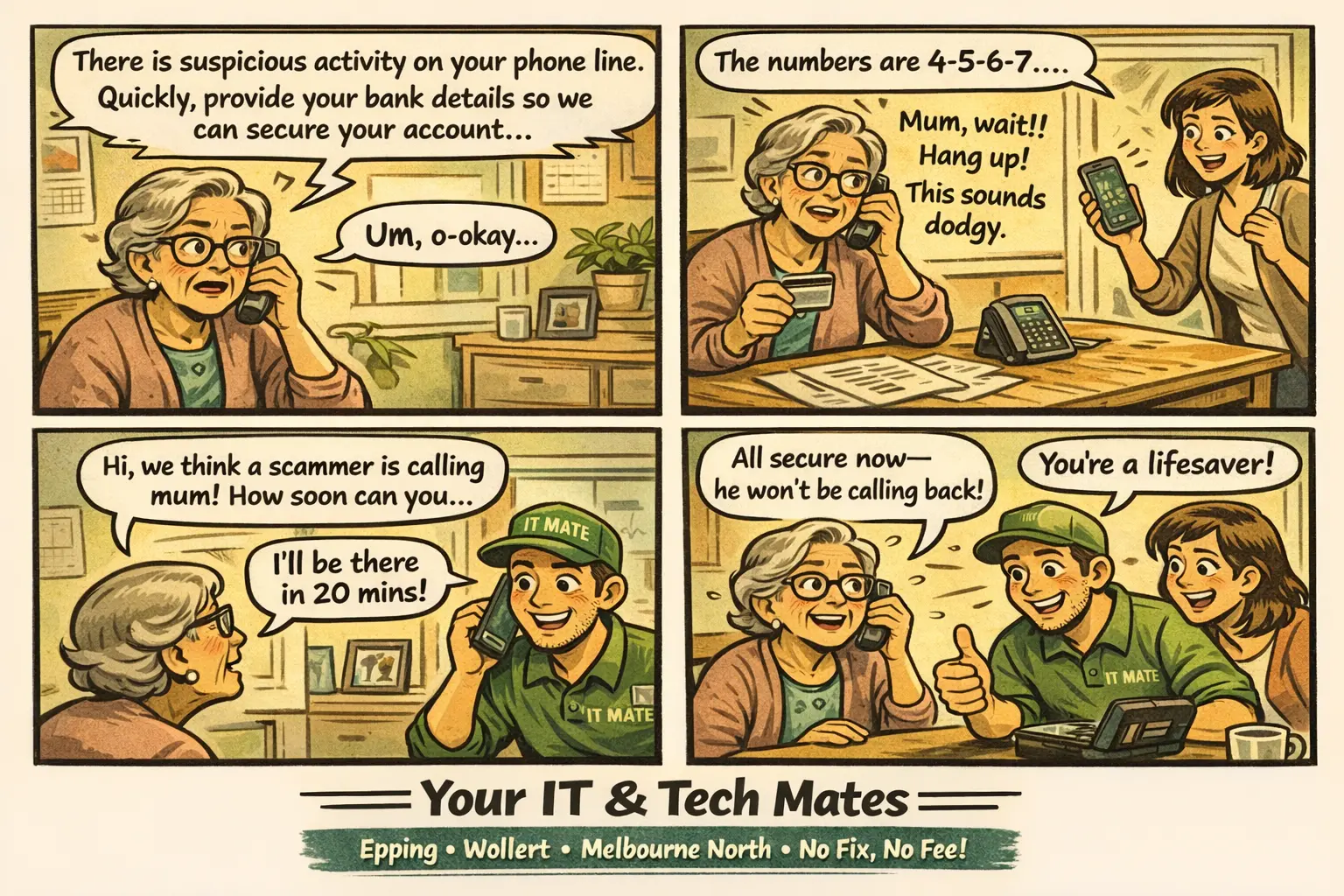
Yesterday I got a call about a local nanna in Wollert who had just spoken to someone claiming to be from Telstra. The caller said there was “suspicious activity” on her account and that she needed to secure it immediately.
The scary part was that she already had her bank card out and was partway through reading the numbers. Her daughter stepped in, noticed something felt wrong, and stopped the call before the scammer got everything they wanted.
That quick pause made a big difference. Scam calls work by creating pressure. They want people to feel rushed, embarrassed or scared enough to ignore their normal judgement.
“
If a caller is rushing you to hand over details, that is the warning sign.
Simple rule we gave the family after the visit
Red flags
The warning signs were all there
The number looked familiar, but numbers can be spoofed.
The caller created urgency and pushed her to act straight away.
He asked for financial details on an incoming call.
No real company should pressure someone into sharing bank card numbers, passwords, one-time codes or remote-access permission on an incoming call.
What we checked
The first lockdown steps
Checked bank app, email and messages for signs of unauthorised access.
Changed important passwords and checked recovery options.
Logged out suspicious sessions and turned on two-factor authentication.
Blocked the scam number and explained how to report future scam calls.
Checked for suspicious apps or remote-access tools.
Gave the family a simple safe-call process for next time.
The initial lockdown took about 30 minutes. I stayed longer to check everything properly and make sure the family understood what to watch for next.
For this job, the total was around $310. That included the on-site Wollert visit’scam check, account review, phone safety check and lockdown setup. There were no ongoing subscriptions or surprise add-ons.
All jobs are quoted before work starts — this reflects what this specific visit involved.
Family checklist
What to check if a senior has spoken to a scammer
Ask what information was shared: card number, password, SMS code, email address, date of birth or remote access.
Check the bank app and call the bank directly if card or account details may have been exposed.
Change the email password first, because email is often the recovery point for other accounts.
Turn on two-factor authentication for email, banking, Apple ID, Google and important apps.
Remove unknown remote-access apps and check whether anyone is still signed in.
Write down one rule: hang up, then call the company yourself using the official number.
Practical next step
Not sure if anything was exposed?
If your parent, grandparent or client has had a suspicious call, send us a message. We can help work out whether it needs a quick check, a proper lockdown, or just calm reassurance.
If you or a family member received a suspicious call or message, the free Scam Risk Checker helps you assess how much action to take — from a quick password check to a full device review. It takes two minutes and is completely free.
Hang up and stop sharing information. Then contact Telstra yourself through the official website, app or bill. If any passwords, card details, codes or remote access were shared, check the phone and accounts quickly.
Can scammers make a number look local?
Yes. A phone number can be spoofed so it looks local, familiar or official. Judge the call by what the person asks for, not just the number on the screen.
What if a senior shared part of a bank card number?
Call the bank directly using the number on the card or banking app. Explain what happened and ask whether the card should be blocked or monitored. Do not call back the number from the suspicious caller.
Should I change passwords after a scam call?
Change passwords if any account details, email access, recovery codes or remote access may have been exposed. Start with email because it’s often used to reset other passwords.
Can you help seniors understand what happened?
Yes. We can check the phone, explain the red flags, secure accounts and show a simple process for handling future calls without panic or shame.
Where can I report scams in Australia?
You can report scams through Scamwatch and check scam advice from the company the caller pretended to represent. We have linked both in the sidebar for easy reference.
About Your IT & Tech Mates
Calm, local tech help for seniors and families
Your IT & Tech Mates helps locals across Melbourne’s north with phones, scam prevention, account protection, Wi-Fi, laptops and day-to-day tech support. We explain things clearly, check what matters, and help families make the next sensible move.
Service areas
Scam call and senior tech support across Melbourne’s north
We support seniors, families and carers across Wollert, Epping, South Morang, Mill Park, Mernda, Lalor, Bundoora, Doreen and nearby Melbourne north suburbs.
Get a price guide, explain the problem for a technician review, or check an existing request. Your starting details will carry across and can be changed.