How Your IT and Tech Mates tests AI-assisted repair enquiries
See how a Melbourne North tech support team checks whether an AI-assisted workflow preserves corrections, hands over useful information and keeps replies together.
Quick answer
A useful AI-assisted repair workflow preserves the customer’s correction, gives staff an accurate summary and lets the customer return to the same request. Test all three before treating the handover as reliable.
Illustrative walkthrough. The family and repair request are fictional. The applicable options are confirmed by the team for each enquiry.
Test the parts where a customer can lose progress
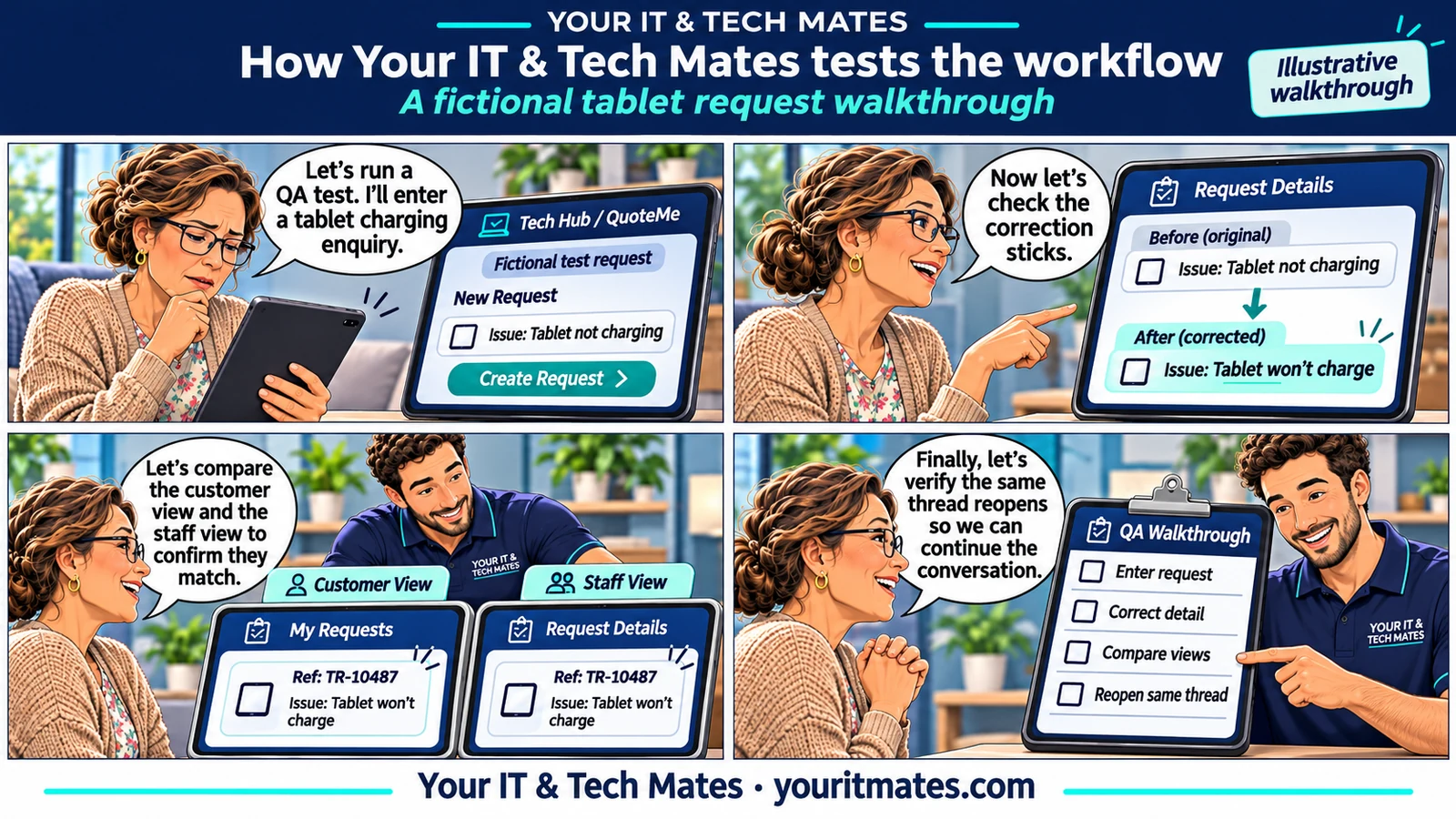
Start with an ordinary message about a tablet that won’t charge. Add that the photos matter, correct an earlier charger check and ask about collection. Compare the draft before and after each turn. A useful result keeps the current charger information and photo priority visible and avoids asking for details the customer already gave.
Test both sides of the same request
In an authorised test account, send the example once and confirm that staff see the same summary. Post a test reply and reopen the original request as the customer. The important evidence is the saved request reference, the staff view and the customer view. The public walkthrough is illustrative and makes no claim about live completion rates.
Apply the same tests to other small-business workflows
Pick one recurring enquiry, such as a quote or service request. Identify which details need to survive a correction or a handover and which decisions need staff approval. Track repeat questions, correct handovers and successful returns separately so you can pinpoint what actually improved.
A repeatable test for an AI-assisted service enquiry
- Input: use a fictional tablet charging enquiry with a photo priority and an earlier charger check.
- Change: correct the charger check and ask about collection.
- Evidence: compare the customer’s draft, the saved request and the technician’s view. The current correction and original photo priority should agree across all three.
- Return: add a test reply and reopen the same request as the customer. Check the reference matches.
What can a small business measure?
Track which information survives the handover, how often customers repeat an answer and whether staff can reply in the original conversation. Try interruptions such as a price question or a customer who doesn’t know the model. A Melbourne North business can apply the same tests to callback requests or quote enquiries before expanding its automation.