
Does My Laptop Screen Need Replacing? 6 Signs to Check First
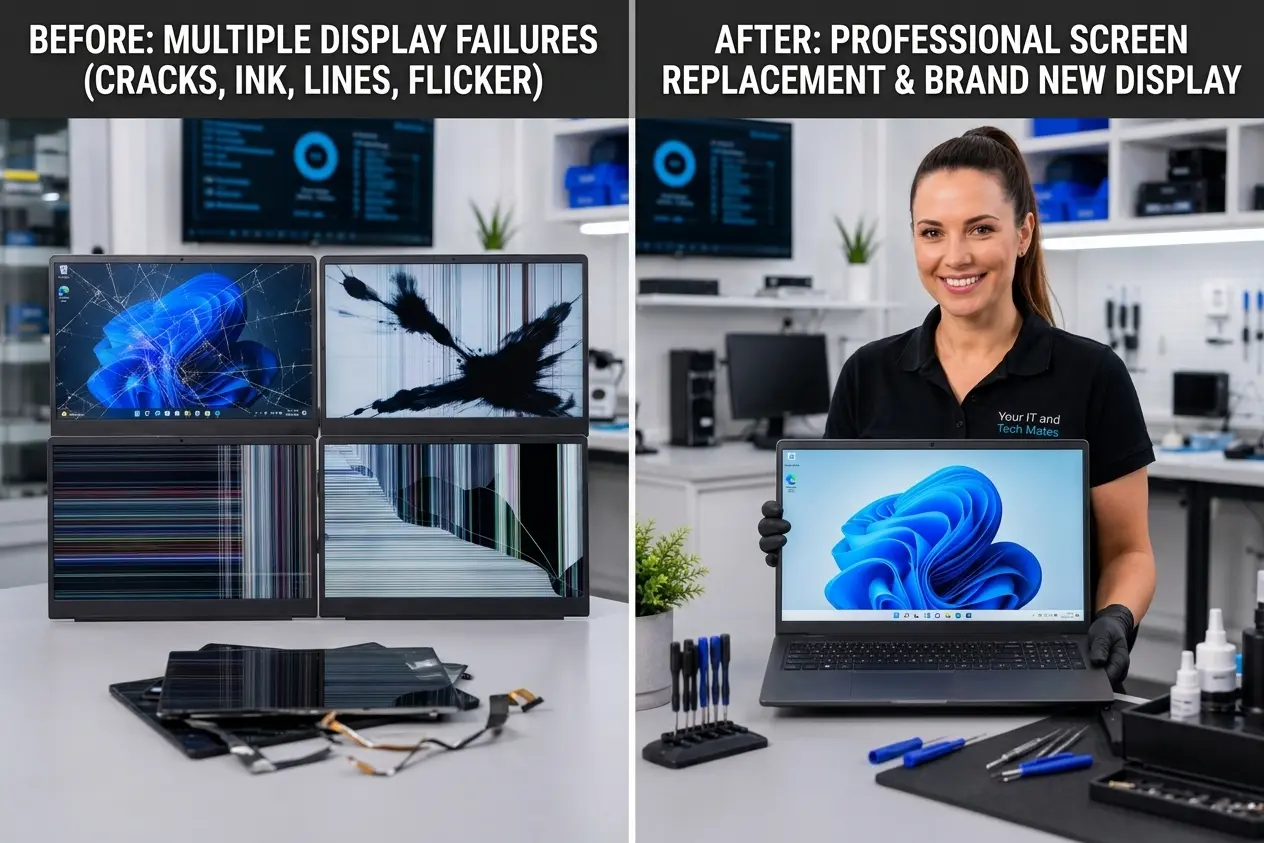
Cracks, black patches, coloured lines, flickering and missing display areas can all point to screen damage but not every display problem means the panel itself needs replacing.
Quick answer
A laptop screen is more likely to need replacement when you can see a physical crack, spreading black “ink” patches, dead areas or permanent lines that stay on the built-in display. Flickering and partial display faults can also come from a cable or graphics problem, so diagnosis matters before a screen is ordered. Back up important files first if the laptop still works.
Before you decide it needs a new screen
A damaged laptop display can look dramatic, but the visible symptom does not always tell you which part failed. The screen panel, display cable, hinge area, backlight or graphics system can produce overlapping symptoms.
If it is safe to do so, note whether the problem changes when the lid moves and whether an external monitor shows a normal picture. Do not press the panel, twist the lid or keep opening and closing a cracked screen to “test” it. If the screen is broken, sharp or separating from the lid, stop handling it unnecessarily.
Use the Screen vs GPU Check if you want a guided first check before booking anything.
1. Spiderweb cracks after an impact or pressure

A spiderweb pattern usually starts around an impact point or pressure spot and spreads through the LCD panel. Even when the outer surface does not feel badly broken, the layers underneath can be damaged.
What it usually means: visible panel cracking is one of the clearest signs that the display assembly needs replacement. Before ordering a part, the exact laptop model and panel specification still need to be confirmed.
What to do: avoid pressing on the crack, minimise lid movement, back up important files and take a clear photo of the whole screen plus the laptop model label.
2. Black patches or “ink” spreading across the display

Dark blobs, black pools or ink-like marks are commonly described as “screen bleeding”. They can appear after a drop, pressure in a bag, a lid being closed on an object or another impact.
What it usually means: the liquid-crystal layer inside the panel has been damaged. It is not normally fixed by changing brightness, display settings or Windows.
What to do: stop pressing the area to see whether it changes. Pressure can make the damaged region larger. If the laptop still works, back up your files before the display becomes harder to use.
3. Persistent coloured vertical or horizontal lines

Red, green, blue, white or multicoloured lines that stay in the same place can indicate damage inside the display. Lines can also appear when the display cable has been damaged or disturbed near the hinge.
What it might mean: a panel fault is possible, but lines alone do not prove the panel is the only problem. If the same corruption appears on an external monitor, the graphics system becomes more relevant.
What to do: note whether the lines change when the lid moves, and avoid repeatedly flexing the hinge to reproduce the fault.
4. A screen that flickers, flashes or cuts in and out

Flickering is one of the symptoms where replacing the screen too quickly can waste money. A worn cable, hinge movement, panel electronics, backlight issue, graphics driver or graphics hardware can all cause visible flashing.
What it might mean: the panel may need replacing, but a cable or graphics fault should be ruled out first.
What to do: if the laptop is stable enough to use, save your work and back up important files. Record a short video of the flicker because intermittent faults may not appear during a quick inspection.
5. Only part of the laptop screen is working

A laptop may show the desktop on only one side, a large blank band, a dim section or an area filled with distorted pixels.
What it might mean: physical panel failure is common when a fixed part of the display is missing, especially after impact. A connector or display-cable problem can produce a similar result.
What to do: take a full-screen photo before restarting or moving the lid. If the laptop contains important work or study files, back them up while you still have usable access.
6. The screen is cracked but the laptop still works

Seeing the desktop through a crack does not mean the damage is harmless. The computer itself may be working normally while the display panel is broken.
What it usually means: if the panel is visibly cracked, replacement is commonly the practical repair even when the image is still readable.
What to do: avoid touching damaged edges or flexing the lid. Back up your data and get the exact screen identified before buying a replacement part.
A quick customer checklist
- Visible crack or spiderweb pattern: strong sign of physical panel damage.
- Black blobs or ink-like patches: commonly internal LCD damage.
- Permanent coloured lines: panel, cable or graphics diagnosis needed.
- Flickering or flashing: do not assume the panel; cable and graphics faults can look similar.
- Half-screen or blank section: commonly a display-path hardware fault.
- Cracked but still usable: the laptop can work while the screen itself is damaged.
If you are still unsure, use the existing Screen Damage Check or read the more detailed laptop screen repair guide.
How much can laptop screen replacement cost?
Our current public guide for a standard laptop screen replacement is $229, $549. That is an indicative range, not a binding quote. The exact panel, touchscreen support, resolution, connector, laptop model and part availability can change the price.
For MacBook displays and unusual panels, the range can be different. Check the current pricing guide or send the model and screen photos through QuoteMe so the exact part can be reviewed before paid work begins.
What to send if you want the screen checked
- A photo showing the whole damaged screen.
- A close-up of the crack, black patch, lines or failed area.
- The laptop brand and exact model if you can find it safely.
- Whether the laptop was dropped, squeezed, closed on an object or started failing without an obvious impact.
- Whether an external monitor works normally, if you already tested one safely.
- Whether important files still need to be backed up.
This information helps avoid ordering the wrong panel and gives the technician a better starting point before a fixed quote is confirmed.
Frequently asked questions
Does a cracked laptop screen always need replacing?
If the LCD or display panel is physically cracked, replacement is usually the practical repair. The exact panel should still be confirmed and the lid, hinges and display cable checked before parts are ordered.
What do black ink-like patches on a laptop screen mean?
Black blobs or ink-like patches commonly appear when the LCD layer has been damaged by impact or pressure. They are not normally caused by a simple display setting.
Do coloured lines mean the laptop screen is broken?
They can, but persistent lines may also come from the display cable or graphics hardware. An external monitor test can provide a useful clue, but it is not a substitute for diagnosis.
Can flickering be fixed without replacing the screen?
Sometimes. Cable, hinge, backlight, driver and graphics faults can all cause flicker, which is why the fault should be confirmed before a panel is ordered.
Can I keep using a cracked screen if it still works?
It may continue working, but cracks can spread and the panel can become less usable. Avoid pressure and unnecessary lid movement, back up important files and arrange an assessment if the damage is worsening or unsafe.
How much does laptop screen replacement cost?
Your IT and Tech Mates currently publishes an indicative guide of $229, $549 for laptop screen replacement. The exact model, panel, touchscreen support and part availability must be confirmed before a fixed quote.
Related laptop screen help
Not sure whether the panel itself is damaged?
Send the laptop model, what happened and a few clear photos through QuoteMe. Your IT and Tech Mates can review whether the symptoms point to the screen, cable or another display fault and explain the next step before paid work begins.